How to use Codex CLI with GPT-5 Codex
TL;DR
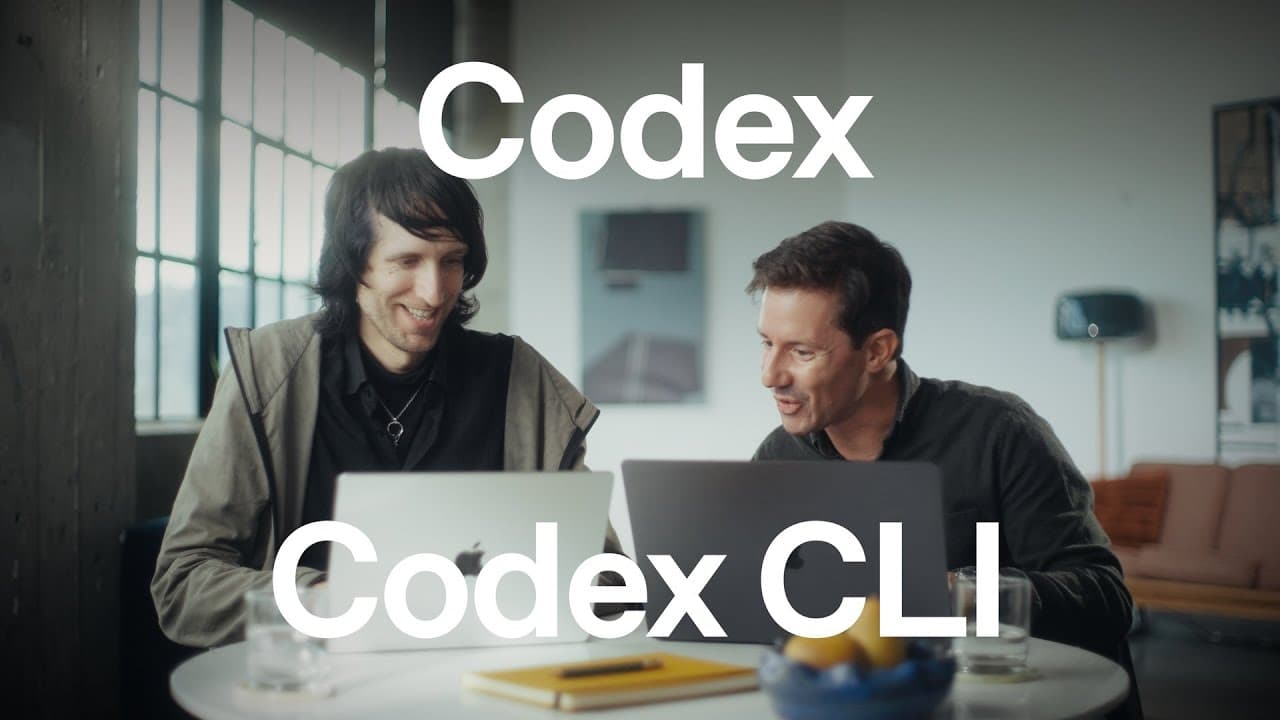
Codex CLI can harness GPT-5 Codex for coding tasks by planning, then executing in the terminal. You log in with your ChatGPT account, switch models for different reasoning levels, and deploy projects with web search and Versel deployment. The workflow shows planning, implementing, deploying, and playing a multiplayer game powered by AI assistance.
Transcript
Hey, what are you working on? I'm trying to find a good demo. Something that Codex can modify. We could make this little ball thing multiplayer. That sounds very cool. Let's do it. Codeex CL164. Mark. Hey everyone, Roma here. Recently, we ship GP5 and GP5 codecs and we've also released a ton of improvements to Codex CLI to better harness the agenti... Read More
Key Insights
- Codex CLI integrates GPT-5 Codex to perform coding tasks inside a terminal environment. The combination enables advanced planning and execution of software features with AI assistance.
- The CLI can log in via a ChatGPT account and launch Codex with a simple command, making setup quick and approachable for developers.
- Model switching is a core feature, allowing users to assign different reasoning levels to tasks, optimizing speed for simple tasks and depth for complex ones.
- Approvals modes define how Codex can interact with the file system: read only, auto, and full access, with Auto as the default enabling safe in project scope edits.
- Transcript mode provides chain of thought and code details, while high level mode omits these details for streamlined operation.
- CodeEx supports deployment workflows, including web search to fetch API or docs, and using deployment tools to push applications to production environments.
- The workflow demonstrates using Versel for deployment and CodeEx to search for latest docs, illustrating a practical end to end AI assisted deployment.
- The demonstration includes a multiplayer game example, showing that the system can plan, implement, deploy, and test in a single session.
- More videos from this channel:
- More from this channel: OpenAI
Install to Summarize YouTube Videos and Get Transcripts
Explore YouTube Video Summarizer or Get YouTube Transcript Extractor
Questions & Answers
Q: A real search query question about the video
What is Codex CLI and how does the GPT-5 Codex model enhance coding tasks in the terminal? The answer explains that Codex CLI provides an AI teammate in the terminal, enabling planning, code generation, and deployment across languages and frameworks, while GPT-5 Codex excels at coding tasks and extends capabilities with model switching and advanced planning features.
Q: How do you start using Codex CLI according to the video
To start using Codex CLI, you install it via npm or brew, log in with your ChatGPT account, and launch it with a simple command code ex. The video demonstrates a quick onboarding flow that gets a user writing and planning code in minutes, then expanding capabilities with model switches and approvals.
Q: What is the purpose of transcript mode in Codex CLI
Transcript mode is designed to expose the chain of thought and the exact code being generated, which is useful for debugging and understanding the AI reasoning. It can be turned on or off, allowing users to either inspect the reasoning process in detail or focus on high level outcomes.
Q: What are the approval modes and why are they important
Approval modes control Codex access to the file system, including read only, auto, and full access. Read only restricts edits, auto allows changes within the current directory, and full access enables broader edits. These modes help maintain safety and boundary control during AI assisted development.
Q: How does the video suggest handling complex tasks
For complex tasks, the video recommends using the model switcher to allocate a deeper, longer reasoning process from a more capable model, enabling sustained work over hours while keeping simpler tasks fast with a lighter model, thereby balancing speed and depth.
Q: What role does web search play in Codex CLI workflow
Web search is used to fetch information from the internet directly within the Codex CLI workflow, enabling the AI to look up latest docs or API references as needed. This capability helps keep projects up to date and reduces the time spent switching contexts to manual research.
Q: How is deployment demonstrated in the video
Deployment is demonstrated by guiding Codex to use a deployment tool to push the app, in this case to Versel, after planning and implementing features. The process shows how the AI can navigate external docs, execute deployment commands, and verify the app is live.
Q: What is the final takeaway of the Codex CLI demonstration
The final takeaway is that Codex CLI provides an AI assisted terminal workflow that covers planning, implementing, deploying, and testing AI powered software projects. It showcases a seamless collaboration with an AI teammate in a real time environment that enhances productivity and reduces manual steps.
Summary & Key Takeaways
-
A developer-friendly guide demonstrates planning a multiplayer feature with Codex CLI, then expanding the plan using a second CodeEx session. The tutorial highlights model switching, sandbox approvals, and perimeters that keep edits within the project scope. It culminates with deploying the app and playing the game to verify functionality.
-
The video emphasizes that GPT-5 Codex excels at complex coding tasks, including reading logs, merging data sources, and debugging, while Codex CLI acts as an AI teammate that assists across languages and frameworks.
-
The overall takeaway is that Codex CLI enables rapid, real time collaboration with an AI agent in the terminal, making it easier to design, deploy, and test AI assisted software projects.
Read in Other Languages (beta)
Share This Summary 📚
Summarize YouTube Videos and Get Video Transcripts with 1-Click
Try YouTube Summary with ChatGPT & Claude or YouTube Transcript Generator
Explore More Summaries from OpenAI 📚




Summarize YouTube Videos and Get Video Transcripts with 1-Click
Try YouTube Summary with ChatGPT & Claude or YouTube Transcript Generator