How to Set Up an Off-Grid Raspberry Pi with Solar Power
TL;DR
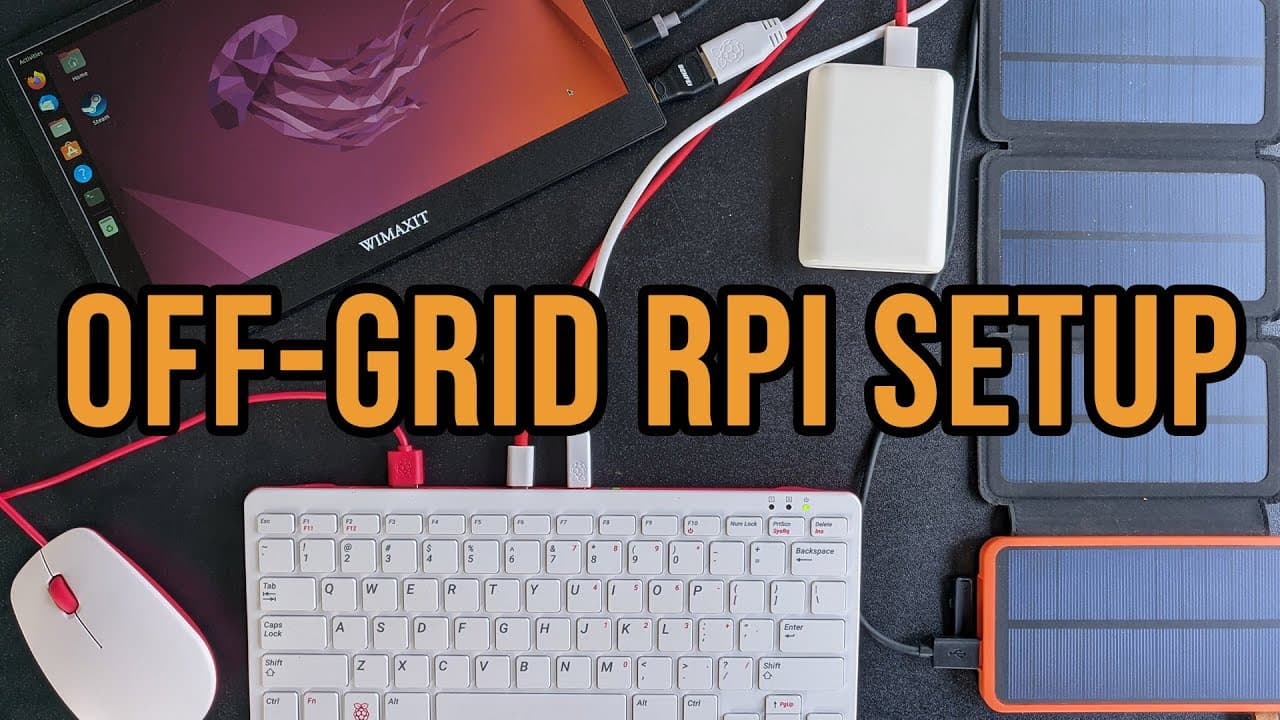
To create an off-grid Raspberry Pi setup, use two 10,000 mAh power banks to manage boot-up power requirements. Pair the Raspberry Pi with a low-power 12-inch monitor for outdoor use, ensuring good visibility and compatibility. Incorporating solar power not only extends usage time but also enhances energy efficiency, making your setup more sustainable.
Transcript
hey guys what's going on it's don here from nova spare tech and welcome back to the channel and today i'm going to be showing you guys my little off-grid raspberry pi setup with the raspberry pi p400 and the wii maxxis 12-inch portable monitor so let's get started i do want to thank we maxim for sending this 12 inch monitor over to me for review an... Read More
Key Insights
- ✊ Using two separate power banks resolves the initial power demand issue during the Raspberry Pi boot process.
- ✊ The choice of monitor impacts both the visual comfort and the overall power efficiency of the off-grid setup.
- ✊ Alternative power sources, like solar panels, can dramatically improve the longevity of off-grid projects.
- ✊ Reducing peripheral features like Bluetooth can substantially enhance power management for Raspberry Pi projects.
- 🗺️ The setup's functional versatility supports different devices, suitable for travelling or outdoor environments.
- 👻 Optimal setup conditions allow Raspberry Pi to handle various applications, including YouTube and web browsing.
- 🚨 The overall project reflects an emerging interest in sustainable technology and off-grid living.
Install to Summarize YouTube Videos and Get Transcripts
Explore YouTube Video Summarizer or Get YouTube Transcript Extractor
Questions & Answers
Q: What advantages does the 12-inch portable monitor offer for this setup?
The 12-inch portable monitor is favored for its low power consumption and non-reflective matte surface, making it ideal for outdoor use. Its dimensions provide a balance between usability and portability, avoiding the discomfort of smaller screens. Additionally, it offers diverse input options including USB-C and HDMI, enhancing compatibility.
Q: How does the power draw of the Raspberry Pi affect the choice of power banks?
The Raspberry Pi requires significant power, especially during boot-up, which demands around 2.5 amps momentarily. Since typical power banks only supply up to 2.1 amps, Don utilizes two 10,000 mAh power banks to ensure sufficient power during startup and maintain stable performance during operation.
Q: What modifications did Don make to optimize power consumption?
To enhance efficiency, Don disabled the Bluetooth and lowered the clock speed of the Raspberry Pi from 1.8 GHz to 1.5 GHz. These steps help reduce overall power draw, allowing for longer usage times on battery power and improving performance for tasks like video playback and web browsing.
Q: What role does solar power play in this setup?
Solar power significantly extends the operational time of this setup. Don integrated a 22-watt solar panel, allowing it to charge the power banks while in use. This strategy enables the Raspberry Pi and monitor to function independently from the grid and prolongs the duration of outdoor usage.
Summary & Key Takeaways
-
Don introduces his off-grid Raspberry Pi setup, highlighting the importance of using a power-efficient 12-inch portable monitor as part of the configuration.
-
The setup utilizes two 10,000 mAh power banks for initial boot up and is designed to be solar-powered, enabling extended usage while minimizing power consumption.
-
Key features of the monitor include its low power consumption, vibrant outdoor visibility without glare, and compatibility with various devices through USB-C and HDMI.
Read in Other Languages (beta)
Share This Summary 📚
Summarize YouTube Videos and Get Video Transcripts with 1-Click
Try YouTube Summary with ChatGPT & Claude or YouTube Transcript Generator
Explore More Summaries from Novaspirit Tech 📚






Summarize YouTube Videos and Get Video Transcripts with 1-Click
Try YouTube Summary with ChatGPT & Claude or YouTube Transcript Generator