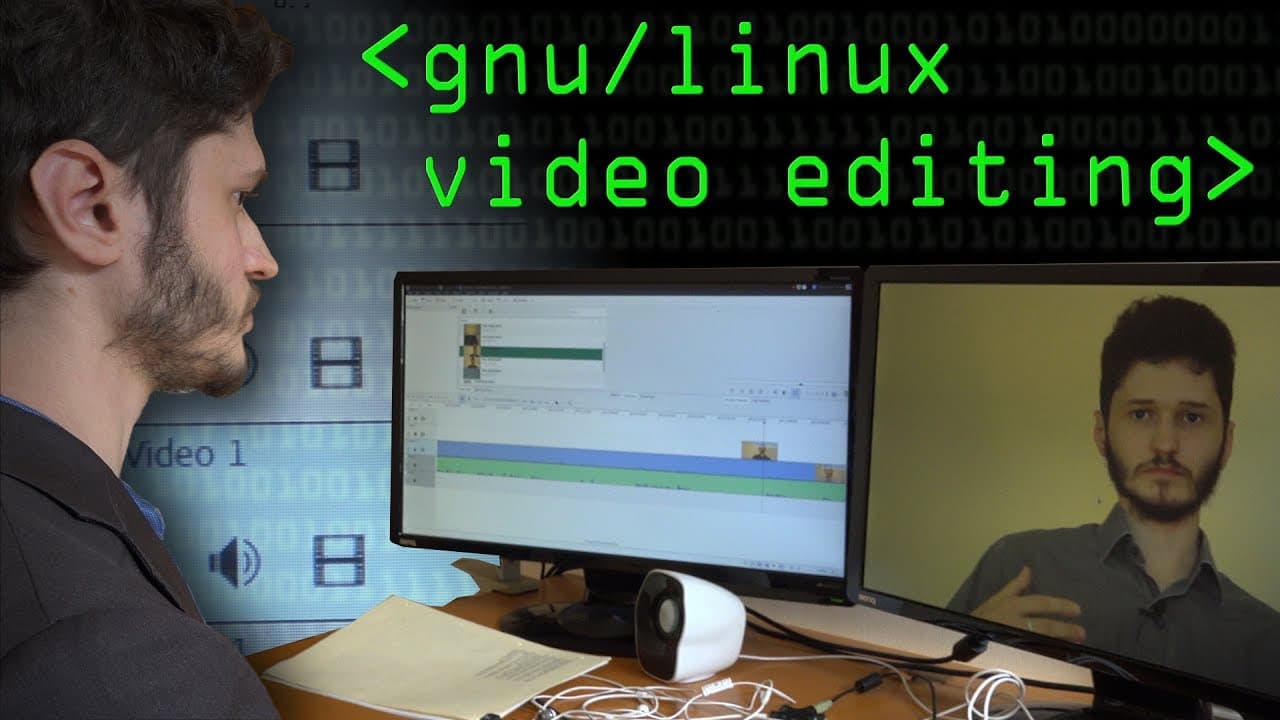
GNU/Linux & Video Editing - Computerphile
TL;DR
User discusses their experience using Caden Live video editing software and the Manjaro Linux distribution for editing videos with free software.
Transcript
november 2014 i made a video about free software and did some video editing and then people have said since would you ever go back to editing with free software and um i tried and failed miserably but then i found that rob is doing editing on free software so rob what have you got uh well so i before i started my channel i'd never edited any video ... Read More
Key Insights
- 🥶 The user's positive experience with Caden Live and Manjaro highlights the advantages of using free software for video editing and operating systems.
- 🎮 Hardware plays a critical role in video editing, with the user emphasizing the need for a suitable machine to handle heavy video editing tasks.
- 👤 Linux distributions provide flexibility and customization options for users, with the choice of distributions affecting the software availability and ease of use.
- 🫥 The user's preference for command-line interface (CLI) and terminal-based work showcases the efficiency and productivity gained through mastering these tools.
- 💝 The trade-off between stability and up-to-date software versions is a consideration when selecting a Linux distribution, with Arch-based distributions often providing the latest software releases but potentially more frequent updates and compatibility issues.
- 😚 The challenges of dealing with undocumented graphics card drivers highlight the difficulties faced by open-source software developers and users in working with closed-source hardware.
Install to Summarize YouTube Videos and Get Transcripts
Explore YouTube Video Summarizer or Get YouTube Transcript Extractor
Questions & Answers
Q: What made the user try Caden Live for video editing?
The user chose Caden Live because it was recommended, fairly good, and the software they had used previously.
Q: How does the user's video editing workflow look in Caden Live?
The user composites thumbnails and relevant annotations on the video timeline, ensuring efficient use of screen space.
Q: What hardware did the user use for video editing?
The user built a custom desktop with 16GB RAM and a 240GB solid-state drive for performance, along with a 2TB hard disk for storage.
Q: What Linux distribution did the user choose for video editing?
The user initially tried Ubuntu but later settled on Manjaro, an Arch-based distribution known for its sensible defaults, easy use, and access to Arch repositories.
Summary & Key Takeaways
-
The user initially tried using free software for video editing but failed. However, they found success with Caden Live, a video editing software, and Manjaro, a Linux distribution.
-
The user explains how Caden Live works, showcasing their typical video editing process.
-
They also discuss the hardware they used for video editing, including a custom-built machine with specific specifications for better performance.
Read in Other Languages (beta)
Share This Summary 📚
Summarize YouTube Videos and Get Video Transcripts with 1-Click
Try YouTube Summary with ChatGPT & Claude or YouTube Transcript Generator
Explore More Summaries from Computerphile 📚


Summarize YouTube Videos and Get Video Transcripts with 1-Click
Try YouTube Summary with ChatGPT & Claude or YouTube Transcript Generator