Products
Features
YouTube Video Summarizer
Summarize YouTube videos
Web & PDF Highlighter
Highlight web pages & PDFs
Chat with PDF
Ask any PDF questions with AI
Ask AI Clone
Chat with your highlights & memories
Audio Transcriber
Transcribe audio files to text
Glasp Reader
Read and highlight articles
Kindle Highlight Export
Export your Kindle highlights
Idea Hatch
Hatch ideas from your highlights
Integrations
Obsidian Plugin
Notion Integration
Pocket Integration
Instapaper Integration
Medium Integration
Readwise Integration
Snipd Integration
Hypothesis Integration
Apps & Extensions
Chrome Extension
Safari Extension
Edge Add-ons
Firefox Add-ons
iOS App
Android App
Discover
Discover
Ideas
Discover new ideas and insights
Articles
Curated articles and insights
Books
Book recommendations by great minds
Posts
Essays and notes from readers
Quotes
Inspiring quotes collection
Videos
Curated videos and summaries
Explore Glasp
Glasp Newsletter
Weekly insights and updates
Glasp Talk
Interview series with great minds
Glasp Blog
Latest news and articles
Glasp Use Cases
Learn how others use Glasp
Build & Support
Glasp API
Access Glasp's API for developers
MCP Connector
Connect Glasp to Claude & ChatGPT
Community
Glasp Reddit Community
Students
Student discount and benefits
FAQs
Frequently Asked Questions
AboutPricing
DashboardLog inSign up

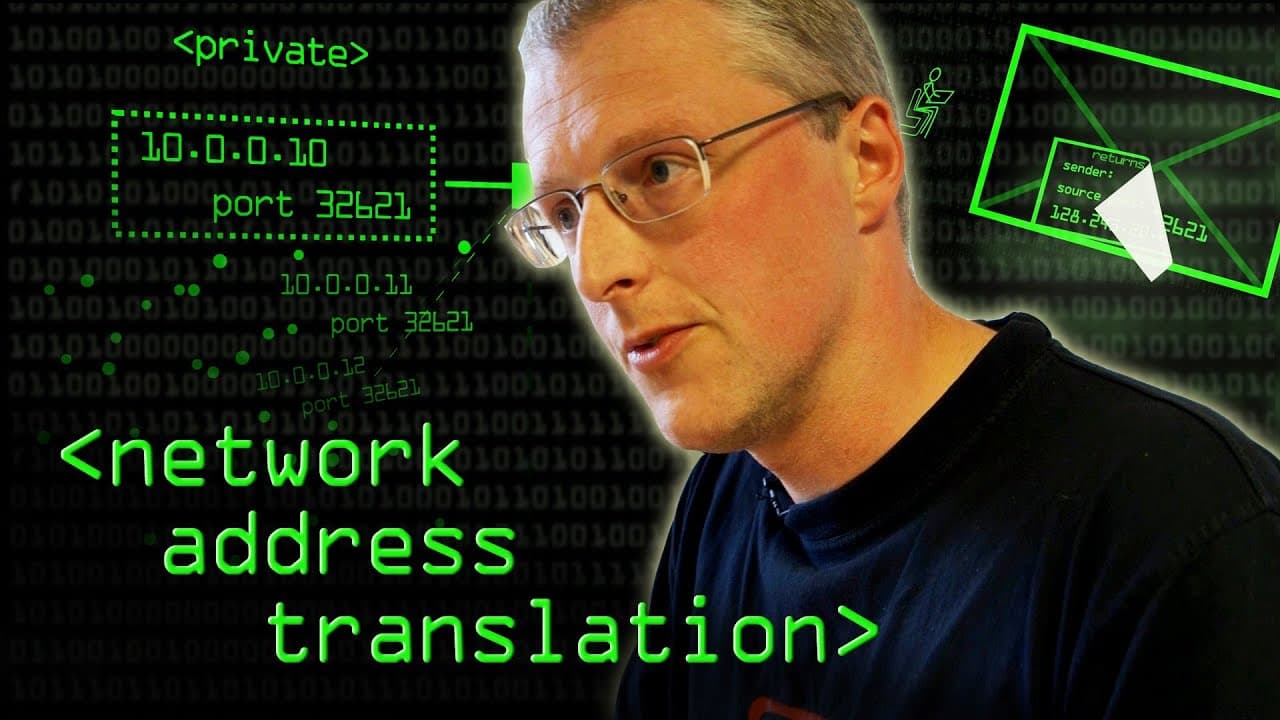
Network Address Translation - Computerphile
August 27, 2013
by
Computerphile
YouTube video player
Network Address Translation - Computerphile

TL;DR

Network Address Translation (NAT) allows for more computers to be connected to the internet using IPv4 addresses by translating their private addresses to a single public address.

Transcript

we don't have enough addresses to represent every machine so what we can do is we can kind of fake things out and so that's where you get uh nat happening that is network address translation it's allowing this bit of the network to stay as it is using ipv4 even while we've got too many computers connected to actually fit within the ipv4 address spa... Read More

Key Insights

  • 👻 NAT allows for more efficient utilization of limited IPv4 addresses by translating private addresses to a single public address.
  • 😥 It introduces complexity and can create single points of failure in network infrastructure.
  • 🍵 NAT requires protocols and mechanisms to handle the translation and communication between private and public IP addresses.
  • ℹ️ It can impact the effectiveness of protocols that rely on knowing the source address, requiring adaptations and additional schemes.

Install to Summarize YouTube Videos and Get Transcripts

Explore YouTube Video Summarizer or Get YouTube Transcript Extractor

Questions & Answers

Q: What is the purpose of Network Address Translation (NAT)?

NAT is used to allow more computers to connect to the internet using limited IPv4 addresses by translating their private addresses into a single public address.

Q: How does NAT work in home networks?

In home networks, a router performs NAT by translating private IP addresses of devices connected to it into a public IP address, allowing them to communicate with the internet.

Q: What are the challenges associated with NAT?

NAT can make networks less robust as it introduces a single point of failure. It can also complicate troubleshooting and debugging due to multiple layers of translation in different networks.

Q: How does NAT impact protocols like internet telephony?

NAT can cause challenges in internet telephony as it changes the source and destination IP addresses, making it difficult for machines to establish direct connections. Additional protocols are needed to resolve this issue.

Summary & Key Takeaways

  • NAT is used to overcome the limitation of not having enough IPv4 addresses to represent every machine connected to the internet.

  • It works by allowing multiple computers to share a single IPv4 address by translating their private addresses.

  • This process involves remapping IP addresses and source port numbers to fit within the available address space.


Read in Other Languages (beta)

English

Share This Summary 📚

Summarize YouTube Videos and Get Video Transcripts with 1-Click

Download browser extensions on:

Try YouTube Summary with ChatGPT & Claude or YouTube Transcript Generator

Explore More Summaries from Computerphile 📚

Error Detection and Flipping the Bits - Computerphile thumbnail
Error Detection and Flipping the Bits - Computerphile
Computerphile
The Problem with Time & Timezones - Computerphile thumbnail
The Problem with Time & Timezones - Computerphile
Computerphile
Computer Speeds - Computerphile thumbnail
Computer Speeds - Computerphile
Computerphile
Bit Blit Algorithm (Amiga Blitter Chip) - Computerphile thumbnail
Bit Blit Algorithm (Amiga Blitter Chip) - Computerphile
Computerphile
Breaking RSA - Computerphile thumbnail
Breaking RSA - Computerphile
Computerphile
SLAM Robot Mapping - Computerphile thumbnail
SLAM Robot Mapping - Computerphile
Computerphile

Summarize YouTube Videos and Get Video Transcripts with 1-Click

Download browser extensions on:

Try YouTube Summary with ChatGPT & Claude or YouTube Transcript Generator

Apps & Extensions

  • Chrome Extension
  • Safari Extension
  • Edge Add-ons
  • Firefox Add-ons
  • iOS App
  • Android App

Key Features

  • YouTube Video Summarizer
  • Web & PDF Summarizer
  • Web & PDF Highlighter
  • Chat with PDF
  • Ask AI Clone
  • Audio Transcriber
  • Glasp Reader
  • Kindle Highlight Export
  • Idea Hatch

Integrations

  • Obsidian Plugin
  • Notion Integration
  • Pocket Integration
  • Instapaper Integration
  • Medium Integration
  • Readwise Integration
  • Snipd Integration
  • Hypothesis Integration

More Features

  • APIs
  • MCP Connector
  • Blog & Post
  • Embed Links
  • Image Highlight
  • Personality Test
  • Quote Shots

Company

  • About us
  • Blog
  • Community
  • FAQs
  • Job Board
  • Newsletter
  • Pricing
Terms

•

Privacy

•

Guidelines

© 2026 Glasp Inc. All rights reserved.