How to build a Sora Studio in one prompt
TL;DR
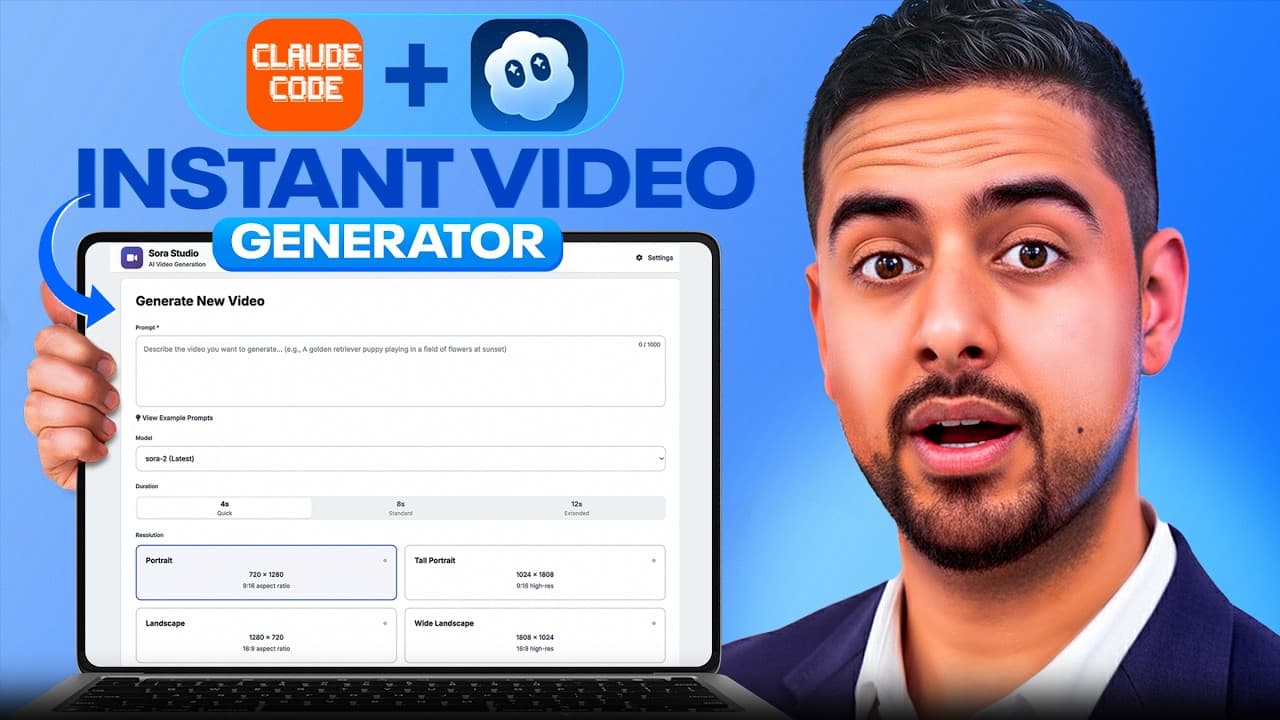
A single well crafted prompt can bootstrap a complete Sora Studio that generates, remixes, and manages AI videos via the Sora API. The video demonstrates connecting Claude Code to OpenAI's Sora API, running jobs, and using a master prompt to guide development, with a UI that monitors progress and previews content.
Transcript
The Sora 2 API just dropped. So, in this video, I'm going to show you how you can build your own Sora Studio and get it up and running in as little as one prompt using it with Cloud Code. My few-step process is going to save you tons of time from having to go through their API documentation yourself, especially if you don't want to have to learn th... Read More
Key Insights
- Sora Studio is a production ready web application for creating, monitoring and managing AI videos using the OpenAI Sora API. The app is designed to work from a single prompt with minimal coding.
- The master prompt is used to define project requirements, suggested tech stack, file structure, and critical features, guiding Claude Code to generate a functional blueprint for the app.
- The workflow demonstrates initializing Claude Code to read the codebase, digest documentation, and build an app that matches the described requirements, reducing the need to manually code every feature.
- The video shows how to configure prompts to control video parameters such as length and resolution, and how to track job status in real time from queue to completion.
- The assistant highlights the importance of a robust UI with progress bars, galleries, and autoplay thumbnails to manage large batches of video assets efficiently.
- The video emphasizes avoiding deep technical learning by leveraging AI to study API docs and produce working code via the master prompt and initialization steps.
- The approach includes error handling and iterative prompting to surface edge cases and ensure the app remains functional across different prompts and scenarios.
- The content underscores that this method is adaptable to other APIs by swapping the target endpoints and prompt templates, enabling rapid app prototyping across domains.
Install to Summarize YouTube Videos and Get Transcripts
Explore YouTube Video Summarizer or Get YouTube Transcript Extractor
Questions & Answers
Q: What is Sora Studio and what does it do?
Sora Studio is a production ready web application that connects to the OpenAI Sora API to generate, remix, and manage AI videos. It provides a dashboard to create video jobs, monitor progress, view thumbnails, and auto refresh the gallery. By using a master prompt and Claude Code initialization, the setup aims to minimize coding while delivering a functional, configurable tool for producing AI videos.
Q: How does the master prompt influence the build process?
The master prompt guides the AI to outline a complete production ready web application, including the technical stack, file structure, API interactions, and essential features. It acts as a blueprint that the AI follows, enabling rapid generation of a usable app while leaving room for customization and iteration based on user feedback and observed behavior.
Q: What role does Claude Code play in this workflow?
Claude Code acts as the coding assistant that interprets the master prompt and the API documentation to produce runnable code and project structure. It can initialize reading the codebase, synthesize requirements, and generate a cohesive app layout. This enables non technical users to build functional software by guiding the AI with structured prompts.
Q: What are the key features shown in the UI for managing videos?
Key features include a video creation form with duration and resolution parameters, a status polling mechanism that checks every few seconds, a gallery that autoloads thumbnails, and the ability to remix and download completed videos. The UI also supports auto refreshing and a settings panel to adjust polling intervals and default dimensions.
Q: How does the workflow handle video generation and tracking?
The workflow submits a video job via the API and then periodically polls its status. As the job progresses from queued to in progress and finally complete, the UI updates to show current status and metadata. Users can view the produced video, remix it, or download it directly from the dashboard.
Q: Why is a gallery with autoplay thumbnails useful in this context?
Autoplay thumbnails allow users to quickly scan and preview multiple generated videos without opening each file. This helps with bulk review, quick decision making, and managing a large library of AI video assets. It also provides a visual history of past prompts and results for reference.
Q: What is the purpose of the initialization step in Claude Code?
The initialization step makes Claude Code read and digest the current codebase and documentation, creating a synthesized understanding of the project. This helps the AI align its outputs with the actual requirements and expected behavior, reducing misalignment and speeding up the generation of usable code.
Q: Can this approach be adapted to other APIs beyond Sora?
Yes, the approach centers on using a master prompt and initialization to study API docs and generate a ready to run app. By swapping the target API and adjusting the prompts, the same workflow can be applied to rapidly prototype production apps for other services, keeping functionality consistent while changing endpoints and data models.
Summary & Key Takeaways
-
A walkthrough shows how to set up a Sora Studio using Claude Code and the Sora API, including job creation, status polling, and video metadata access. The guide emphasizes a master prompt and initialization to bootstrap the app without heavy coding.
-
The workflow includes a gallery with autoloaded thumbnails, remix capabilities, and a settings panel for duration, resolution, and polling intervals, enabling rapid iteration and management of AI video projects.
-
The final takeaways stress using a single prompt to drive a production ready app and the value of prompt templates and prompts initialization to streamline future builds.
Read in Other Languages (beta)
Share This Summary 📚
Summarize YouTube Videos and Get Video Transcripts with 1-Click
Try YouTube Summary with ChatGPT & Claude or YouTube Transcript Generator
Explore More Summaries from Mark Kashef 📚




Summarize YouTube Videos and Get Video Transcripts with 1-Click
Try YouTube Summary with ChatGPT & Claude or YouTube Transcript Generator