How to use Nano Banana Pro in n8n for cheaper images
TL;DR
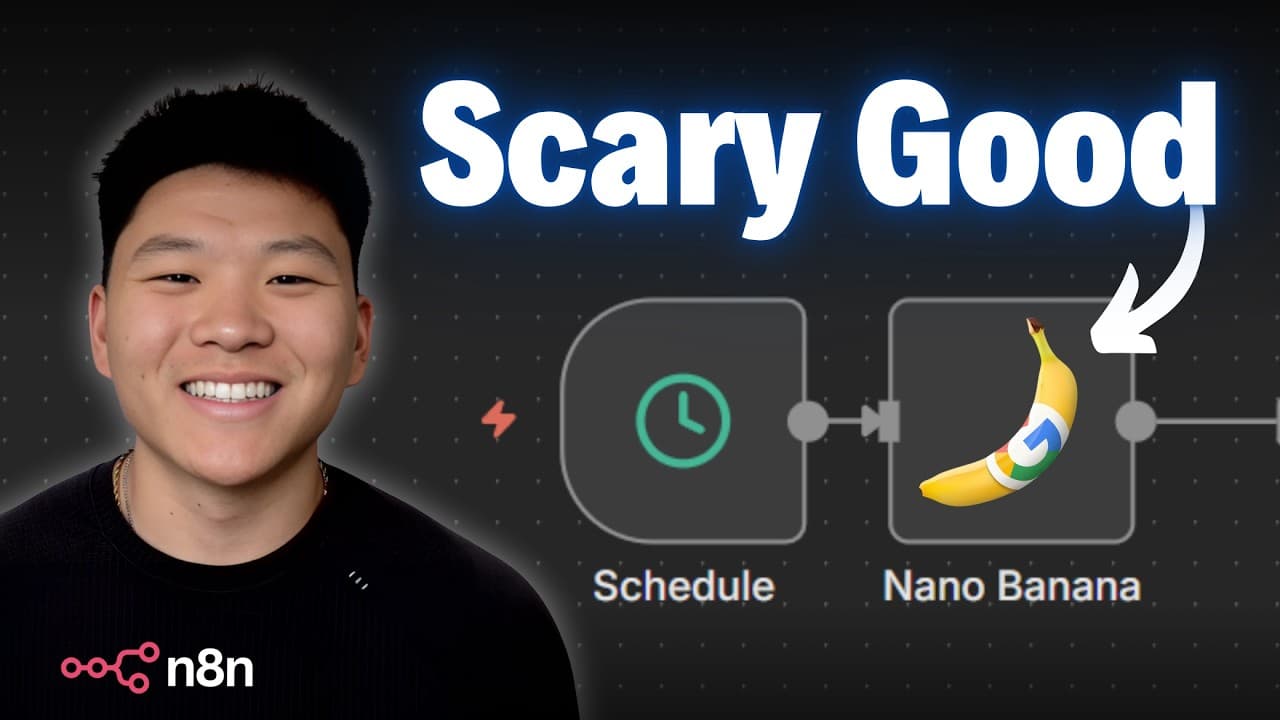
Nano Banana Pro is integrated into n8n to power automated image generation without watermarks. The video demonstrates text to image, image to image, and multiple image to image workflows, accessed via Keyai, with 4K output and prices around 12 cents per key. The presenter highlights setup steps, API calls, and troubleshooting tips for reliability.
Transcript
All right, so we got the workflow ready. I'm going to open up this form and I'm going to drop in an image of myself. And for the image prompt, I'm saying a hyperrealistic image of this man shaking hands with Adam Sandler. It's close up enough to see extreme detail, but we can still see both people in frame. So, I'm going to go ahead and shoot this ... Read More
Key Insights
- X is a workflow integration that connects Nano Banana Pro with n8n through Keyai to automate image generation tasks at scale.
- The key advantage of Nano Banana Pro in this setup is the lack of a watermark and the ability to output 4K images, which improves the visual quality for automated workflows.
- Y is the process of creating an image generation task via an API call, then polling the task status at intervals until completion, ensuring the final image is only used when ready.
- The 422 error observed during some runs is a known intermittent issue with Nano Banana Pro and can be retried, which the workflow handles by logging and rerunning.
- The workflow demonstrates three modes: text to image, image to image, and multiple images to image, each using the same polling pattern but with different input payloads.
- Prompt design is lightweight in the example, but the system makes it easy to swap prompts and inputs to experiment with different visuals without code changes.
- The description emphasizes getting an API key from key.ai, inserting it into the workflow, and using the playground to experiment before deployment.
- Logs in Keyai are crucial for diagnosing issues when a run fails, and retrials are part of maintaining reliability in noisy AI image generation environments.
- More videos from this channel:
- More from this channel: Nate Herk | AI Automation
Install to Summarize YouTube Videos and Get Transcripts
Explore YouTube Video Summarizer or Get YouTube Transcript Extractor
Questions & Answers
Q: How to set up Nano Banana Pro in n8n using Keyai for a first run
To set up Nano Banana Pro in n8n you first obtain an API key from key.ai by creating an account and generating a new key. In the workflow you replace the placeholder with your key, then configure a create task call using the Nano Banana Pro model and a text prompt such as a hyperrealistic Chicago skyline at sunset. After submitting, the workflow waits and polls the API at intervals to check if the image task is complete. When the task is finished a final image URL is retrieved and used in the subsequent steps of your automation. This approach avoids manual steps and allows you to generate images in 4K with no watermark, enabling scalable automated image production. The process also includes a basic error path if the task fails, with logs available to diagnose issues and retries as needed.
Q: What is the difference between text to image and image to image workflows
In the text to image workflow you provide only a text prompt to generate a new image from scratch, using Nano Banana Pro through the API to create the task and then polling for completion. In the image to image workflow you supply an input image along with a prompt describing how to transform it, and the API generates a new image based on that combination. Both flows use the same endpoint and task polling mechanism, but the image to image flow adds the image input to guide the result. The final step remains retrieving the output URL after the task completes successfully, ensuring consistency across variants. The main benefit is flexibility to either generate new visuals or modify existing ones depending on the prompt and inputs.
Q: How does the multiple images to image workflow operate
The multiple images to image workflow takes several input images and feeds them into Nano Banana Pro to produce a combined output in a single image. The workflow uses the same create task call to initiate processing and then switches to a polling loop to monitor progress, finally retrieving a public URL of the merged image once complete. This enables complex compositions without manual image editing, leveraging AI to blend multiple sources into a coherent scene. The result can be downloaded or integrated into other automation steps, preserving the no watermark and 4K quality advantages.
Q: What should you do if you encounter a 422 error
If you encounter a 422 error during image generation with Nano Banana Pro, treat it as an intermittent issue rather than a failed configuration. The recommended approach is to check the logs in Keyai to confirm the run details, then re-run the same task with the same inputs. The video shows the same prompt and image producing a successful result on a retry, illustrating that occasional failures can occur due to server load or temporary constraints. Maintaining a retry strategy in the workflow helps preserve reliability and reduces manual intervention.
Q: Why is logging important in this workflow
Logging is important because it provides visibility into each run, including whether a task succeeded, failed, or timed out. The logs show the API responses, task IDs, and any errors encountered during the two-step process of creating the task and querying its status. By reviewing logs you can diagnose issues, confirm that the correct prompts and inputs were used, and determine if a retry is warranted. This makes the automation more robust and easier to maintain over time.
Q: What pricing detail is mentioned for Nano Banana Pro
The video mentions a price point of 12 cents per key for Nano Banana Pro through Keyai, which is presented as a cheaper option than the official price. It also notes that pricing can change in the future, so users should verify current rates when setting up or modifying automations. This pricing detail helps users estimate costs for large-scale image generation workloads.
Q: What are the key steps to test prompts before production
To test prompts before production you can use the playground environment in Keyai to experiment with prompts and sample inputs, including combining images and text to observe how the model renders the results. After testing, you transfer the working prompts and inputs into the live workflow, adjust parameters such as aspect ratio and resolution, and then run a small-scale test in production to confirm that everything behaves as expected. This approach minimizes surprises and ensures the automation produces the desired visuals consistently.
Q: What does the end-to-end example illustrate about automation
The end-to-end example demonstrates how to automate image generation within n8n by combining API calls, task polling, and result retrieval into a single workflow. It shows how to replace API keys, swap prompts, and use different input types to create a versatile image production pipeline. The example highlights no watermark output and 4K resolution as core benefits while illustrating how to monitor, log, and retry tasks to maintain reliability in automated AI workflows.
Summary & Key Takeaways
-
This section explains how Nano Banana Pro is accessed through Keyai to run image generation tasks in n8n, highlighting the no watermark benefit and 4K outputs. It covers creating a task, polling for results, and handling success and failure states, emphasizing automation and reliability.
-
The second summary point details three workflow types demonstrated: text to image, image to image, and multiple images to image, with emphasis on prompts, image inputs, and the API endpoints used to manage tasks and retrieve final images.
-
The third summary point covers practical tips and caveats such as testing prompts in the playground, checking logs for failed runs, and understanding how to swap prompts or inputs to achieve the desired visuals while managing pricing expectations.
Read in Other Languages (beta)
Share This Summary 📚
Summarize YouTube Videos and Get Video Transcripts with 1-Click
Try YouTube Summary with ChatGPT & Claude or YouTube Transcript Generator
Explore More Summaries from Nate Herk | AI Automation 📚






Summarize YouTube Videos and Get Video Transcripts with 1-Click
Try YouTube Summary with ChatGPT & Claude or YouTube Transcript Generator