How Does Stable Diffusion 1.5's Edit Image Feature Work?
TL;DR
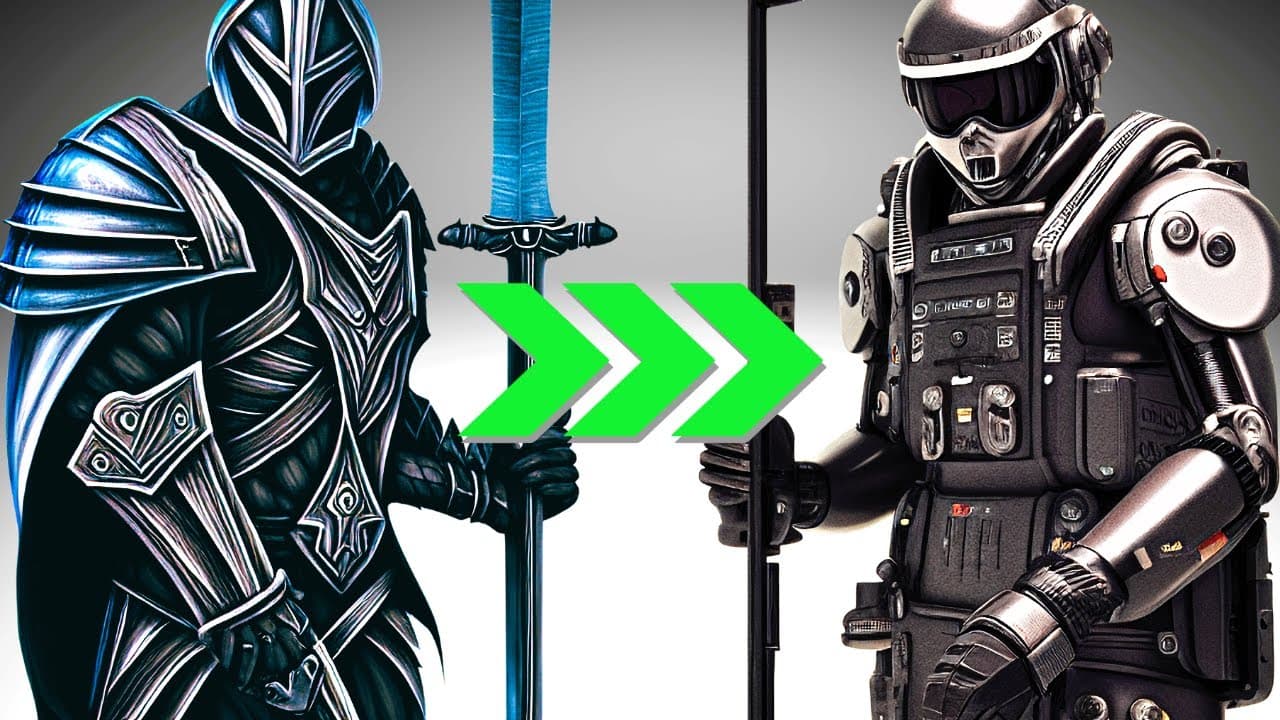
Stable Diffusion 1.5 allows users to upload images and transform their styles using various prompts like steampunk or cyberpunk. By adjusting the image strength, users can control how much of the original image is preserved during the editing process, making it a versatile tool for creating detailed and cinematic visuals.
Transcript
I just wanted to drop this video because I have been playing around and trying to understand a new edit image feature from DreamStudio with Stable Diffusion 1.5. So far, I think it's pretty cool. So let's just check it out. Okay, so let's just get straight into it. If you haven't tried this before you can go to beta.dreamstudio.ai and you... Read More
Key Insights
- 🧘 DreamStudio's Stable Diffusion 1.5 introduces a user-friendly edit image feature.
- 👻 The feature allows users to upload their own images and apply various styles, ranging from steampunk to cyberpunk.
- 🎮 Adjusting the image strength controls the balance between the original image and the applied style.
- 🧘 The edit image feature can be used to create realistic, detailed, and cinematic visuals.
- 🔨 It is a versatile tool that can be applied to different types of images.
- 🥶 DreamStudio provides free prompts for users to try out the edit image feature.
- ❓ Stable Diffusion 1.5 offers a seamless and enjoyable editing experience.
Install to Summarize YouTube Videos and Get Transcripts
Explore YouTube Video Summarizer or Get YouTube Transcript Extractor
Questions & Answers
Q: How can I access the new edit image feature in DreamStudio's Stable Diffusion 1.5?
To access the new feature, you can visit beta.dreamstudio.ai where you can find free prompts to try out. Simply upload your image and start experimenting.
Q: What happens if I increase the image strength while applying a style?
Increasing the image strength preserves more of the original image, resulting in subtle style changes. It allows for a balance between maintaining the composition and incorporating the chosen style.
Q: Can the edit image feature be used to create a realistic look for images?
Yes, you can achieve realistic effects by using prompts like "ultra realistic ultra detail of pain render cinematic 8k." It enhances the details and renders the image in a cinematic quality.
Q: Can this feature be used with different types of images?
Absolutely. Whether it's a selfie, a painting, or any other image, the edit image feature can be applied to transform the style and create unique visuals based on your preferences.
Summary & Key Takeaways
-
DreamStudio's Stable Diffusion 1.5 offers a new feature for editing and creating images by changing their style.
-
Users can upload their own images and experiment with various style options, such as steampunk, carbon fiber, viking, and cyberpunk.
-
By adjusting the image strength, users can control the extent to which the original image is preserved while applying the chosen style.
Read in Other Languages (beta)
Share This Summary 📚
Summarize YouTube Videos and Get Video Transcripts with 1-Click
Try YouTube Summary with ChatGPT & Claude or YouTube Transcript Generator
Explore More Summaries from All About AI 📚





Summarize YouTube Videos and Get Video Transcripts with 1-Click
Try YouTube Summary with ChatGPT & Claude or YouTube Transcript Generator