How to Run Mac OS 9 on Raspberry Pi with SheepShaver
TL;DR
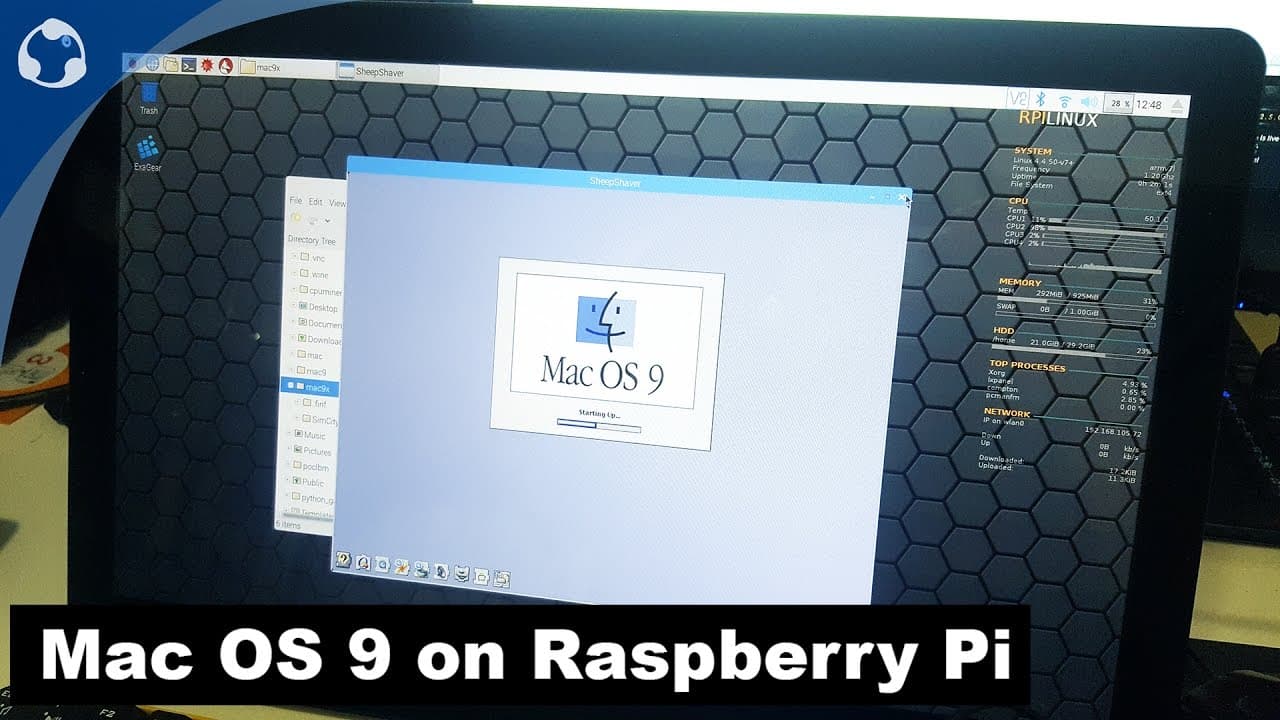
To run Mac OS 9 on a Raspberry Pi, download and install the SheepShaver emulator along with the required ROM file. Create a virtual hard drive, configure memory settings, and install Mac OS 9 using the ISO. Despite some performance limitations and lack of internet connectivity, it allows nostalgic access to classic applications like SimCity 2000.
Transcript
hey guys what's going on it's dawn here from Nova spirit Tech and due to popular demand I am getting rid of my Raspberry Pi in favor of apple pie no just kidding anyway we are going to be running Mac OS 9 on our Raspberry Pi so let's get started if you guys follow me on social media which is my Instagram Twitter or Facebook you probably know this v... Read More
Key Insights
- 🇲🇰 SheepShaver is an effective tool for emulating older Mac operating systems, specifically supporting up to Mac OS 9.
- 😫 Users must acquire specific software and ROM files to successfully set up and run the emulator on Raspberry Pi, demonstrating the need for technical proficiency.
- 😚 Configuration steps, including virtual hard drive creation and memory allocation, are crucial for an effective installation of Mac OS 9.
- 👻 The nostalgic nature of running classic OS software allows users to reconnect with older applications and games unattainable on current systems.
- 😒 Internet connectivity remains a significant drawback for SheepShaver, limiting its use for web-based activities.
- 🏃 The performance of emulators can vary greatly depending on the operating system version being run, highlighting the Raspberry Pi's constraints.
- 👤 There is potential for users to explore various custom applications and settings within the emulator to enhance their experience with classic Mac software.
Install to Summarize YouTube Videos and Get Transcripts
Explore YouTube Video Summarizer or Get YouTube Transcript Extractor
Questions & Answers
Q: What is SheepShaver, and why is it used for Mac OS 9?
SheepShaver is an emulator that enables users to run classic Mac OS versions on non-Mac hardware, including Raspberry Pi. It is particularly suited for Mac OS versions up to 9.0. The emulator replicates the environment of older Macs, allowing users to experience classic software and games that might otherwise be inaccessible on modern operating systems.
Q: How can viewers obtain the required ROM file for SheepShaver?
To run SheepShaver with Mac OS 9, users need a specific ROM file called the New World PPC ROM. This file can often be found through online searches or repositories dedicated to retro computing. Once downloaded, users should unzip and rename the file to "Mac OS rom" to ensure compatibility with SheepShaver.
Q: What steps are necessary to install Mac OS 9 using SheepShaver?
To install Mac OS 9, users first need to set up the SheepShaver emulator by creating a virtual hard drive, configuring memory settings, and adding the Mac OS installer as a CD-ROM image. After booting from the installer, the installation process involves selecting the hard drive, finalizing user preferences, and allowing an approximate 11-minute installation time.
Q: Why is the performance of Mac OS 10 slow on Raspberry Pi?
While it is possible to run Mac OS 10 using an emulator like PearPC on a Raspberry Pi, users may experience significant lag and slow performance due to the Raspberry Pi's limited processing capabilities. The resource-intensive nature of OS 10 compared to earlier versions means that for a smoother experience, Mac OS 9 remains the preferred choice.
Q: Can users play classic games on Mac OS 9 running on Raspberry Pi?
Yes, users can run classic games such as SimCity 2000 on Mac OS 9 through the SheepShaver emulator on Raspberry Pi. SheepShaver allows the utilization of older Mac applications and games, enabling nostalgia for classic gaming experiences. Specific configurations may be necessary for optimal gameplay.
Q: What are the limitations of using SheepShaver for Internet access?
While SheepShaver enables users to run Mac OS 9, Internet functionality can be problematic. The emulator lacks native support for modern connectivity options, and viewers are instructed to focus on local applications rather than Internet usage. This limitation is an important consideration for users interested in online activities.
Summary & Key Takeaways
-
The video guides viewers on how to utilize the SheepShaver emulator to install and run Mac OS 9 on a Raspberry Pi, offering a nostalgic experience of classic Mac operating systems.
-
It covers the necessary prerequisites, including software downloads and configuration steps needed to successfully run Mac OS 9, alongside tips for optimizing performance.
-
The host also discusses limitations such as slow performance when using emulators and the absence of internet connectivity, while showcasing applications like SimCity 2000.
Read in Other Languages (beta)
Share This Summary 📚
Summarize YouTube Videos and Get Video Transcripts with 1-Click
Try YouTube Summary with ChatGPT & Claude or YouTube Transcript Generator
Explore More Summaries from Novaspirit Tech 📚






Summarize YouTube Videos and Get Video Transcripts with 1-Click
Try YouTube Summary with ChatGPT & Claude or YouTube Transcript Generator