Normalising repeated data in Excel
TL;DR
This tutorial explains how to normalize data using Microsoft Excel to track changes over time and eliminate variations between baselines.
Transcript
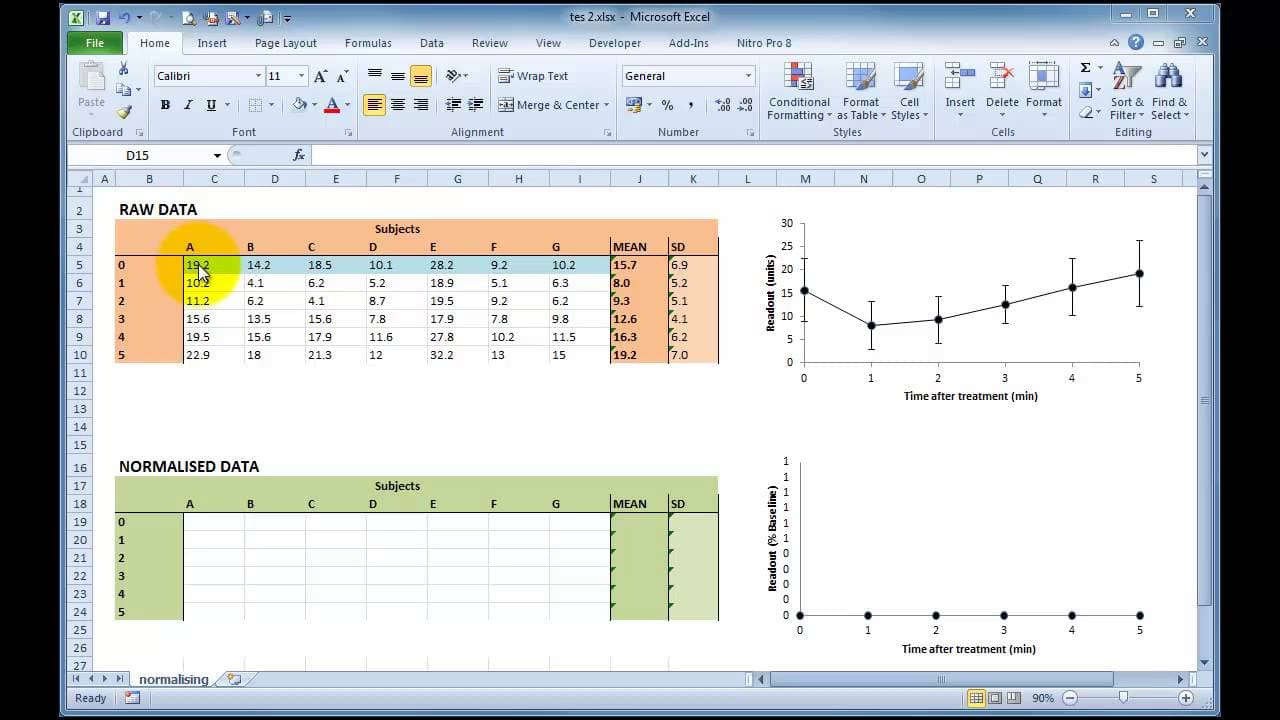
hi this is a quick tutorial to showing how to normalize data using Microsoft Excel it's quite often when doing recordings in the laboratory or in the field that you will take a baseline reading from a subject to an experimental model and then you'll do repeated measures either over time or with incremental drug doses in which case you'll get a seri... Read More
Key Insights
- 👣 Normalizing data in Excel is useful for tracking changes over time and eliminating variations between baselines caused by biological variation.
- 🗂️ The formula for calculating percentages in Excel is straightforward: divide the number by itself and multiply by 100.
- 👻 By using absolute references, Excel allows for quick normalization of data across all values.
- ⌛ Normalized data provides a clearer understanding of changes over time by representing each subject's recordings as a percentage of their baseline.
- 😥 Visualizing normalized data in graphs helps identify significant variations between data points.
- 🔁 Normalizing data is particularly helpful when conducting repeated measures experiments or analyzing incremental drug doses.
- 🧑🦽 Normalizing data can be done efficiently in Excel, saving time and effort compared to manual calculations.
Install to Summarize YouTube Videos and Get Transcripts
Explore YouTube Video Summarizer or Get YouTube Transcript Extractor
Questions & Answers
Q: Why is it important to normalize data?
Normalizing data is crucial when dealing with biological variations between subjects. It helps eliminate variations between baselines and enables accurate tracking of changes over time.
Q: What is the formula for calculating percentage in Excel?
The formula for calculating percentage in Excel is the number divided by itself, multiplied by 100. For example, if the baseline is 10, the percentage would be (10/10) * 100 = 100%.
Q: How can Excel make normalizing data easier?
Excel allows you to use absolute references to quickly normalize data. By referencing a fixed cell for dividing each value, you can easily copy the formula for all data points, saving time and effort.
Q: What can normalized data reveal about variation?
Normalized data can help identify significant variation between data points. By representing each subject's recordings as a percentage of their baseline, it becomes easier to compare and analyze the data.
Summary & Key Takeaways
-
Normalizing data is important when there is biological variation between subjects, making it difficult to track changes over time accurately.
-
The tutorial demonstrates how to normalize data in Excel by representing each subject's recordings as a percentage of their baseline.
-
By normalizing the data, variations between baselines are eliminated, providing a clearer understanding of changes over time.
Read in Other Languages (beta)
Share This Summary 📚
Summarize YouTube Videos and Get Video Transcripts with 1-Click
Try YouTube Summary with ChatGPT & Claude or YouTube Transcript Generator
Explore More Summaries from Dory Video 📚






Summarize YouTube Videos and Get Video Transcripts with 1-Click
Try YouTube Summary with ChatGPT & Claude or YouTube Transcript Generator