How to Perform a One-Way ANOVA in SigmaPlot 13
TL;DR
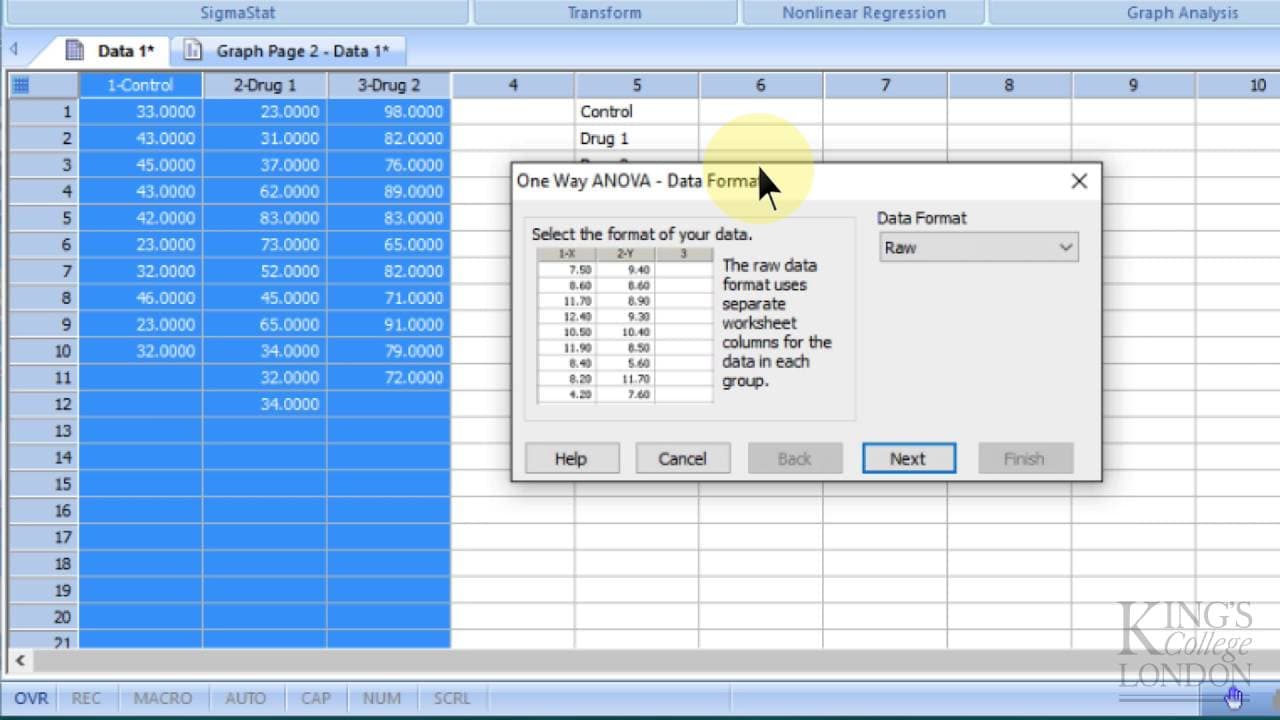
To perform a one-way ANOVA in SigmaPlot 13, select the data sets you want to compare, access the analysis window, and choose the one-way ANOVA option. The software allows for comparisons between unevenly sized data sets and provides options for post hoc tests, such as the Bonferroni test, to assess statistical differences between treatments.
Transcript
here we are in Sigma plot version 13 for Windows and we want to do a simple oneway Anover between three sets of data we've got three sets of data on the screen we've got the control data drug one data and Drug two data you can see that these data sets are of uneven size this doesn't matter a oneway Anover does not requ require data sets to be of eq... Read More
Key Insights
- 😫 Sigma Plot version 13 allows performing a simple one-way Anova between three sets of data.
- 😫 Unevenly-sized data sets can be compared using the Anova function in Sigma Plot.
- 🏆 The software provides options for post hoc tests, such as the Bonferroni test, to further analyze the statistical differences between treatments.
Install to Summarize YouTube Videos and Get Transcripts
Explore YouTube Video Summarizer or Get YouTube Transcript Extractor
Questions & Answers
Q: What is Sigma Plot version 13 used for?
Sigma Plot version 13 is a software used for data analysis and visualization, particularly for performing statistical analyses such as Anova.
Q: Can you compare data sets of different sizes in a one-way Anova?
Yes, the one-way Anova in Sigma Plot does not require data sets to be of equal size, allowing for comparison of unevenly-sized datasets.
Q: How can we determine if the treatments in the data sets are statistically different?
After running the one-way Anova, Sigma Plot provides an option to perform a post hoc test, such as the Bonferroni test, to determine if the treatments are significantly different from each other.
Q: What does the Anova report in Sigma Plot show?
The Anova report displays the results of the analysis, including multiple comparison data. It indicates whether specific comparisons, such as control versus drug 1 or drug 2, are statistically different.
Summary & Key Takeaways
-
Sigma Plot version 13 for Windows allows performing a simple one-way Anova between three sets of data.
-
The Anova does not require data sets to be of equal size.
-
By selecting the desired data sets, accessing the analysis window, and choosing the Anova option, statistical comparisons can be made.
Read in Other Languages (beta)
Share This Summary 📚
Summarize YouTube Videos and Get Video Transcripts with 1-Click
Try YouTube Summary with ChatGPT & Claude or YouTube Transcript Generator
Explore More Summaries from Dory Video 📚






Summarize YouTube Videos and Get Video Transcripts with 1-Click
Try YouTube Summary with ChatGPT & Claude or YouTube Transcript Generator