How to Send and Receive Data Using Arduino Serial
TL;DR
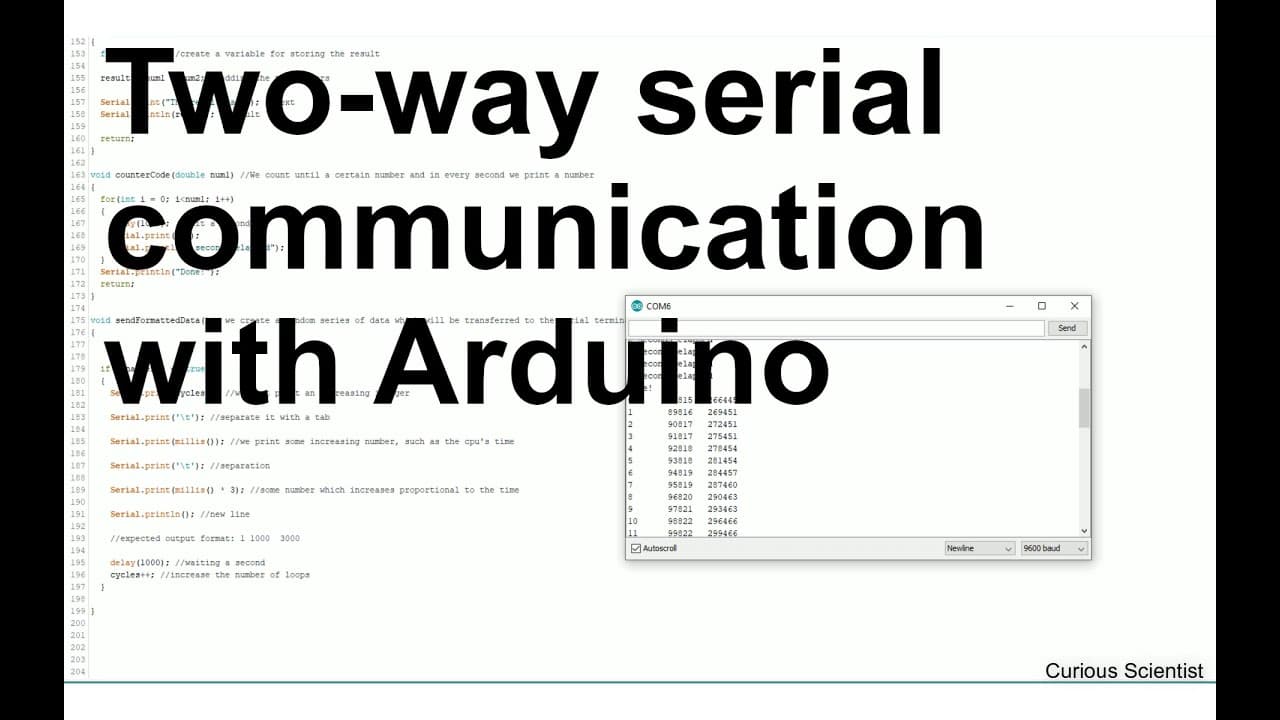
To communicate with Arduino via serial, start by initializing serial communication and use functions to send and receive data. Simple commands can echo received input or perform arithmetic operations, while future tutorials will expand into creating custom software and visualizing data from Arduino for practical applications like data logging.
Transcript
welcome everyone in this video I'm trying to explain you how to communicate with an Arduino so how to send some data for example different comments and how to receive some data from the Arduino and I'm planning to do a series of videos about this so in this video in the first video I will show you the basics and then I will build on this video and ... Read More
Key Insights
- ⌛ Understanding serial communication is fundamental for Arduino projects, enabling real-time data transfer.
- 🏛️ The series aims to progressively build technical skills, covering both hardware and software aspects.
- 🤩 Key functions demonstrated include data echoing, mathematical operations, and custom command handling.
- ❓ Future advancements will involve data visualization, crucial for interpreting sensor readings and generated outputs.
- 👤 The series will also focus on real-time applications, helping users create practical setups like weather stations.
- ⚖️ The educational approach balances technical instruction with practical applications, enhancing learning experiences.
- 😒 Potential use cases for Arduino include data logging and monitoring systems, highlighting the versatility of the platform.
Install to Summarize YouTube Videos and Get Transcripts
Explore YouTube Video Summarizer or Get YouTube Transcript Extractor
Questions & Answers
Q: What is the main objective of this video series on Arduino?
The main objective of this video series is to teach viewers how to communicate effectively with an Arduino. It covers the fundamental concepts of sending and receiving data using the Arduino's internal serial terminal, setting the groundwork for more complex projects in future videos.
Q: What programming language is planned for the future software development in this series?
The upcoming software development in the series will utilize C# programming language within the Microsoft Visual Studio environment. This approach aims to give viewers the skills needed to create custom software for data communication with Arduino.
Q: How does the video demonstrate sending and receiving data with Arduino?
The video explains how to send various commands and data types to the Arduino, utilizing functions to read inputs and respond accordingly. It showcases specific functions for echoing received messages, performing arithmetic operations, and counting based on user input through serial communication.
Q: Why is data formatting crucial in projects involving Arduino?
Data formatting is essential in Arduino projects to ensure that data can be easily transmitted and understood by software or external applications. Proper formatting allows the separation of data points, making it easier to log or visualize information over time, especially in applications like weather stations or real-time monitoring systems.
Q: What are some functions shown in the video and their purposes?
The video illustrates several functions such as reading serial inputs, performing addition on received numbers, counting with delays, and toggling a boolean variable's state to manage ongoing processes, all of which facilitate effective communication between the Arduino and the user.
Q: How will future videos expand on the concepts covered in this introduction?
Future videos will delve deeper into the concepts by introducing custom software development that allows for more robust data handling. This includes creating a terminal in C# that can visualize real-time data, emphasizing increased functionality and applicability of the Arduino in various projects.
Summary & Key Takeaways
-
The video serves as an introductory guide to communicate with Arduino using its serial terminal, detailing how to send and receive data.
-
Future videos will build on these basics, where more advanced projects will involve creating custom software using Visual Studio and C# to visualize data from the Arduino.
-
The importance of data formatting is emphasized, especially for applications like data logging and visual representation of variables over time.
Read in Other Languages (beta)
Share This Summary 📚
Summarize YouTube Videos and Get Video Transcripts with 1-Click
Try YouTube Summary with ChatGPT & Claude or YouTube Transcript Generator
Explore More Summaries from Curious Scientist 📚

![Building a Peltier cooler-based cooling box - First iteration, improvements [Part 2/6] thumbnail](/_next/image?url=https%3A%2F%2Fi.ytimg.com%2Fvi%2F0YlNw0EGnzI%2Fhqdefault.jpg&w=750&q=75)


![Building a coil winder [Part 6] - A few improvements thumbnail](/_next/image?url=https%3A%2F%2Fi.ytimg.com%2Fvi%2F3eyxG_g2iUA%2Fhqdefault.jpg&w=750&q=75)
Summarize YouTube Videos and Get Video Transcripts with 1-Click
Try YouTube Summary with ChatGPT & Claude or YouTube Transcript Generator