How to Generate Local AI Art and Video with SwarmUI?
TL;DR
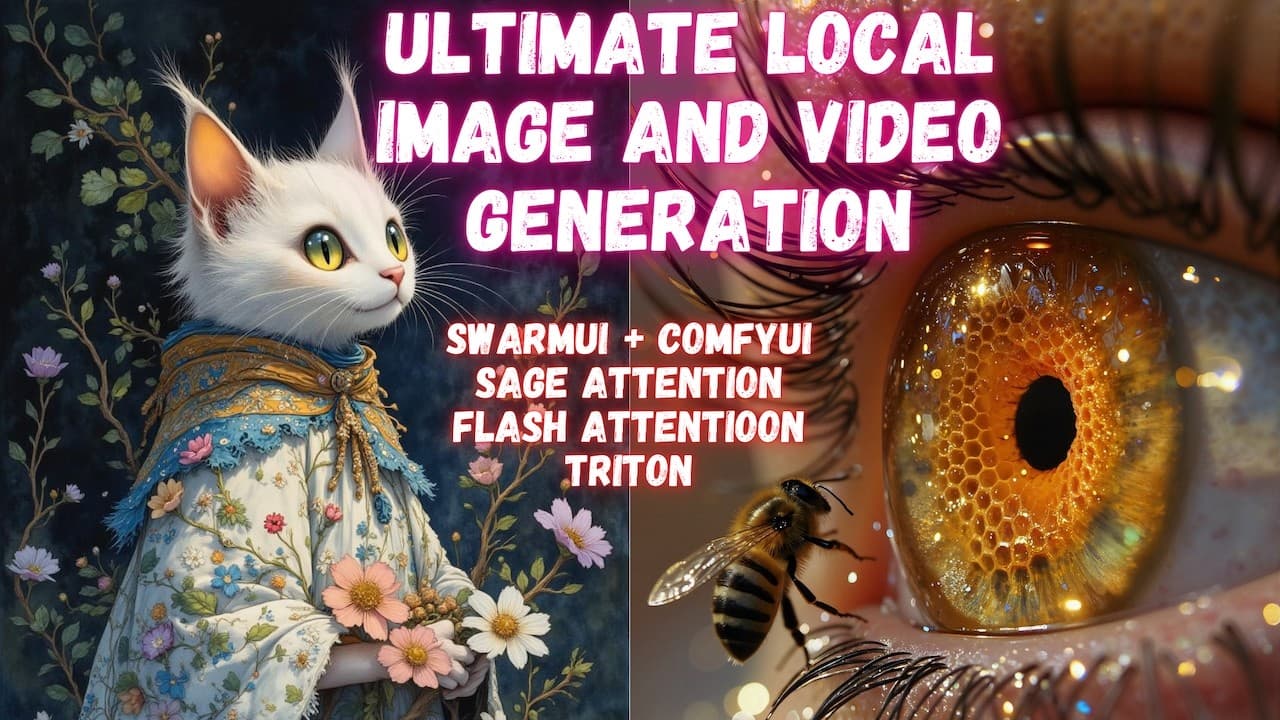
To generate AI art and video locally using SwarmUI, start by downloading and installing the SwarmUI Model Downloader alongside a manually installed ComfyUI backend. This setup optimizes performance and facilitates one-click downloading of various models, including Stable Diffusion and YOLO Face inpainting, allowing for faster and higher-quality generation.
Transcript
Greetings everyone. Today I am going to show you the latest method, the most accurate, and the most performant method of generating images and videos on your Windows local computer with the one-click installation and setup. I am going to show you how to use SwarmUI and how to download models and start using them immediately on your Windows comp... Read More
Key Insights
- SwarmUI offers a one-click installation method for generating images and videos on Windows, optimizing the process significantly.
- The tutorial introduces SwarmUI, which leverages ComfyUI's performance and features, making it easier to use with additional enhancements.
- Sage Attention is highlighted as a key feature, speeding up image and video generation significantly.
- The tutorial details the installation process of SwarmUI and ComfyUI, emphasizing the benefits of a manually installed ComfyUI backend.
- The Unified Model Downloader simplifies the process of downloading necessary models, supporting a wide range of models with one-click downloads.
- SwarmUI supports multiple advanced models, including Stable Diffusion, YOLO Face inpainting, and text encoders, among others.
- The video showcases the process of setting up and using dual GPUs for faster generation, specifically using RTX 5090 and 3090 Ti.
- Advanced features such as model metadata editing, GGUF support installation, and upscale refining are demonstrated for enhanced output quality.
Install to Summarize YouTube Videos and Get Transcripts
Explore YouTube Video Summarizer or Get YouTube Transcript Extractor
Questions & Answers
Q: What is the main advantage of using SwarmUI for AI generation?
SwarmUI provides a streamlined, one-click installation process for setting up a local AI generation environment on Windows. It leverages the powerful features of ComfyUI while simplifying the user experience, making it easier to download and use various AI models with maximum optimization and performance.
Q: How does SwarmUI improve upon ComfyUI's usability?
SwarmUI enhances ComfyUI's usability by providing a user-friendly interface and one-click model downloads. It incorporates advanced features such as Sage Attention for faster processing and supports a wide range of models, making it more accessible for users who may find ComfyUI's setup challenging.
Q: What role does Sage Attention play in the generation process?
Sage Attention significantly speeds up the generation process for both images and videos. It optimizes the attention mechanism used in AI models, reducing the time required to produce high-quality outputs. This feature is particularly beneficial for users with compatible GPUs, such as the RTX 3000 series and newer.
Q: Why is a manually installed ComfyUI backend recommended?
A manually installed ComfyUI backend is recommended because it ensures the system is up-to-date and free from issues that may arise with pre-compiled versions. It allows for better customization and compatibility with the latest libraries and features, providing a more stable and efficient performance for AI generation tasks.
Q: What types of models does SwarmUI support?
SwarmUI supports a wide range of models, including Stable Diffusion versions, YOLO Face inpainting models, text encoders like T5-XXL, and various video generation models. It also supports different architecture versions such as GGUF, BF16, and FP16, catering to diverse AI generation needs.
Q: How does the Unified Model Downloader enhance the user experience?
The Unified Model Downloader enhances the user experience by providing a centralized platform for downloading various AI models with one-click ease. It includes a queue system to manage downloads efficiently and prevents re-downloading of previously acquired models, saving time and bandwidth for the user.
Q: What are the benefits of using dual GPUs in SwarmUI?
Using dual GPUs in SwarmUI allows for significantly faster processing and generation of AI outputs. It enables parallel processing, distributing the computational load across multiple GPUs, which enhances performance and reduces the time required to generate high-quality images and videos.
Q: What troubleshooting steps are provided for common issues?
The tutorial provides troubleshooting steps for common issues such as face inpainting errors and GGUF support installation. It advises on adjusting mask parameters for better inpainting results and offers guidance on installing necessary extensions for GGUF model support. Users are also encouraged to follow logs for real-time feedback and error resolution.
Summary & Key Takeaways
-
The tutorial provides a comprehensive guide to setting up SwarmUI for local AI image and video generation, highlighting its one-click installation process and compatibility with ComfyUI. It emphasizes the importance of using a manually installed ComfyUI backend for optimal performance.
-
The Unified Model Downloader is introduced as a tool to simplify model downloads, supporting a variety of models with one-click ease. The tutorial covers the installation steps and configuration settings for SwarmUI and ComfyUI, including attention mechanisms and Python version recommendations.
-
Advanced features such as dual GPU usage, model metadata editing, and upscale refining are demonstrated to enhance the quality of generated outputs. The tutorial concludes with troubleshooting tips and guidance on using additional features like face inpainting and model-specific parameters.
Read in Other Languages (beta)
Share This Summary 📚
Summarize YouTube Videos and Get Video Transcripts with 1-Click
Try YouTube Summary with ChatGPT & Claude or YouTube Transcript Generator
Explore More Summaries from SECourses 📚




Summarize YouTube Videos and Get Video Transcripts with 1-Click
Try YouTube Summary with ChatGPT & Claude or YouTube Transcript Generator