How to Use ControlNet with Stable Diffusion for Image Enhancement
TL;DR
To use ControlNet with Stable Diffusion, install the Automatic1111 web UI and follow the tutorial to set up ControlNet features. You can manipulate images using options like Depth, Normal maps, Canny, and Scribble, as well as generate QR codes and stylized images. Experiment with different prompts and settings to optimize results.
Transcript
Greetings everyone. In this video, I will show you how to install Stable Diffusion Automatic 1111 web UI from scratch. How to install the most amazing and most advanced extension of Stable Diffusion community, ControlNet from scratch. How to generate amazing QR codes by using ControlNet with a very easy workflow with using only single Con... Read More
Key Insights
- Stable Diffusion Automatic 1111 web UI offers various advanced features and extensions, such as ControlNet, to enhance image generation and manipulation.
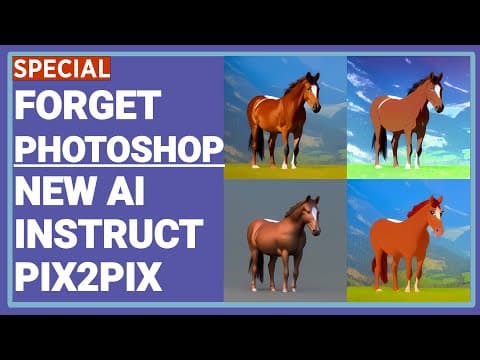
- The ControlNet extension provides a wide range of control options, including Depth, Normal maps, Lineart, Canny, Scribble, SoftEdge, Segmentation, OpenPose, Shuffling, and Instruct pix2pix.
- Users can generate QR codes, stylized images, avatars, and high-resolution images using ControlNet.
- Automatic and manual installation methods are available for Stable Diffusion web UI and ControlNet.
- Users can experiment with different prompt inputs, resolution settings, and preprocessor options to achieve desired results.
- The results of ControlNet models heavily depend on prompt input and the resolution of the images.
- The quality and effectiveness of ControlNet models can vary for different input images and prompts.
- The instruct pix2pix feature of ControlNet may not work as effectively as the original instruct pix2pix paper.
Install to Summarize YouTube Videos and Get Transcripts
Explore YouTube Video Summarizer or Get YouTube Transcript Extractor
Questions & Answers
Q: What are the different ControlNet features explored in the tutorial?
The tutorial explores features such as Depth, Normal Maps, Canny, Scribble, SoftEdge, Segmentation, OpenPose, Lineart, Shuffling, Instruct Pix2Pix, and more.
Q: How can ControlNet be used for image enhancement?
ControlNet can be used to enhance images by manipulating factors such as depth, edges, line art, and even entire segments of the image, resulting in improved quality, style, and visual appeal.
Q: How does the Shuffling feature in ControlNet work?
The Shuffling feature in ControlNet allows you to shuffle colors and elements within an image to create artistic variations. It uses the colors and elements from the original image but rearranges them in a randomized and creative way.
Q: What is the difference between the original instruct pix2pix and ControlNet's instruct pix2pix?
The original instruct pix2pix is a separate research paper and technique that is known to perform better than ControlNet's instruct pix2pix. ControlNet's version may have limitations and produce less accurate or desired results compared to the original paper.
Summary & Key Takeaways
-
Learn how to install Stable Diffusion Automatic1111 web UI and ControlNet from scratch.
-
Explore different ControlNet features such as Depth, Normal Maps, Canny, Scribble, SoftEdge, Segmentation, OpenPose, Lineart, Shuffling, Instruct Pix2Pix, and more.
-
Discover how to generate QR codes, enhance images with ControlNet, and use line art for logo creation.
-
Understand the limitations and potential issues with ControlNet's features.
Read in Other Languages (beta)
Share This Summary 📚
Summarize YouTube Videos and Get Video Transcripts with 1-Click
Try YouTube Summary with ChatGPT & Claude or YouTube Transcript Generator
Explore More Summaries from SECourses 📚


Summarize YouTube Videos and Get Video Transcripts with 1-Click
Try YouTube Summary with ChatGPT & Claude or YouTube Transcript Generator