How Can PowerPoint's Presenter Coach Improve Your Presentation Skills?
TL;DR
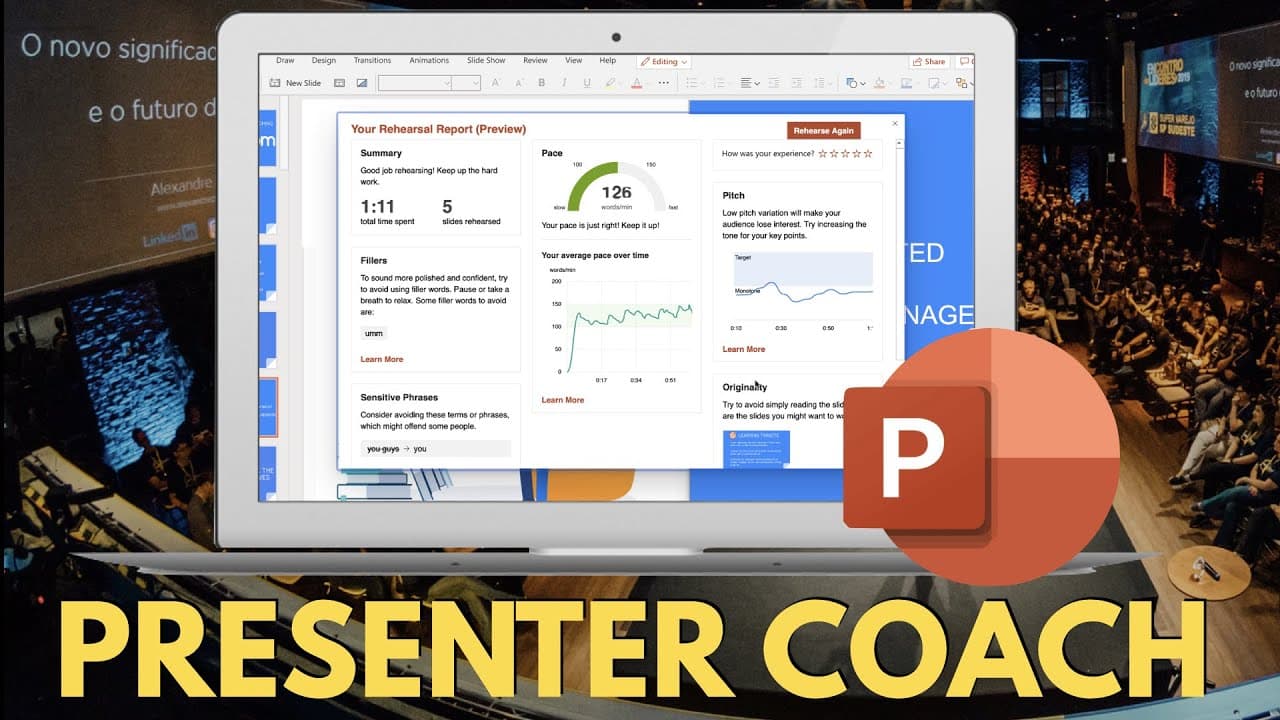
PowerPoint's Presenter Coach offers real-time feedback during rehearsal, highlighting areas for improvement such as speech fillers, repetitive language, and energy level. This AI feature helps users practice presentations effectively by providing insights on pacing and delivery, making it an excellent tool for both individuals and students looking to enhance their skills.
Transcript
the key to delivering any good presentation is to practice it ahead of time but if you don't have someone to practice your presentation in front of it can be hard to get feedback when it's just yourself trying to rehearse so fortunately powerpoint using artificial intelligence has built in an actual virtual coach to help coach you through your pres... Read More
Key Insights
- 😯 PowerPoint's AI Virtual Coach assists users in rehearsing presentations by providing feedback on speech delivery, slide pacing, and language usage.
- 🚚 The Virtual Coach identifies and highlights fillers, repetitive language, and sensitive phrases, offering valuable insights for improving content delivery.
- 👾 It evaluates the user's pace, energy level, and originality, helping them engage their audience effectively.
Install to Summarize YouTube Videos and Get Transcripts
Explore YouTube Video Summarizer or Get YouTube Transcript Extractor
Questions & Answers
Q: How does PowerPoint's AI Virtual Coach assist in presentation rehearsal?
PowerPoint's AI Virtual Coach listens to your speech during rehearsal and provides feedback on various aspects such as speech delivery, slide pacing, and language usage. It offers valuable insights to help you improve your presentation skills.
Q: What kind of insights does the AI Virtual Coach provide?
The AI Virtual Coach identifies and highlights fillers in your speech, repetitive language usage, and sensitive phrases. It also evaluates your pace, energy level, and originality. These insights can help you refine your delivery and engage your audience effectively.
Q: Who can benefit from using PowerPoint's AI Virtual Coach?
Anyone who needs to practice their presentations without a live audience can benefit from the AI Virtual Coach. It is particularly useful for students who want to rehearse their presentations and receive feedback before delivering them in front of a class or group.
Q: Is the AI Virtual Coach a reliable tool for presentation rehearsal?
While the AI Virtual Coach is not perfect, it is a valuable tool for practice and feedback. Its ability to detect fillers, repetitive language, and sensitive phrases, as well as provide insights on pace, energy level, and originality, makes it a helpful aid in improving presentation skills.
Summary & Key Takeaways
-
PowerPoint offers an AI Virtual Coach feature to assist users during presentation rehearsal, providing feedback on speech delivery, slide pacing, and language usage.
-
The Virtual Coach evaluates the user's speech and offers insights on fillers, repetitive language, sensitive phrases, pace, energy level, and originality.
-
This feature is beneficial for individuals who need to practice presentations without an audience and students who want to improve their presentation skills.
Read in Other Languages (beta)
Share This Summary 📚
Summarize YouTube Videos and Get Video Transcripts with 1-Click
Try YouTube Summary with ChatGPT & Claude or YouTube Transcript Generator
Explore More Summaries from EdTech Hustle 📚






Summarize YouTube Videos and Get Video Transcripts with 1-Click
Try YouTube Summary with ChatGPT & Claude or YouTube Transcript Generator