How to Recalibrate Spirometry Data in LabChart Reader
TL;DR
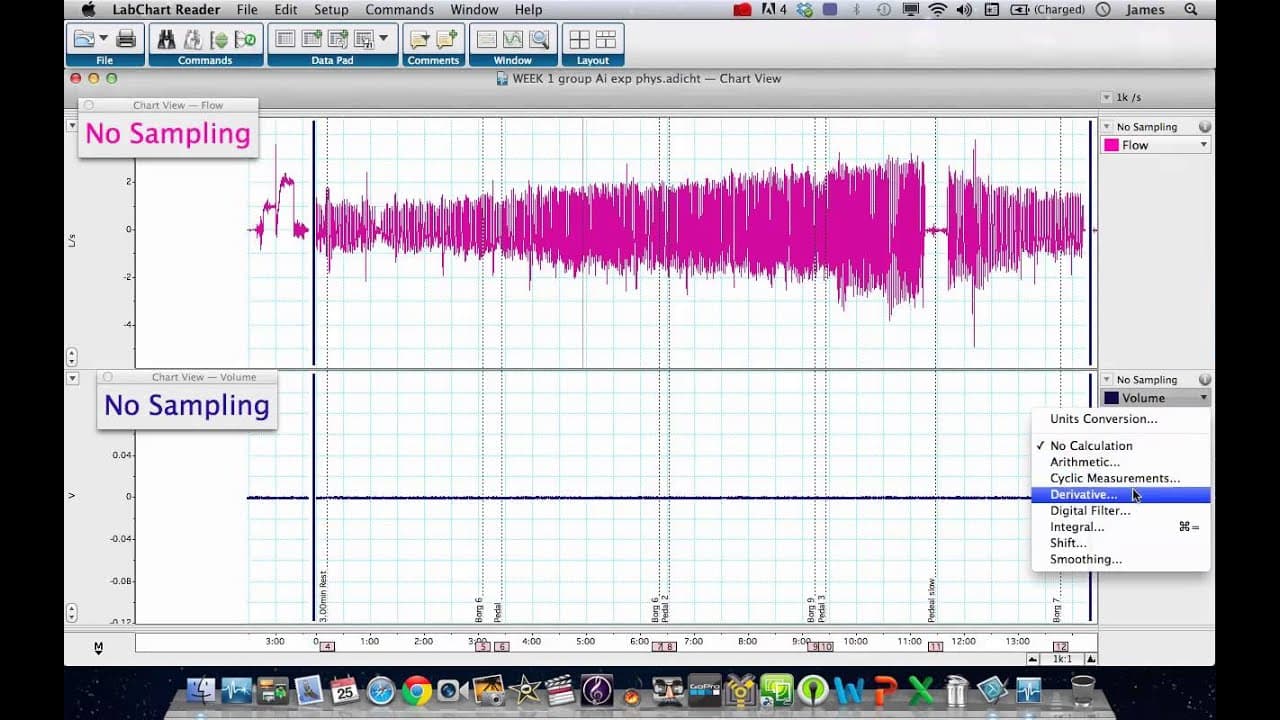
To recalibrate spirometry flow and volume data in LabChart Reader, use calibration values for flow in liters per second and apply the integral option for volume calculations. Ensure you're using version 7.3.4, as it does not support the spirometry pod, requiring recalibration for accurate data representation.
Transcript
hi it's dr clark here and what we have on the screen in front of us is lab chart reader on a apple macbook uh this is the latest version of lab chart reader if i go to the help here um i should go to here and go about lab chart reader you can see it's version 7.3.4 which was the july 2012 release which is the latest version of lab chart reader 7 um... Read More
Key Insights
- 💝 Lab Chart Reader version 7.3.4 is the latest version as of July 2012.
- 💐 The tutorial focuses on recalibrating flow and volume channels for spirometry data.
- 🦕 The spirometry pod is not supported by the software, so recalibration is necessary.
- 💐 The flow data can be calibrated using calibration values for one and two liters per second.
- 🔇 The volume data can be recalibrated by using the integral option in the software.
- 😫 The tutorial demonstrates the linear increase in volume when a set flow rate is applied.
- 🔇 The software allows for the conversion of volume data to minute volume shift.
Install to Summarize YouTube Videos and Get Transcripts
Explore YouTube Video Summarizer or Get YouTube Transcript Extractor
Questions & Answers
Q: What is the purpose of this tutorial?
The purpose of this tutorial is to demonstrate how to recalibrate spirometry flow and volume channels on a recording made with Lab Chart Reader software.
Q: Why is the spirometry pod not supported by the software?
The spirometry pod is not supported by the software, so the tutorial will show how to recalibrate the data without it.
Q: How can flow data be calibrated properly?
Flow data can be calibrated by using calibration data for one and two liters per second. By selecting the appropriate values and units in the software, the flow data can be calibrated accurately.
Q: How can the volume data be recalibrated?
The volume data can be recalibrated by choosing the integral option in the software. By integrating the flow data, the volume of gas shifted can be calculated and displayed accurately.
Summary & Key Takeaways
-
This tutorial shows how to recalibrate spirometry flow and volume channels on Lab Chart Reader software.
-
The software version used is 7.3.4, the latest version as of July 2012.
-
The tutorial focuses on recalibrating flow and volume channels for a recording made with a spirometry pod.
Read in Other Languages (beta)
Share This Summary 📚
Summarize YouTube Videos and Get Video Transcripts with 1-Click
Try YouTube Summary with ChatGPT & Claude or YouTube Transcript Generator
Explore More Summaries from Dory Video 📚






Summarize YouTube Videos and Get Video Transcripts with 1-Click
Try YouTube Summary with ChatGPT & Claude or YouTube Transcript Generator