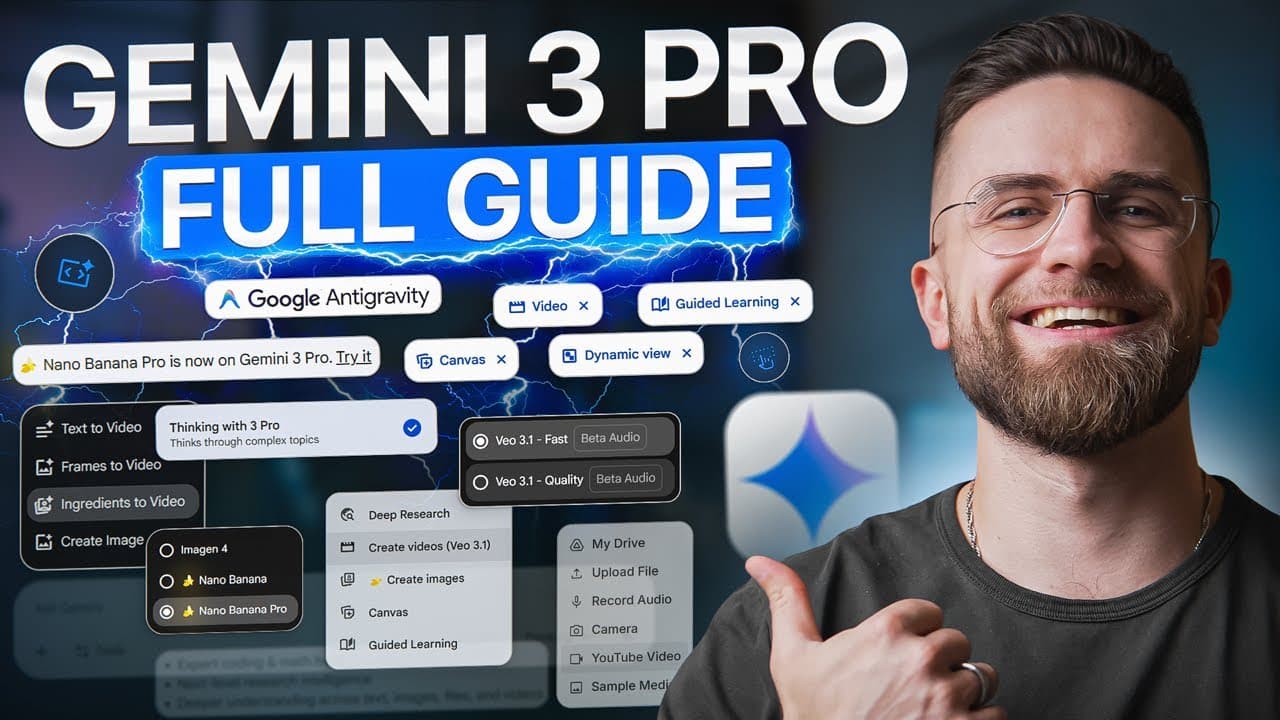
How to Use Google Gemini 3.0 Pro: The Ultimate 2026 Beginner’s Guide
TL;DR
To use Gemini 3 Pro, select Thinking in the Gemini app, give it a clearly defined task, and upload relevant images, videos, PDFs, or code when needed. The guide demonstrates high-level reasoning, dashboard and video analysis, and analysis of a 30-page report using its 1 million-token context window. Read on for practical prompts, capabilities, and workflow ideas.
Transcript
Google just released more AI updates in one week than most companies do all year. Gemini 3 Pro, Nano Banana Pro, Agent Mode, VO3.1. If you're confused, you're not alone. This is the full breakdown. We'll show you exactly what each update does, how they fit together, and how to start using them today. No fluff, just what works. We'll cover Gemini 3 ... Read More
Key Insights
- Gemini 3 Pro is a multimodal model that can understand and generate text, images, audio, video, PDFs, and code. This allows one interface to handle analytical, creative, educational, and software-development tasks involving several kinds of source material.
- High thinking level is designed to spend additional time planning before producing an answer. In the demonstrated strategy problem, Gemini calculated relevant metrics, compared alternatives, ranked options by return on investment, and produced a more structured recommendation.
- Multimodal dashboard analysis goes beyond reading visible labels. Gemini interpreted the displayed data, identified patterns and anomalies, and proposed next steps, showing how screenshots can serve as direct analytical inputs when users need help understanding complex visual information.
- Video analysis can turn uploaded footage into chapters, identify important moments and emotional peaks, evaluate pacing, and suggest ways to tighten the story. The demonstration positions Gemini as an editing assistant that provides structural feedback rather than merely generating a transcript.
- Gemini 3 Pro has a stated 1 million token context window. In the demonstration, it processed a 30-page research report, summarized the main findings, identified the methodology, answered specific questions, and flagged the report’s limitations section.
- Extended AI mode in Google Search synthesizes information into contextual and visual responses. Demonstrations produced YouTube click-through-rate advice, diagrams for quantum entanglement, and a year-by-year compound-interest visualization for $10,000 growing at a 7% annual return.
- Gemini can generate runnable educational code from a plain-language request. For projectile motion, it created a Python script with user inputs, physics calculations, a Matplotlib visualization, and outputs for maximum height, range, time of flight, and trajectory.
- Interactive learning applications can be created by asking Gemini for adjustable controls and real-time feedback. Demonstrations included a Pygame physics constructor with blocks and forces, plus an Ohm’s law tool with voltage and resistance sliders, current calculations, a circuit diagram, and a live graph.
Install to Summarize YouTube Videos and Get Transcripts
Explore YouTube Video Summarizer or Get YouTube Transcript Extractor
Questions & Answers
Q: How do beginners use Google Gemini 3.0 Pro?
Open the Gemini app and select Thinking from the model picker to access Gemini 3.0 Pro. Give it a clearly defined task, adding a screenshot, video, PDF, or other relevant material when appropriate. Review the resulting analysis, calculations, or recommendations before using them in the next step of your workflow.
Q: What is Gemini 3 Pro, and what types of content can it process?
Gemini 3 Pro is presented as Google’s most intelligent AI model and the brain powering its AI tools. It is multimodal, so it can understand and generate text, images, audio, video, PDFs, and entire code bases. It is designed for complex reasoning, long-context understanding, and multi-step agentic tasks.
Q: How do you use Gemini 3 Pro for complex reasoning?
Select Thinking in the model picker and submit a problem that requires calculations, comparisons, or strategic judgment. In the demonstration, Gemini broke down the problem, calculated relevant metrics, compared strategies, and ranked the options by ROI. The high thinking level spent extra time planning before producing a structured recommendation.
Q: How can Gemini 3 Pro analyze a screenshot or data dashboard?
Upload the screenshot and ask Gemini to interpret the data, identify patterns, flag anomalies, and suggest next steps. In the demonstration, it did more than read visible text: it interpreted the information and highlighted what mattered. This lets users provide the visual directly instead of manually describing every chart and label.
Q: How can Gemini 3 Pro analyze and help edit a video?
Upload a video and ask Gemini to divide it into chapters, highlight key moments, identify emotional peaks, and suggest ways to tighten the story. The demonstration produced a clean structure, clear insights, and notes about pacing. It functioned as an editing assistant rather than only a transcription tool.
Q: How does Gemini 3 Pro handle long PDF documents?
Upload the PDF and request a summary or answers to specific questions about its contents. In the demonstration, Gemini read a 30-page research report, extracted its key findings, identified the methodology, and flagged the limitations section. The guide attributes this performance to a 1 million-token context window and says no document chunking was needed.
Q: What can Gemini 3 Pro’s extended AI mode in Google Search do?
Extended AI mode can synthesize information from multiple sources and present contextual answers in a visual format. For a query about improving YouTube CTR for a tech tutorial, it generated actionable tips, thumbnail examples, title formulas, and CTR benchmarks. For quantum entanglement, it produced diagrams showing particle states and spin correlations, plus a synchronized-coins analogy.
Q: When did Gemini 3 Pro launch, and how did it score in the cited benchmarks?
The guide says Gemini 3 Pro launched on November 18, 2025 as an upgrade from Gemini 2.5 Pro. It reports scores of 37.5% on Humanity’s Last Exam without tools, 91.9% on GPQA Diamond, and 72.7% on Screen Spot Pro. Screen Spot Pro is described as testing how well the model understands interface elements on a screen.
Summary & Key Takeaways
-
Gemini 3 Pro is presented as Google’s most intelligent AI model, with support for text, images, audio, video, PDFs, and code bases. Demonstrations show it solving a strategic reasoning problem, analyzing a data dashboard, reviewing video structure and pacing, and extracting findings, methodology, and limitations from a 30-page research report.
-
Google Search’s extended AI mode uses Gemini 3 Pro to synthesize information and produce visual explanations. Examples include YouTube click-through-rate recommendations, diagrams explaining quantum entanglement, and a compound-interest chart. The model is also used to explain projectile motion visually and generate a Python simulation with calculations and trajectory plotting.
-
Gemini can create interactive educational software from natural-language prompts. The demonstrations include a Lego-style physics playground with gravity, friction, collisions, forces, and real-time rendering, plus an Ohm’s law application with adjustable voltage and resistance. The broader workflow connects Gemini’s reasoning with Nano Banana Pro for images and Veo 3.1 for video generation.
Read in Other Languages (beta)
Share This Summary 📚
Summarize YouTube Videos and Get Video Transcripts with 1-Click
Try YouTube Summary with ChatGPT & Claude or YouTube Transcript Generator
Explore More Summaries from AI Master 📚




Summarize YouTube Videos and Get Video Transcripts with 1-Click
Try YouTube Summary with ChatGPT & Claude or YouTube Transcript Generator