How to Upgrade an Old 3D Printer for Speed and Quality
TL;DR
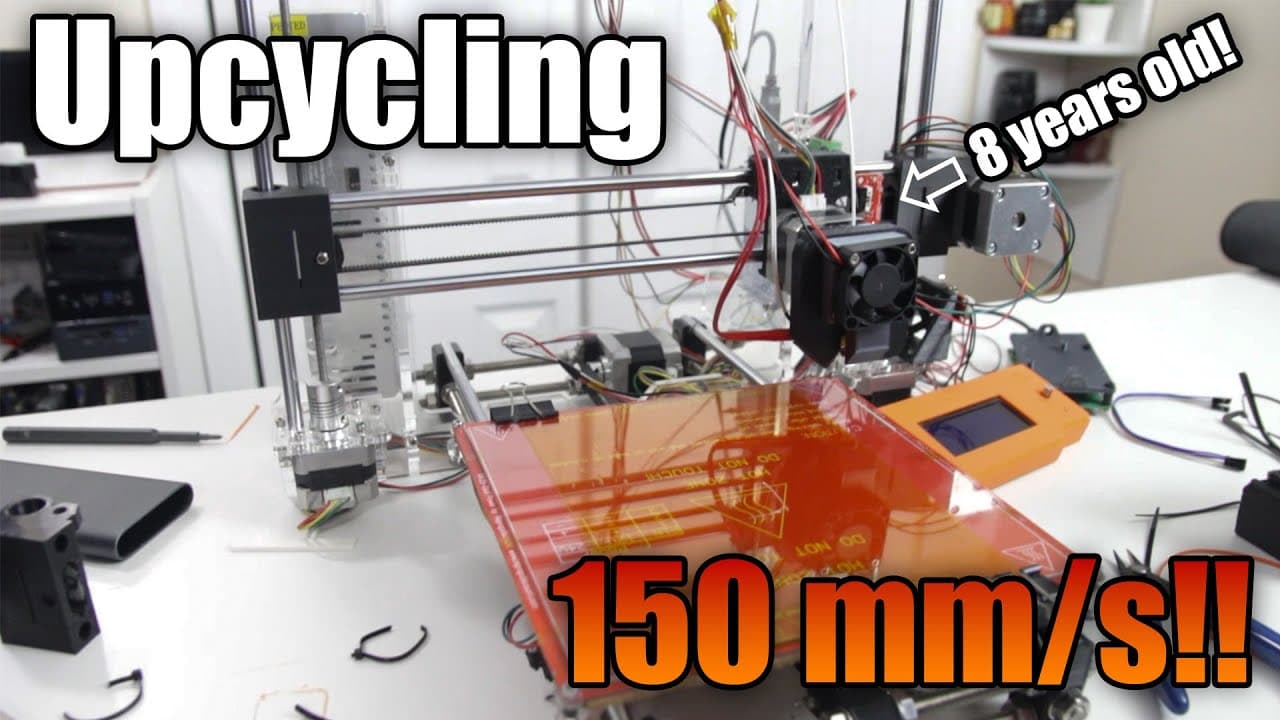
To upgrade an eight-year-old 3D printer for improved speed and quality, replace outdated stepper drivers with quieter models and install Clipper firmware to enable faster processing. This process can boost printing speed to 150mm/s while improving print quality and reducing noise. Future enhancements like vibration reduction can further optimize performance.
Transcript
hey guys what's going on it's Don here from Nova Spirit Tech and welcome back to the channel and we're going to be taking this eight-year-old I3 3D printer and upcycling it to print from this to this so let's get started for some of you ogs out there this printer is what started this channel so if you go back to even the first five or six videos on... Read More
Key Insights
- 🥶 Revamping older 3D printers can significantly extend their usability and performance with the right upgrades.
- 🧑🦼 Noise reduction and enhanced performance are achievable by replacing outdated stepper motor drivers with more efficient options.
- 👻 Advanced firmware like Clipper allows for faster processing and improved print capabilities by using additional hardware, such as a Raspberry Pi.
- ❓ Documentation is a crucial part of the upgrade process, providing essential guidelines for configuration and troubleshooting.
- 👤 DIY upgrades empower users to customize their printers according to specific needs and preferences.
- 👣 Integration of modern technologies such as accelerometers can drastically improve print quality by managing vibrations during operation.
- 🥳 Community support and shared resources (like Thingiverse) facilitate users in finding compatible parts for their upgrades.
Install to Summarize YouTube Videos and Get Transcripts
Explore YouTube Video Summarizer or Get YouTube Transcript Extractor
Questions & Answers
Q: What motivated the creator to upgrade the eight-year-old 3D printer?
The creator wanted to breathe new life into their old I3 printer which originally started their YouTube channel. After realizing its potential for high-speed printing similar to newer models, especially during the pandemic, the upgrade became a project worth pursuing.
Q: What upgrades were made to the printer's components?
The creator replaced the old A4988 stepper drivers with quieter TMC 2208 drivers, enhancing print speed and reducing noise. Additionally, they repaired a cracked part in the x-axis, which improved the overall functionality and print accuracy of the machine.
Q: How does Clipper firmware enhance the performance of the upgraded printer?
Clipper firmware transforms the Arduino board into a slave device, allowing a Raspberry Pi to handle data processing efficiently. This setup enables high-speed printing by offloading the computational load, which allows the I3 printer to reach speeds of over several hundred millimeters per second.
Q: What challenges did the creator face during the upgrade process?
The creator encountered multiple challenges, including adjusting the printer's configuration settings and dealing with the original limitations of the Arduino board. There were also issues with the initial print quality that required troubleshooting of mechanical components and extensive tuning.
Q: How does the creator plan to improve the printer in the future?
Future plans include integrating accelerometers to implement input shaping for better vibration management and print quality. There are also intentions to improve wire management, create a housing for the RAMPS board, and optimize the placement of the Raspberry Pi.
Q: What software was used to enhance the printer's performance?
The creator implemented Clipper firmware along with the Fluid web interface, which provides a user-friendly control panel for managing the printer. They also explored using Moonraker to facilitate communication between the Raspberry Pi and the printer.
Q: What was the final print speed achieved after the upgrades?
After completing the upgrades and tuning, the printer successfully achieved a print speed of 150 millimeters per second. The resulting prints demonstrated significant improvements in quality compared to the original Marlin firmware.
Q: How does the documentation support the configuration of the printer?
The documentation provided for Clipper firmware is well-organized and detailed, allowing users to access step-by-step instructions for printer configuration. This support makes it easier to adjust parameters, troubleshoot issues, and optimize printing performance.
Summary & Key Takeaways
-
The video showcases the process of reviving an eight-year-old I3 3D printer to enhance its functionality and print speed using modern technologies.
-
The creator discusses challenges encountered during the upgrades, including tuning the printer, replacing stepper drivers, and installing new firmware to achieve faster printing without the noise.
-
The final outcome demonstrated improved print quality and speed, with the creator sharing plans for future enhancements such as vibration reduction and better cable management.
Read in Other Languages (beta)
Share This Summary 📚
Summarize YouTube Videos and Get Video Transcripts with 1-Click
Try YouTube Summary with ChatGPT & Claude or YouTube Transcript Generator
Explore More Summaries from Novaspirit Tech 📚






Summarize YouTube Videos and Get Video Transcripts with 1-Click
Try YouTube Summary with ChatGPT & Claude or YouTube Transcript Generator