How to Automate Content Creation With Free AI Tools
TL;DR
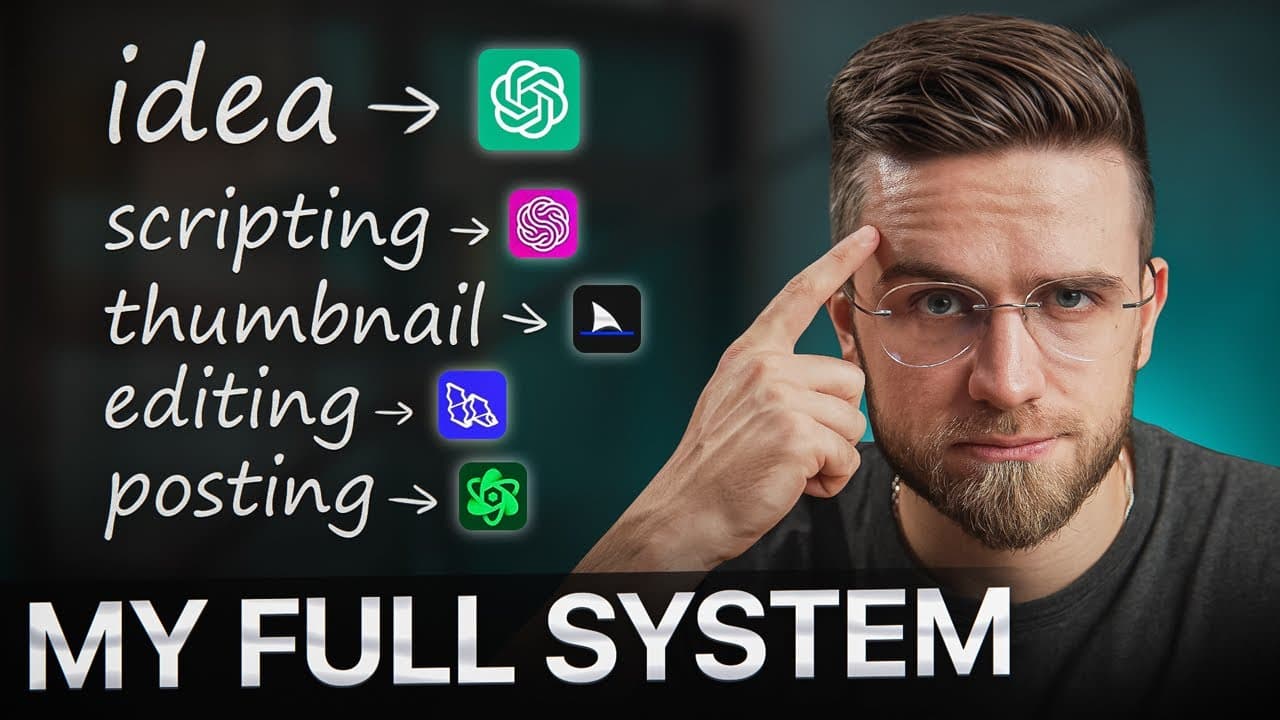
Automate content creation by using NoteGPT for research, two custom ChatGPTs for outlining and drafting, Claude as a backup writer, and Krea AI for photo enhancement. Reviewing three to five competitor videos with NoteGPT cuts the creator’s research from about an hour to 15 minutes, while the full workflow reduces video production to a couple of hours. Read on for the exact steps, prompts, and limitations of each tool.
Transcript
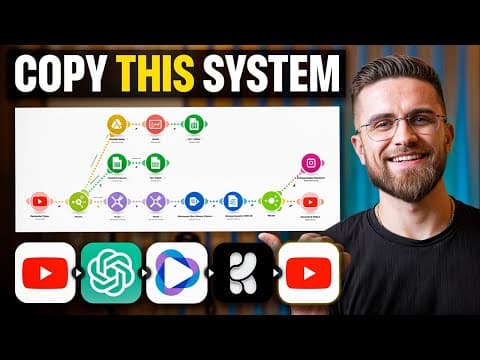
thanks to AI I've cut down my video production time just a couple hours and I want to show you how you can do the same so if you're ready to save some time and pump out more content let's dive in now my workflow is pretty straightforward I'm only using a couple of AI tools and the best part they're all free so you can just copy my system without sp... Read More
Key Insights
- Research is faster with summary tools than manual watching: the creator dumps competitor video links into NoteGPT, reads the summary tab for highlights and key insights, and uses its AI chat to ask what a video hints at, cutting research from an hour to about 15 minutes.
- NoteGPT's most useful feature is the summary tab, which gives highlights, key insights, and a one-sentence summary. The creator considers the mind map useless and finds the timestamped transcription accurate but not helpful for their process.
- Giving ChatGPT one huge task upfront causes hallucination, repetition, and rephrasing, producing a messy, inconsistent script. The fix is splitting the work across smaller, focused prompts and staying in control of every step.
- The creator uses two custom GPTs: the first only outlines the rough structure and flow from an 'idea plus [the idea]' prompt, and the second, trained on past scripts, writes the full script in their tone and vocabulary.
- ChatGPT defaults to shorter answers and basic bullet points, so the creator repeatedly prompts it to 'use the web' to add depth, sources, and detail, then asks it to expand the draft to reach the right script length.
- Claude is a backup script writer when ChatGPT refuses to fix output, but it cannot access the web, so scripts may lack the latest info, and it has no custom GPTs, meaning each session starts fresh unless you upload reference files.
- VEED's Magic Cut removes filler like 'ohs' and 'ums' in one click, and its eye-correction feature fixes off-camera gazes frame by frame, alongside noise removal and accurate customizable subtitles.
- Krea AI upscales thumbnail photos via an upscale option, but low-resolution originals can make you look like someone else, and it has altered the creator's eyes and glasses. Filming, editing, and thumbnails remain done by humans, not AI.
Install to Summarize YouTube Videos and Get Transcripts
Explore YouTube Video Summarizer or Get YouTube Transcript Extractor
Questions & Answers
Q: How can you automate content creation with free AI tools?
Use NoteGPT to summarize competitor videos and articles, then use one custom ChatGPT to build an outline and another trained on past scripts to draft the script. Claude can serve as a backup writer, while Krea AI can upscale thumbnail photos; filming, editing, and thumbnail creation remain human-led.
Q: How do you research YouTube content with NoteGPT?
Collect links from similar YouTube videos and paste them into NoteGPT, which provides a transcription, summary, mind map, and AI chat. Focus on the summary’s highlights and key insights, then ask the AI chat follow-up questions to uncover each video’s angle without watching it in full.
Q: How many competitor videos should you research?
The creator repeats the NoteGPT research process for three to five competitor videos. This provides enough material to identify unexplored ideas or choose a different angle, such as arguing why something may succeed when competitors focus on why it may fail.
Q: How much time can AI save during content research?
Using NoteGPT for video and article summaries reduces the creator’s research time from about an hour to 15 minutes. Videos supply ideas, while summarized articles provide the facts and data needed for the script.
Q: Why should you avoid asking ChatGPT to write an entire script at once?
A large task given upfront can cause ChatGPT to hallucinate, repeat itself, or merely rephrase the supplied material. Breaking the work into smaller, focused steps produces a clearer and more consistent script while keeping the creator in control.
Q: How are custom GPTs used for YouTube scriptwriting?
The first custom GPT creates the video’s rough structure and flow from a prompt containing the idea, often followed by “use the web for information.” The second custom GPT is trained on past scripts and turns the outline into a full draft using the creator’s style, tone, and vocabulary.
Q: When should Claude be used for scriptwriting?
Claude is a backup when ChatGPT produces poor results and refuses to correct them. It can generate a script in about three minutes and accept reference files, but it cannot access the web and starts fresh each session unless those materials are uploaded again.
Q: Which parts of video production still require human work?
The creator continues to handle filming, editing, and thumbnails rather than turning the entire process over to AI. AI supports selected tasks such as research, scripting, filler removal, eye correction, noise removal, subtitles, and photo upscaling.
Summary & Key Takeaways
-
The entire AI workflow uses only a couple of free tools and cuts total video production to about two hours. Every step is timed with a stopwatch. Research kicks it off: rather than trusting ChatGPT's weak idea suggestions, the creator studies competitors and trends to shape a rough vision.
-
Competitor video links are dropped into the free tool NoteGPT, which returns transcription, summary, and mind map. The summary tab holds the value with highlights and key insights, and the AI chat lets the creator interrogate content without watching. Repeating this for three to five videos yields a clear angle in 15 minutes.
-
Scripting uses two custom GPTs, one for outlining and one trained on past scripts for writing, with Claude as a backup and constant prompt tweaking to avoid hallucination. Filming, editing, and thumbnails stay human, though Krea AI upscales photos and VEED (the sponsor) handles cuts, eye correction, noise, and subtitles.
Read in Other Languages (beta)
Share This Summary 📚
Summarize YouTube Videos and Get Video Transcripts with 1-Click
Try YouTube Summary with ChatGPT & Claude or YouTube Transcript Generator
Explore More Summaries from AI Master 📚
Summarize YouTube Videos and Get Video Transcripts with 1-Click
Try YouTube Summary with ChatGPT & Claude or YouTube Transcript Generator