What Can You Do with the Raspberry Pi Pico?
TL;DR
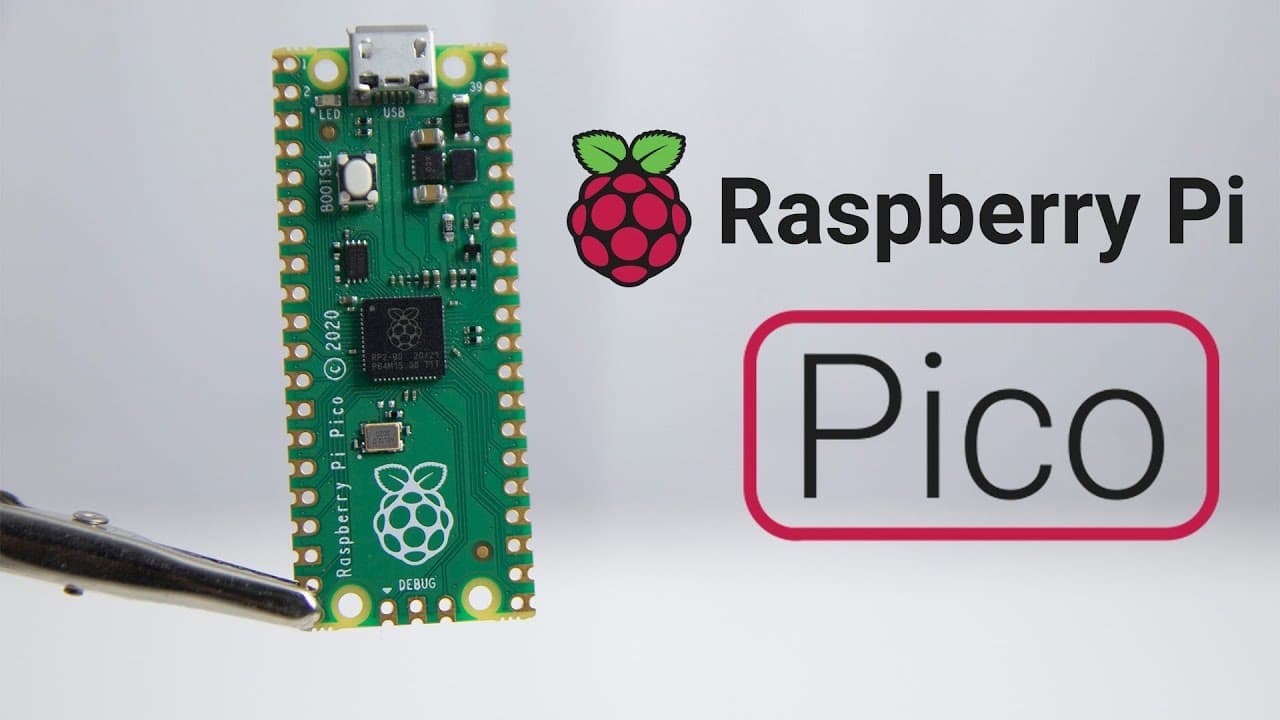
The Raspberry Pi Pico, powered by the RP2040 microprocessor, offers a dual-core Arm Cortex-M0+ and extensive GPIO options, making it ideal for various embedded projects, from simple sensors to custom USB devices. It supports programming in MicroPython, C, and C++, while its ability to run code directly from onboard storage provides instant-on functionality, although it lacks Wi-Fi connectivity.
Transcript
hey guys it's don here from nova spare tech and welcome back to the channel and today we are going to be checking out the raspberry pi pico so let's get started now this is the latest raspberry pi product from the raspberry pi foundation which is the raspberry pi pico and i said that a lot of times anyway anything we talk about will be linked down ... Read More
Key Insights
- 💯 The Raspberry Pi Pico features the new RP2040 microprocessor tailored for embedded systems, offering dual-core processing capabilities.
- 👻 It is equipped with 2 MB of onboard flash storage, which allows users to store and run projects directly from the device upon booting.
- 💍 The Pico supports multiple programming languages, creating opportunities for developers with different expertise levels to engage with the platform.
- 🎨 Its USB 1.1 support enables projects that integrate with keyboards or other USB devices, indicating versatility in application design.
- 👾 With its compact size, similar to an Arduino Nano, the Pico fits well into builds where space is a constraint.
- 😒 The lack of Wi-Fi may deter some uses, but the instant-on capability is an advantage for time-sensitive applications.
- 👻 There are extensive GPIO configurations available, allowing for imaginative and complex project developement.
Install to Summarize YouTube Videos and Get Transcripts
Explore YouTube Video Summarizer or Get YouTube Transcript Extractor
Questions & Answers
Q: What is the main processor used in the Raspberry Pi Pico?
The Raspberry Pi Pico is powered by the RP2040 microprocessor, which is a proprietary chip developed by the Raspberry Pi Foundation. This chip has a dual-core Arm Cortex-M0+ capable of operating at speeds up to 133 MHz. This architecture allows for efficient processing and is particularly well-suited for various embedded applications.
Q: How can I program the Raspberry Pi Pico?
The Raspberry Pi Pico can be programmed using several programming languages, including MicroPython and C/C++. The device supports the use of various SDKs that can be incorporated into popular development environments like VS Code. This versatility makes it easier to develop and deploy applications quickly, catering to both beginner and advanced developers.
Q: What are some key features of the Raspberry Pi Pico in terms of I/O?
The Pico features 26 GPIO pins that allow for extensive interfacing options. Additionally, it has two SPI and two I2C interfaces for communication with other devices, alongside three 12-bit analog-to-digital converters for sophisticated sensor integration. The built-in PWM capabilities also make it suitable for controlling motor speed or LED brightness.
Q: What projects can I potentially create with the Raspberry Pi Pico?
The Raspberry Pi Pico is ideal for a variety of projects. For example, you can create a temperature sensor by attaching a DHT11 sensor and an SSD1306 screen for display. You could also turn the Pico into a USB macro keyboard or develop automated systems that require instant startup, showcasing its flexibility in different applications.
Summary & Key Takeaways
-
The Raspberry Pi Pico introduces the RP2040 microprocessor, featuring a dual-core Arm Cortex-M0+ supporting various operation modes including serial and mass storage.
-
It includes extensive GPIOs and supports programming in MicroPython, providing flexibility for different projects, from simple sensors to complex devices.
-
Don from Nova Spare Tech hints at future projects using the Pico, emphasizing its potential as an embedded device despite its lack of Wi-Fi.
Read in Other Languages (beta)
Share This Summary 📚
Summarize YouTube Videos and Get Video Transcripts with 1-Click
Try YouTube Summary with ChatGPT & Claude or YouTube Transcript Generator
Explore More Summaries from Novaspirit Tech 📚






Summarize YouTube Videos and Get Video Transcripts with 1-Click
Try YouTube Summary with ChatGPT & Claude or YouTube Transcript Generator