Pi-KVM - DIY CHEAP Raspberry Pi KVM over IP Prototype Version 3 Review!
TL;DR
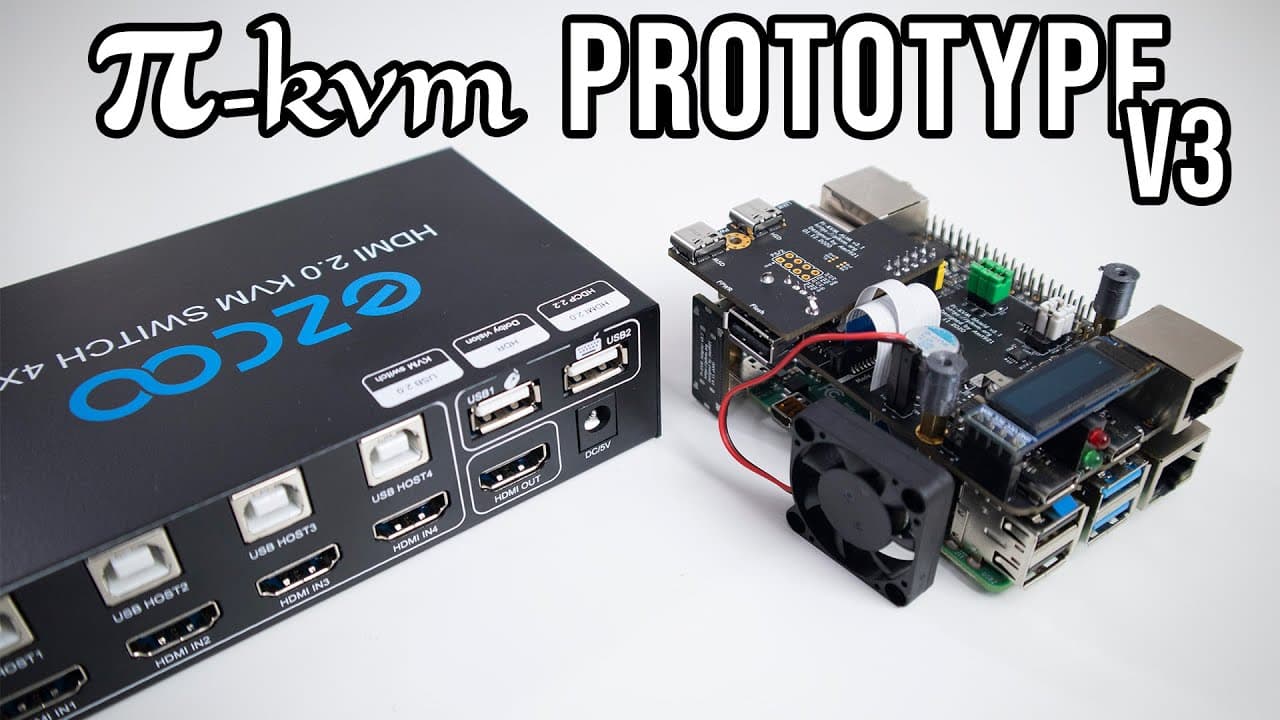
Don explores the features and development of the Pi KVM prototype.
Transcript
hey guys it's don here from novus bear tech and welcome back to the channel and today we are going to be checking out the pi kvm prototype version 3 so let's get started in case you guys missed it a couple of weeks ago i actually built my own using a raspberry pi 4 and hdmi csi using his software to build this kvm over ip or the pi kvm now if you g... Read More
Key Insights
- ♓ The Pi KVM prototype showcases the potential of using low-cost hardware like the Raspberry Pi in creating advanced network management tools.
- 👤 Maxim's iterative development process highlights the importance of user feedback and practical testing in product refinement.
- 👤 The transition from slow MPEG streaming to advanced encoding techniques significantly improves the responsiveness and user experience of KVM solutions.
- 🤗 Open-source software allows users to modify and customize their Pi KVM configurations according to specific needs and preferences.
- 👤 Multiple hardware kits provide flexibility in choice, catering to different budgets and feature requirements among users.
- 👻 The integration of mass storage device capabilities allows for easy file transfers and OS installations without physical access to the machine.
- 👤 The device is designed for accessibility, with a user-friendly interface that simplifies complex server management tasks.
Install to Summarize YouTube Videos and Get Transcripts
Explore YouTube Video Summarizer or Get YouTube Transcript Extractor
Questions & Answers
Q: What challenges did Maxim face when developing the Pi KVM?
Maxim was frustrated with existing KVM options that were prohibitively expensive and complex, often relying on outdated technology. This motivated him to create a cost-effective and efficient solution using a Raspberry Pi and Arduino, eventually leading to the development of the Pi KVM.
Q: How does the Pi KVM improve upon previous versions and technologies?
The Pi KVM significantly enhances streaming capabilities with its proprietary ustreamer software, enabling near real-time video streaming at 20-25 frames per second, compared to the 1-2 frames per second provided by earlier MPEG streaming methods. This improvement allows for better usability and reliability in remote server management.
Q: Can users connect multiple devices to the Pi KVM?
Yes, the Pi KVM can connect to multiple devices using an HDMI switch, allowing users to toggle between different computers. This setup enables seamless management and configuration of several systems through a single interface, enhancing the versatility of the KVM appliance.
Q: What are the benefits of the advanced USB module included in the Pi KVM?
The advanced USB module provides additional connectivity options for older devices that require PS2 connections or do not support booting from USB drives. This flexibility ensures that the Pi KVM can interface with a wide range of hardware, making it a valuable tool for various users.
Summary & Key Takeaways
-
The Pi KVM prototype, developed by Maxim, provides a cost-effective solution for remote server management using a Raspberry Pi, overcoming limitations of traditional KVM over IP systems.
-
The setup includes multiple kits with various features like an advanced USB module, mass storage capabilities, and HDMI switching, making it versatile for different user needs.
-
Users can log into the software interface to control connected machines remotely, with improved streaming capabilities and the option to upload ISO files for OS installation.
Read in Other Languages (beta)
Share This Summary 📚
Summarize YouTube Videos and Get Video Transcripts with 1-Click
Try YouTube Summary with ChatGPT & Claude or YouTube Transcript Generator
Explore More Summaries from Novaspirit Tech 📚






Summarize YouTube Videos and Get Video Transcripts with 1-Click
Try YouTube Summary with ChatGPT & Claude or YouTube Transcript Generator