How to Use SATA Support on Raspberry Pi CM4
TL;DR
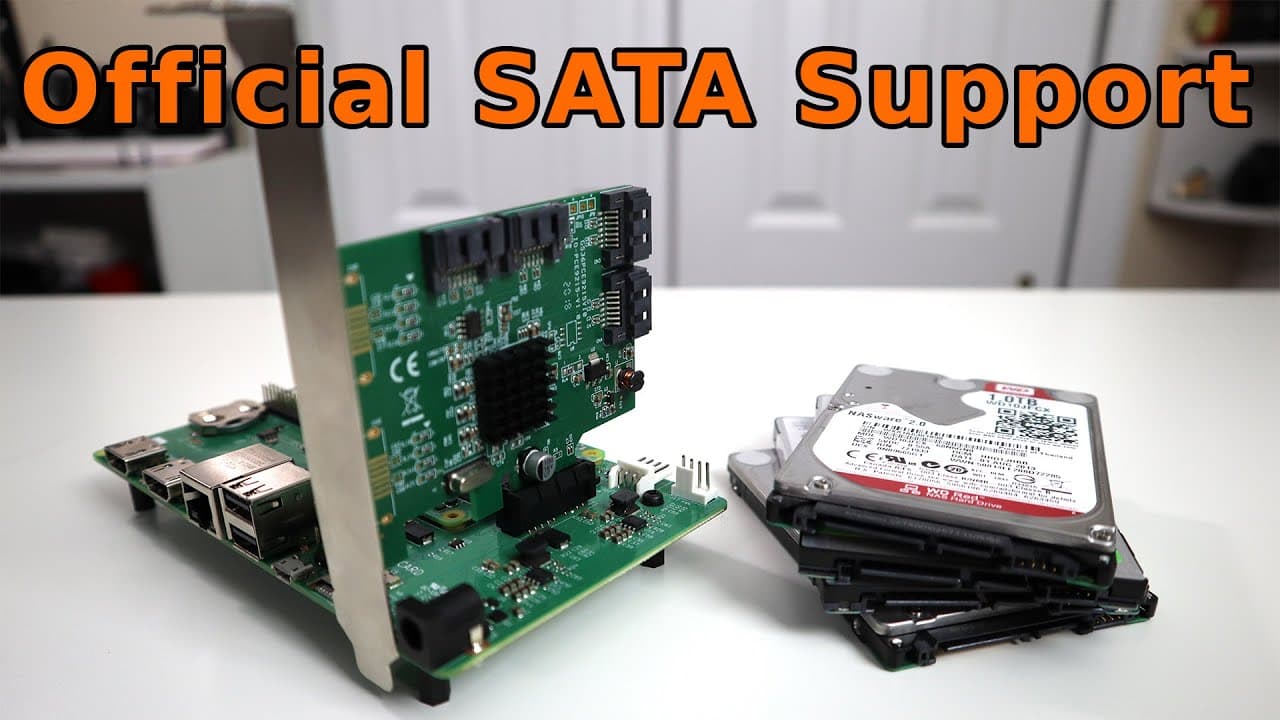
The new SATA support on the Raspberry Pi Compute Module 4 allows users to connect SATA devices without the hassle of manual kernel compilation. Users can easily update their kernel to utilize this feature, enabling faster data handling and the potential to create NAS solutions, with read speeds averaging 844 MB/s.
Transcript
hey guys what is going on it's don here from nova spare tech and welcome back to the channel and today we are going to be checking out sata support for the raspberry pi cm4 so let's get started now as of last week raspberry pi has added satan support onto the cm4 boards the compute module four prior to that what we had to do to get zeta cards worki... Read More
Key Insights
- 👤 The integration of SATA support into Raspberry Pi CM4 simplifies the process of connecting external storage devices and encourages users to create NAS solutions.
- 🤗 The collaborative effort with community developers like Jeff Geerling enhances the functionality of open-source hardware projects.
- 🧡 Post-update, CM4 users can look forward to an expanded range of projects involving data management and storage efficiency.
- 📈 Testing revealed solid SATA performance metrics that align well with typical NAS drives, indicating robust capabilities for complex data tasks.
- 🤗 The ability to connect multiple storage devices opens the door for innovative applications, from media servers to personal cloud storage.
- 👤 Future support for SATA on the standard Raspberry Pi 4 is expected, potentially improving its utility for users without PCIe access.
- 👤 The process and commands for updating and testing SATA compatibility contribute to a more user-friendly experience for both novice and experienced makers.
Install to Summarize YouTube Videos and Get Transcripts
Explore YouTube Video Summarizer or Get YouTube Transcript Extractor
Questions & Answers
Q: What are the main benefits of the new SATA support for CM4?
The newly integrated SATA support greatly enhances the usability of the Raspberry Pi CM4 by eliminating the need for complicated kernel modifications. Users can now directly connect and utilize SATA devices, making it much easier to implement storage solutions like NAS without the technical barrier previously required.
Q: How does one update the kernel on the Raspberry Pi CM4?
To update the kernel on the Raspberry Pi CM4, users can run the commands sudo apt followed by sudo apt upgrade in the terminal. This ensures that the system gets the latest updates, including the newly integrated SATA support, and will require a reboot after the process is complete.
Q: What types of SATA cards are compatible with the Raspberry Pi CM4?
Most SATA cards are now supported by Raspberry Pi CM4; however, some may still require manual compilation for compatibility. Typical examples include four-port PCIe SATA cards, which allow users to expand storage options effectively. It's best to check compatibility notes for specific models.
Q: How does the performance of SATA compare to eMMC on the CM4?
The SATA performance on the Raspberry Pi CM4 averages around 844 MB/s for sequential reads, which is significantly faster than the eMMC storage speeds measured at approximately 83 MB/s. This difference highlights the advantages of using SATA for applications requiring higher data throughput and storage capacity.
Summary & Key Takeaways
-
The recent update to Raspberry Pi's Compute Module 4 (CM4) introduces native SATA support, significantly easing the integration of SATA cards without needing manual kernel compilation.
-
The update, credited to developer Jeff Geerling, allows users to connect multiple devices to the CM4, transforming it into a more functional system, suitable for NAS setups or data storage solutions.
-
Users can seamlessly update their kernel and test SATA connections, with performance speeds averaging 844 MB/s for reads, showcasing the CM4's enhanced capabilities for applications involving substantial data handling.
Read in Other Languages (beta)
Share This Summary 📚
Summarize YouTube Videos and Get Video Transcripts with 1-Click
Try YouTube Summary with ChatGPT & Claude or YouTube Transcript Generator
Explore More Summaries from Novaspirit Tech 📚






Summarize YouTube Videos and Get Video Transcripts with 1-Click
Try YouTube Summary with ChatGPT & Claude or YouTube Transcript Generator