How to Automate Tasks with Claude Co-Work
TL;DR
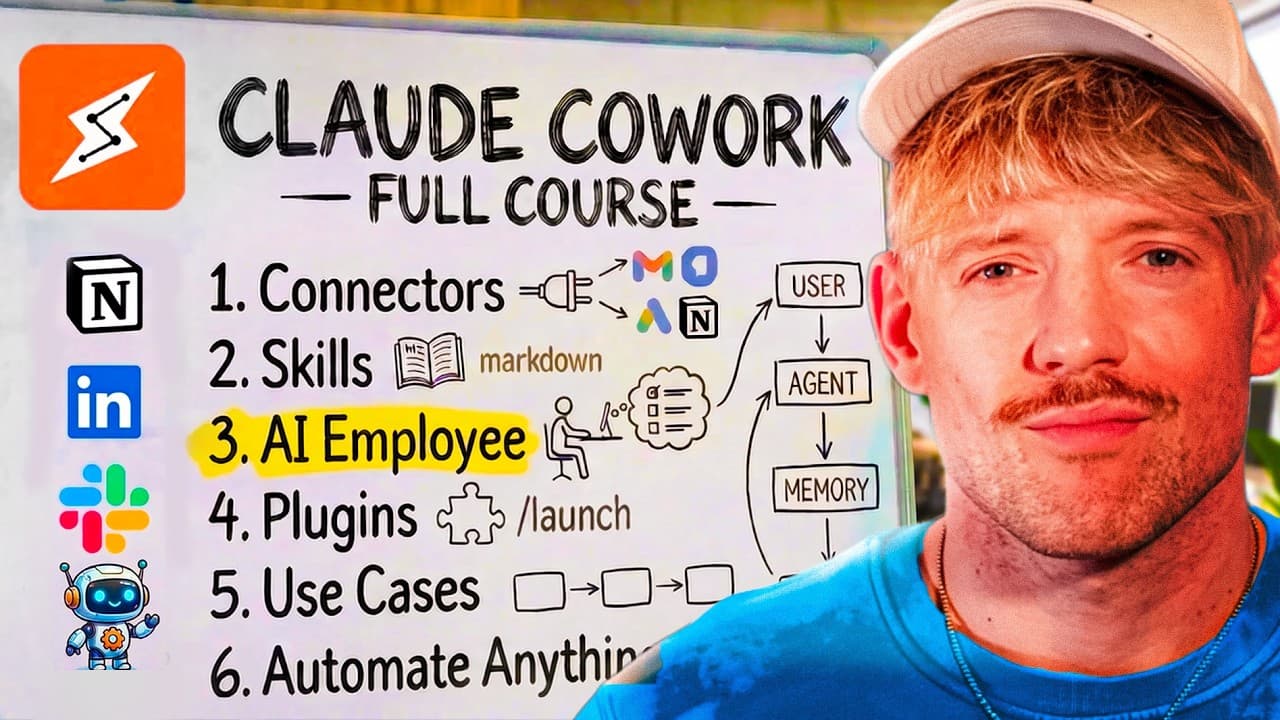
Claude Co-Work functions as a virtual AI assistant, helping automate business tasks without technical expertise. Users can connect various apps, set scheduled tasks, and create custom skills and plugins to streamline operations. The system is designed to save time and increase efficiency by integrating seamlessly with existing workflows.
Transcript
Welcome to the ultimate guide on Claude Co. This is the closest thing to an AI employee that I've seen and I use it every single day running my 7figure AI automation business. I also teach thousands of businesses and entrepreneurs how to use it so I know exactly what moves the needle and where people get stuck. In this video, I'm going to show you ... Read More
Key Insights
- Claude Co-Work acts as an AI assistant to automate business tasks efficiently.
- It integrates with various apps, enabling seamless workflow automation.
- Users can set scheduled tasks to run automatically at specified times.
- Custom skills and plugins can be created for repeated processes.
- The platform offers a user-friendly interface, minimizing technical barriers.
- Claude Co-Work can connect to email, calendars, and other productivity tools.
- It supports context-aware interactions, enhancing task accuracy.
- The system saves time by automating routine tasks and processes.
Install to Summarize YouTube Videos and Get Transcripts
Explore YouTube Video Summarizer or Get YouTube Transcript Extractor
Questions & Answers
Q: How to automate tasks using Claude Co-Work?
To automate tasks with Claude Co-Work, users can connect various apps and set up scheduled tasks to run at specific times. Custom skills and plugins can be created for repetitive processes, allowing the system to perform tasks automatically without user intervention. This setup streamlines workflows and enhances productivity.
Q: What are the benefits of using Claude Co-Work?
Claude Co-Work offers several benefits, including task automation, integration with various apps, and the ability to create custom skills and plugins. It provides a user-friendly interface that minimizes technical barriers, making it accessible for non-technical users. The system saves time and increases efficiency by automating routine tasks.
Q: How does Claude Co-Work integrate with other apps?
Claude Co-Work integrates with other apps through connectors, allowing it to access and automate tasks across different platforms. Users can connect email, calendars, and productivity tools, enabling seamless workflow automation. This integration enhances the system's ability to streamline operations and improve task management.
Q: What is the difference between Claude Co-Work and Claude Code?
Claude Co-Work is designed for task automation and integration with various apps, offering a user-friendly interface for non-technical users. Claude Code, on the other hand, is more suited for software development and coding tasks, providing a more technical environment for building complex applications.
Q: How to set up scheduled tasks in Claude Co-Work?
To set up scheduled tasks in Claude Co-Work, users can define specific tasks to run automatically at designated times. This involves specifying the task details, choosing the execution time, and connecting relevant apps. Scheduled tasks help automate routine processes, ensuring they run without manual intervention.
Q: Can Claude Co-Work be used for business intelligence?
Yes, Claude Co-Work can be used for business intelligence by automating data collection and analysis tasks. Users can set up skills and plugins to gather insights from various data sources, enabling informed decision-making. The system's integration capabilities enhance its effectiveness in delivering actionable business intelligence.
Q: How to create custom skills in Claude Co-Work?
To create custom skills in Claude Co-Work, users define a specific task or process and provide the necessary instructions or code. The system allows for the creation of skills that automate repetitive tasks, which can be shared with team members. This customization enhances the system's flexibility and utility.
Q: What are plugins in Claude Co-Work?
Plugins in Claude Co-Work are advanced tools that bundle multiple tasks or processes, integrating across various apps to achieve complex outcomes. They are designed for repeated use and can be shared with team members, enhancing workflow automation and efficiency. Plugins are ideal for tasks involving multiple steps and tools.
Summary & Key Takeaways
-
Claude Co-Work serves as a digital assistant, automating tasks and integrating with various apps to streamline business operations efficiently.
-
Users can create custom skills and plugins, set scheduled tasks, and connect to multiple productivity tools, enhancing workflow automation.
-
The platform's user-friendly interface allows non-technical users to leverage AI for task automation, saving time and increasing efficiency.
Read in Other Languages (beta)
Share This Summary 📚
Summarize YouTube Videos and Get Video Transcripts with 1-Click
Try YouTube Summary with ChatGPT & Claude or YouTube Transcript Generator
Explore More Summaries from Jack Roberts 📚






Summarize YouTube Videos and Get Video Transcripts with 1-Click
Try YouTube Summary with ChatGPT & Claude or YouTube Transcript Generator