How to Build an AI Memory System You Control
TL;DR
Use file-based, user-controlled memory when an AI must retain detailed project context reliably across sessions. Global memory is intentionally thin, while project memory is more specific but still curated by the AI. A custom system instead loads a routing file, retrieves the relevant project records, and automatically updates visible files as work progresses.
Transcript
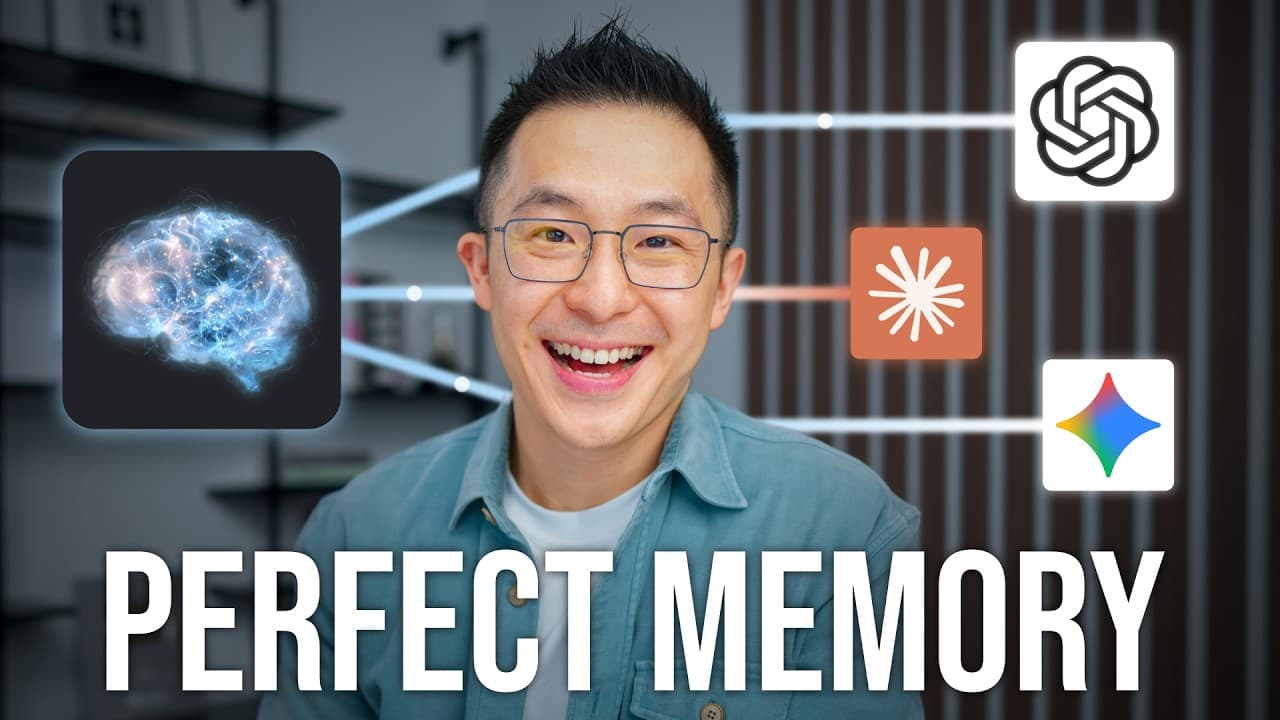
If you're watching this, then you've probably enabled the memory feature in your go-to AI chatbot expecting it to remember all the important things about you, only to find out that's a big fat lie, which is weird because AI companies are known for never over promising. So, in this video, we'll cover why that's auto-generated memory is bad on purpos... Read More
Key Insights
- Global memory is a thin account-level profile that applies across every chat, so it is best suited to stable information such as a user’s role and writing preferences rather than detailed project history, temporary decisions, attendee lists, or next steps.
- Global memory stays limited by design because every saved fact can influence unrelated conversations. A detail that helps when preparing a presentation may be irrelevant when discussing family responsibilities, a part-time business, or weekend golf, and incorrect global information can degrade many future responses.
- Explicit memory updates are a manual workaround for missing information. A user can tell the chatbot to save a presentation date, but the user must remember to make each request, and the saved detail becomes part of the same global profile used in unrelated conversations.
- External connectors provide context by retrieving materials such as meeting transcripts or notes. However, they cannot supply information that was never recorded externally, and they do not automatically know what happened during an earlier working session inside the chatbot.
- Project memory creates a narrower boundary around one workstream, enabling the AI to remember more specific rules, decisions, and progress. Chats within that project receive both the account-level global memory and the more focused project context.
- Project memory remains incomplete because the AI still decides what deserves preservation. It may remember that presentation slides are complete and visual polish comes next while omitting confirmed attendee names that appeared in a previously shared calendar screenshot.
- User-controlled memory is stored in visible files rather than an AI-managed black box. The AI reads these files at the beginning of a session and updates them during work, allowing the user to determine where information belongs and correct it directly.
- A routing file keeps a custom memory system efficient by mapping active projects to their folders. When a user resumes a task, the AI reads the root memory file, locates the appropriate project records, and loads only the relevant material instead of every active project.
Install to Summarize YouTube Videos and Get Transcripts
Explore YouTube Video Summarizer or Get YouTube Transcript Extractor
Questions & Answers
Q: Why does AI memory forget detailed project information?
AI memory often forgets detailed project information because account-level memory must work across every conversation and every role in a user’s life. The chatbot therefore keeps that global profile thin and favors broad facts or preferences. Detailed decisions, temporary status updates, presentation feedback, and attendee names may be excluded because carrying them into unrelated chats could make later responses worse.
Q: What is global memory in an AI chatbot?
Global memory is the collection of account-level facts and preferences that an AI chatbot generates after memory is enabled. These notes apply across future chats, regardless of topic. They can preserve high-level details such as a user’s role or writing preferences, but they generally do not contain enough specific context to resume a complex project exactly where the user stopped.
Q: How can users manually update global AI memory?
Users can explicitly instruct the chatbot to update its memory with a specific fact, such as the date of an important presentation. The saved-memory page can then reflect that new entry. This approach works, but it requires the user to recognize what is missing and request every update, while the information also follows the user into unrelated chats through the global profile.
Q: Can connected tools replace an AI memory system?
Connected tools can retrieve useful external materials, such as meeting transcripts, notes, or files from Google Drive, and provide them as context for a task. However, they do not fully replace memory because relevant events may never have been recorded in those tools. Connectors also do not automatically know what decisions, feedback, or progress occurred inside a previous chatbot working session.
Q: What is project memory and how does it work?
Project memory places a boundary around one recurring task or workstream, allowing the AI to retain details that would be too specific for a global profile. Every chat inside the project receives the project context while still inheriting account-level memory. This can preserve rules, decisions, and progress, but the AI continues to decide which details are written down or omitted.
Q: Why can project memory still produce incomplete answers?
Project memory can be incomplete because the AI remains the author of the stored record. It may decide that one detail matters while excluding another detail that the user considers essential. In the example, the system remembered the presentation’s progress but returned only a partial attendee list, even though it had previously read a screenshot containing the calendar invite information.
Q: How does a user-controlled AI memory system work?
A user-controlled memory system stores context in visible files rather than relying solely on automatically generated chatbot notes. At the beginning of a task, the AI reads a small routing file, identifies the relevant project folder, and loads that project’s current records and supporting material. As work continues, it updates the files, while the user controls their contents and organization.
Q: When is a custom AI memory system worth using?
A custom memory system is useful when work requires detailed, durable, and inspectable context across sessions. It supports resuming a project after an hour, a week, or a year by reading the relevant project files. It is especially appropriate when incomplete or outdated generated memories could cause mistakes, and when the user wants control over what is stored and where each update belongs.
Summary & Key Takeaways
-
Global memory stores broad account-level facts and preferences that apply across every conversation. Because irrelevant or incorrect information could affect unrelated chats, the AI deliberately saves relatively little. Users can request explicit memory updates or connect external tools, but these workarounds require manual effort and cannot capture every decision made during earlier chatbot sessions.
-
Project memory creates a boundary around a particular workstream, allowing the AI to retain more detailed rules, decisions, and status information without applying them everywhere. However, the AI still chooses which details to preserve. Important information may be omitted, become outdated, or require a human to notice the error and request a correction.
-
A custom memory system replaces opaque generated memories with visible files controlled by the user. A small root file routes requests to the correct project folder, where the AI reads current records and relevant materials. This structure supports many active projects while loading only the context needed for the task and updating it during work.
Read in Other Languages (beta)
Share This Summary 📚
Summarize YouTube Videos and Get Video Transcripts with 1-Click
Try YouTube Summary with ChatGPT & Claude or YouTube Transcript Generator
Explore More Summaries from Jeff Su 📚





Summarize YouTube Videos and Get Video Transcripts with 1-Click
Try YouTube Summary with ChatGPT & Claude or YouTube Transcript Generator