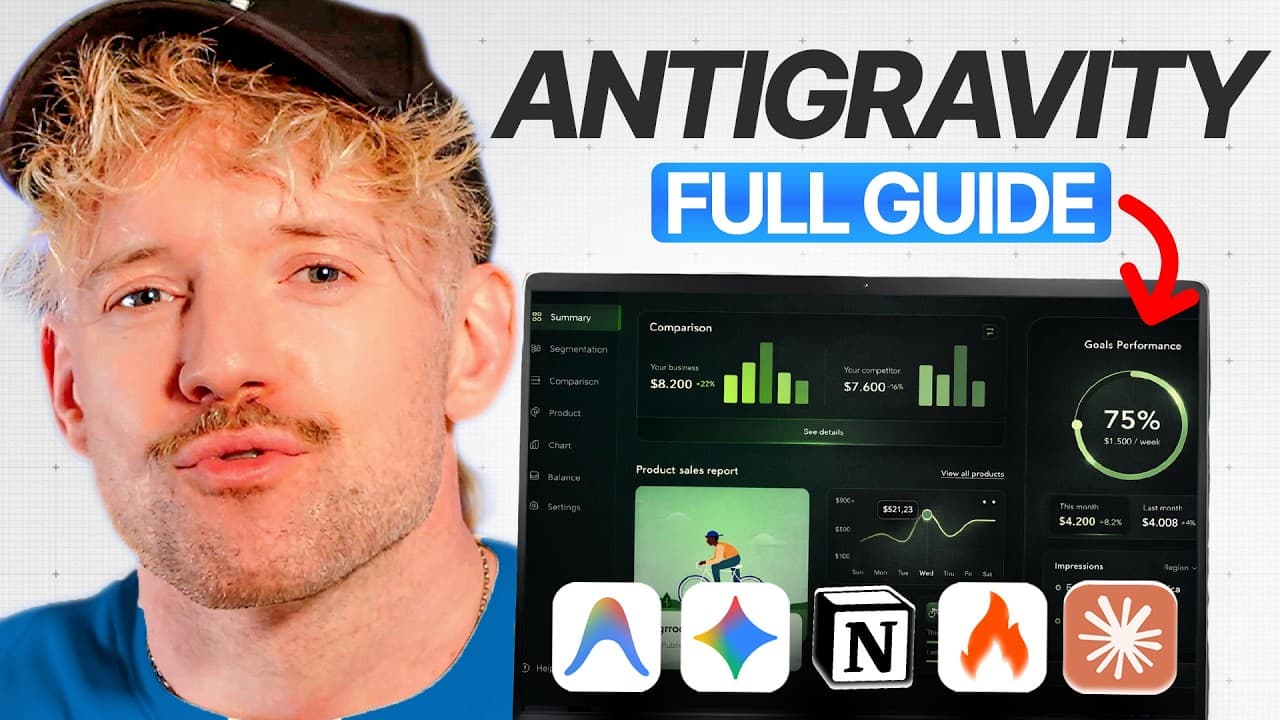
How to Build Apps Faster With Google Anti-Gravity
TL;DR
Use the RAPS framework: define reusable rules, connect an armoury of tools, coordinate parallel agents, and enable serverless running. Start with review permissions and manual audits, then grant more autonomy as confidence grows, while using product design documents, visual references, saved workflows, and self-correction loops to improve consistency and quality.
Transcript
Google's anti-gravity is a gamechanging AI coding tool if you know how to use it. Most people are using just a fraction of its [music] potential. But in this video, I'm going to show you the hidden systems that let you build apps way better than your competitors 10 times as quickly, even if you've never [music] coded before. And if you don't know w... Read More
Key Insights
- The RAPS framework is a four-stage process covering Rules, Armoury, Parallel Agents, and Serverless Running. It structures how Anti-Gravity receives instructions, accesses supporting tools, divides work among agents, and operates with reduced manual oversight.
- Global rules are master instructions that apply across every Anti-Gravity project. They can define the agent's persona, preferred technology stack, default behaviors, communication style, checking process, iteration habits, and the conditions that determine whether work is complete.
- Workspace rules are project-specific instructions that supplement global behavior. They allow a project, such as work for a design agency, to enforce its own requirements without changing the master instructions used by unrelated projects.
- Workflows are reusable procedures that can be invoked for recurring tasks such as debugging or auditing. An audit workflow can check whether an application functions, looks visually coherent, opens correctly, and needs another self-correction cycle before approval.
- A product design document gives the coding agent a clear destination before implementation begins. The demonstrated process asks Anti-Gravity to create a productdesign.mmd document for an interactive website displaying the top six results from a specified subreddit.
- Design inspiration folders provide visual context through saved screenshots. Anti-Gravity can read these references and use them to shape an application's look and feel, giving the agent more concrete direction than a purely textual design request.
- Review permissions control how independently Anti-Gravity can modify files, use the browser, run terminal actions, and proceed with artifacts. The recommended approach is to audit actions initially, then allow greater autonomy after becoming comfortable with specific operations.
- Agent Manager is a central command interface that displays projects and supports multiple parallel agents. This capability is the Parallel Agents stage of RAPS and enables different pieces of work to progress through a shared management area.
Install to Summarize YouTube Videos and Get Transcripts
Explore YouTube Video Summarizer or Get YouTube Transcript Extractor
Questions & Answers
Q: How do you use the RAPS framework in Google Anti-Gravity?
Use RAPS as a four-stage operating system for software development. Begin with Rules that define persistent behavior and project requirements. Add an Armoury of connected tools and systems, including MCPs. Use Agent Manager to coordinate Parallel Agents, then apply Serverless Running so completed systems can operate with less manual oversight. The framework is intended to make application development faster, more consistent, and repeatable.
Q: How do global rules improve Google Anti-Gravity projects?
Global rules act as master instructions for every project opened in Anti-Gravity. They can specify the persona the agent should adopt, the technology stack it should prefer, its communication style, how it checks and iterates on work, and what qualifies as done. Saving these expectations globally prevents users from repeatedly entering the same guidance and gives future projects a consistent operating foundation.
Q: What is the difference between global and workspace rules in Anti-Gravity?
Global rules apply across every Anti-Gravity project and establish default behavior, standards, and preferences. Workspace rules apply only within a particular project, allowing specialized requirements without affecting unrelated work. For example, a design agency project could contain dedicated design rules, while global instructions continue to govern the agent's general behavior, checking process, preferred stack, and definition of completion.
Q: How can design references guide an AI-built application?
Create a design inspiration folder inside the project and add screenshots of interfaces whose style you want to reference. Anti-Gravity can read those images and use them when deciding the application's look and feel. The prompt should explicitly direct the agent to use the contents of that folder. This mood-board approach gives the system concrete visual context alongside the written product design requirements.
Q: How do you create a reusable audit workflow in Anti-Gravity?
Open Customizations, create a global workflow, name it audit, and add the checks the agent should perform whenever an application is reviewed. The workflow can verify functionality, visual quality, and whether the application opens and behaves correctly. It can also include recursive self-correction instructions so the agent addresses detected problems and repeats its checks instead of waiting for another manual prompt.
Q: When should Anti-Gravity be allowed to proceed automatically?
Begin by reviewing and auditing the actions Anti-Gravity proposes, especially changes involving project artifacts, the browser, the editor, the agent, or terminal commands running on the computer. The settings provide policies for deciding when the system proceeds or requests review. After gaining confidence in particular operations and confirming that the workflows behave correctly, permissions can be relaxed so those trusted operations run more independently.
Q: What does Agent Manager do in Google Anti-Gravity?
Agent Manager serves as a central command interface for Anti-Gravity projects. It displays projects on the left side and provides an area where multiple agents can be created and managed in parallel. Within the RAPS framework, this supports the Parallel Agents stage, allowing separate pieces of development work to progress through one shared management area instead of relying on a single chatbot-style interaction.
Q: How do you start building an app with Google Anti-Gravity?
Create and open a new project folder, then ask Anti-Gravity to produce a product design document before requesting implementation. Review its task list, comment on the plan, and add design notes where needed. Place useful interface screenshots in a design inspiration folder and tell the agent to use them. After it builds the first iteration, apply saved audit and debugging workflows to check function and appearance.
Summary & Key Takeaways
-
The RAPS framework organizes AI-assisted software development into Rules, Armoury, Parallel Agents, and Serverless Running. Its purpose is to turn Google Anti-Gravity from a basic chatbot into a structured development system that can create applications, dashboards, websites, team systems, and personal productivity tools with less manual oversight.
-
Rules provide persistent instructions at global, workspace, and folder levels. Global rules can define the agent's persona, preferred technology stack, communication style, checking behavior, iteration process, and definition of done. Workspace rules add project-specific constraints, while folder contents supply local documents, visual references, and implementation context.
-
A practical workflow begins with a product design document, then adds screenshots to a design inspiration folder before implementation. Saved audit and debugging workflows provide reusable checks, while recursive self-correction can address functional and visual issues. Agent Manager supports multiple parallel agents, and permission settings can be relaxed gradually after initial review.
Read in Other Languages (beta)
Share This Summary 📚
Summarize YouTube Videos and Get Video Transcripts with 1-Click
Try YouTube Summary with ChatGPT & Claude or YouTube Transcript Generator
Explore More Summaries from Jack Roberts 📚
Summarize YouTube Videos and Get Video Transcripts with 1-Click
Try YouTube Summary with ChatGPT & Claude or YouTube Transcript Generator