How to Use ChatGPT Atlas for Smarter Browsing
TL;DR
ChatGPT Atlas puts ChatGPT beside every webpage, letting users summarize content, question websites and YouTube videos, compare tabs, retrieve browsing history, and search for discounts. Its agent mode can also research travel and autofill information, although it requires a paid ChatGPT plan, may work more slowly than a person, and should initially be tested while logged out if account access is a concern.
Transcript
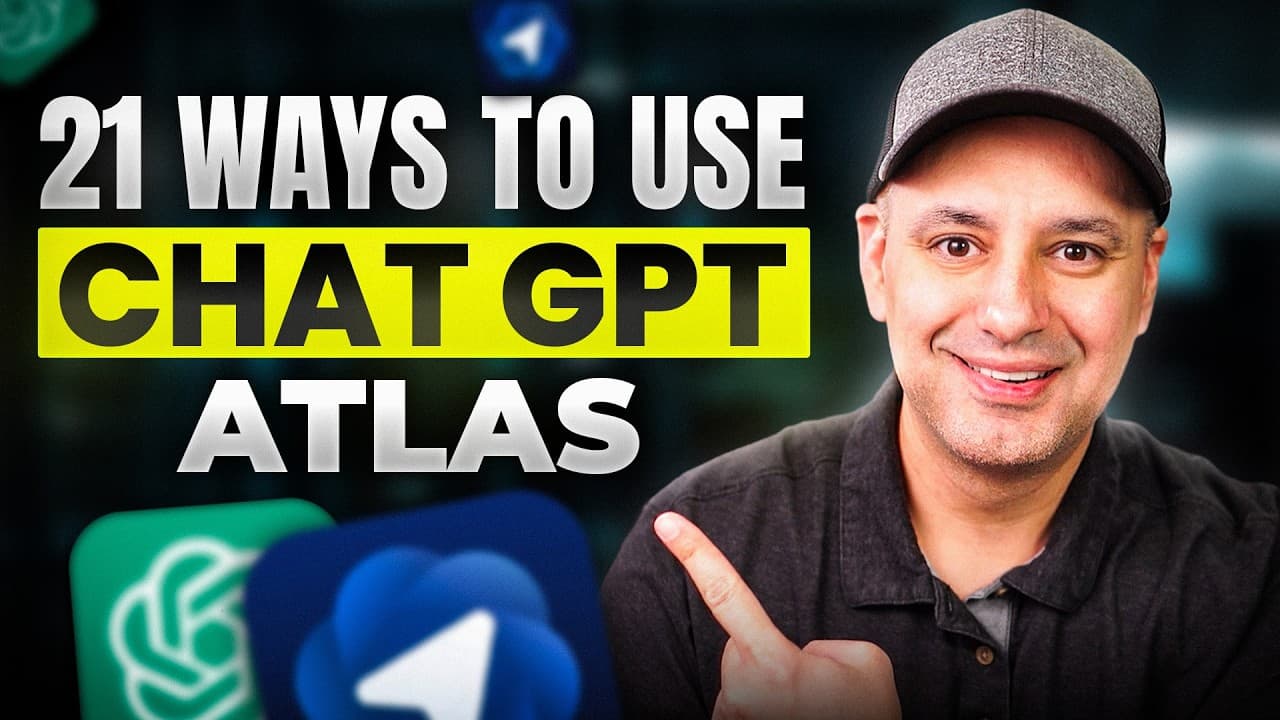
Almost three years after the release of Chat GPT, ChatGpt has now released an AI powered browser called Chat GPT Atlas. So, let me show you 21 different examples I put together to get the most out of ChatGpt Atlas. Now, if you want to follow along, this is available completely for free to install, but it's only available as I'm recording this on Ma... Read More
Key Insights
- ChatGPT Atlas is a browser with ChatGPT built into its interface, providing web navigation, traditional search, page-aware conversations, and browser automation from one place. At the time of recording, installation was free and available only on Mac, with Windows and mobile versions expected later that year.
- The model-improvement setting is available under Settings and Data Control. The presenter recommends turning off “improve the model for everyone,” particularly for free accounts, while stating that the option is disabled by default for paid accounts.
- One-click summary is available from the ChatGPT side panel on any webpage. It can condense long articles, webpages, research papers, and PDFs, while custom prompts can specify an exact format, such as a three-sentence summary of a nine-page report.
- Website chat works like a page-specific assistant that supports follow-up questions about the site being viewed. In the demonstrated example, Atlas identified a Mac student discount, explained it, and supplied a link leading directly to the education store.
- YouTube integration lets users ask questions about a video, request summaries, investigate the people who created it, or identify a tool mentioned at a particular timestamp. Additional web research can be enabled or disabled, and externally sourced information includes citations.
- Tab references let users type an at sign on a new tab and select an open page as context. Atlas can also compare multiple product or research tabs and create a table of advantages and disadvantages, although the presenter found tab access inconsistent during early testing.
- Browser memory lets ChatGPT search recent browsing activity, including open tabs, history, documents, and emails. It can retrieve a recently watched video or help relocate a Q4 document, an email containing a calendar invitation, or a map location viewed the previous day.
- ChatGPT agent can perform complex browser tasks such as finding flights, comparing options, and autofilling travel information. It supports logged-in and logged-out operation, requires a paid ChatGPT plan, may take longer than a human, and allows the user to take control.
Install to Summarize YouTube Videos and Get Transcripts
Explore YouTube Video Summarizer or Get YouTube Transcript Extractor
Questions & Answers
Q: How do you summarize a webpage with ChatGPT Atlas?
Open the ChatGPT side panel from the top of the webpage and select the summary option. Atlas can immediately summarize the current article, webpage, research paper, or PDF. For a more useful result, replace the one-click request with a specific prompt, such as asking for a three-sentence summary of a nine-page research report. The panel can also be expanded to provide more working space.
Q: How can ChatGPT Atlas answer questions about a website?
Open the ChatGPT side panel while viewing the relevant website, then ask a question about information contained on that page. Atlas supports a back-and-forth conversation rather than providing only a fixed summary. In the demonstration, it was asked whether Mac offered a student discount. It confirmed the discount, supplied additional details, and provided a link that led directly to the education store.
Q: How does ChatGPT Atlas work with YouTube videos?
Atlas can pull the open YouTube video into its chat context, summarize it, answer questions about it, and locate details mentioned at a specific timestamp. A user can ask which tool was mentioned at the 2:30 mark and receive the relevant information and link. Atlas can also search the web for background information, with citations, or restrict its response to the video alone.
Q: How do you reference open tabs in ChatGPT Atlas?
Open a new tab, type the at sign into the ChatGPT field, and choose one of the available open tabs. Atlas then uses that selected page as context for the question instead of relying only on a normal ChatGPT search. This approach can bring an article or another open page directly into the conversation, allowing the user to ask targeted questions about its contents.
Q: How can ChatGPT Atlas compare products across tabs?
Open the product pages you want to evaluate, then ask Atlas to compare the open tabs using a defined format. The demonstrated prompt requested a table listing the advantages and disadvantages of two laptops, and Atlas generated the comparison from those pages. The presenter described this capability as useful for products, prices, reviews, and research, but also found tab recognition inconsistent during the first week of testing.
Q: How does browser memory work in ChatGPT Atlas?
Browser memory allows Atlas to use browsing activity as part of ChatGPT’s context. When enabled under Settings and Personalization, it can search open tabs, recent history, documents, emails, and other activity. Example requests include finding the latest watched video, locating a Q4 planning document, retrieving an email from Jane with a calendar invitation, or reopening a map location viewed the previous day.
Q: How can you manage privacy settings in ChatGPT Atlas?
Open ChatGPT Atlas settings and review both Data Control and Personalization. Under Data Control, the “improve the model for everyone” option can be turned off. The presenter states that it is already off by default for paid accounts but can be disabled manually on free accounts. Browser memory can also be turned off if users do not want browsing history incorporated into ChatGPT’s context.
Q: How does ChatGPT agent handle travel research in Atlas?
ChatGPT agent can perform a complex browser task such as finding flights from Chicago to Maui, comparing available options, and autofilling traveler information. Users should provide specific travel details, and the agent may ask for missing information, such as the exact date meant by “next week.” It can operate with accounts logged in or logged out, runs more slowly than a person, and requires a paid ChatGPT plan.
Summary & Key Takeaways
-
ChatGPT Atlas is presented as a browser with ChatGPT built into every page. Its side panel can summarize articles and research papers, answer questions about individual websites, analyze YouTube videos, consult additional cited web sources, and respond to specific prompts about the material currently open in the browser.
-
Atlas can work across browsing contexts by referencing named tabs, comparing multiple open pages, searching for promotional codes, and using browser memory to retrieve previously viewed videos, documents, emails, or map locations. Some features were inconsistent during the presenter’s first week, and browser memory can be disabled when privacy is a concern.
-
ChatGPT agent extends Atlas from answering questions to performing browser tasks, such as researching flights, comparing travel options, and autofilling traveler information. It can operate with accounts logged in or logged out, asks clarifying questions when details are missing, runs as a slower background activity, and allows the user to take control.
Read in Other Languages (beta)
Share This Summary 📚
Summarize YouTube Videos and Get Video Transcripts with 1-Click
Try YouTube Summary with ChatGPT & Claude or YouTube Transcript Generator
Explore More Summaries from Skill Leap AI 📚





Summarize YouTube Videos and Get Video Transcripts with 1-Click
Try YouTube Summary with ChatGPT & Claude or YouTube Transcript Generator