What Gear Do You Need for YouTube Video Production?
TL;DR
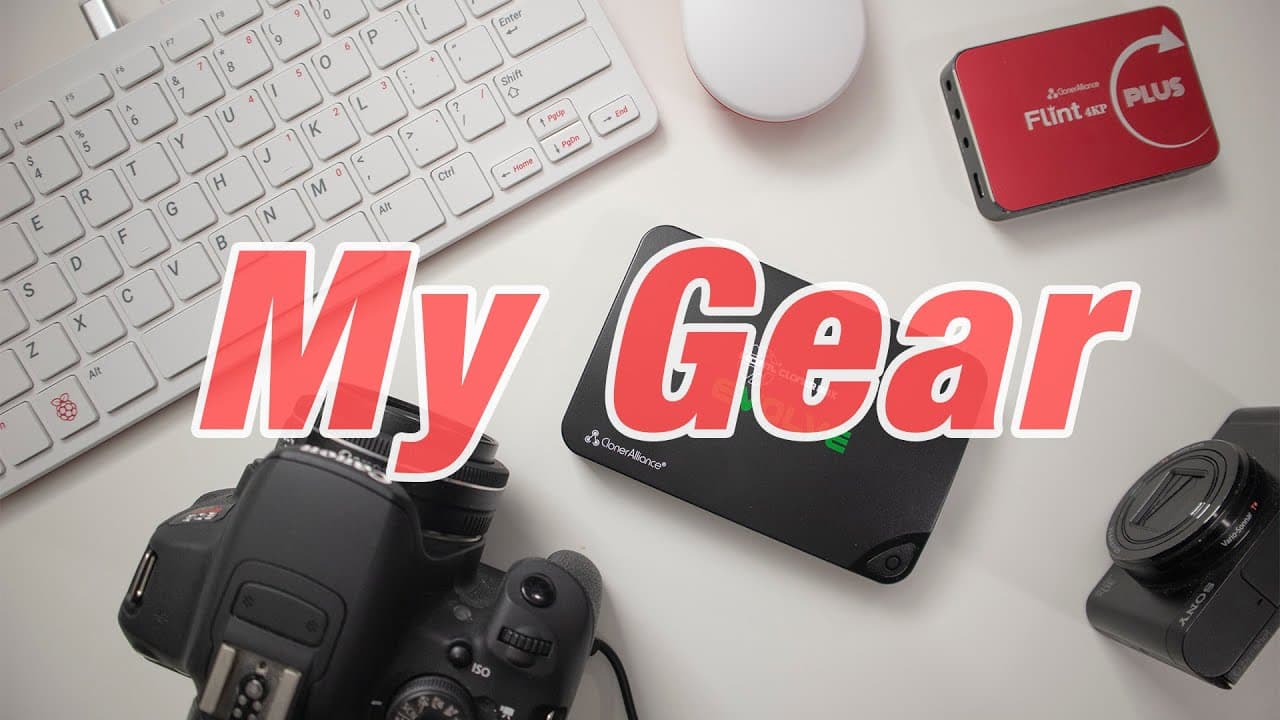
To set up for YouTube video production, essential gear includes an HDMI capture device like the Cloner Box Evolve for easy recording, a reliable audio setup such as the Zoom H1n, and a camera like the Canon M50 for quality footage. Additionally, using a VPN like Private Internet Access ensures online privacy while creating content.
Transcript
hey guys what's going on it's don here from nova spirit tech and welcome back to the channel and today i'm going to be showing you some of the gear that i use to make these videos so let's get started i know for the past couple of videos you guys actually been asking what i used to capture the raspberry pi as well as the shelf that i have on the co... Read More
Key Insights
- 🇨🇫 The importance of using a VPN for data privacy, especially in public networks, cannot be overstated.
- ✋ Don’s go-to video capture devices offer both standalone recording capability and flexibility for high-resolution capture.
- 🤵 Investing in quality audio equipment and room acoustics can significantly enhance video production quality.
- 🪡 Efficient computing solutions, like the Raspberry Pi 400, can dramatically reduce energy consumption while still meeting production needs.
- ✋ Proper camera selection is critical for achieving high-quality footage, with attention needed for color matching across different brands.
- 🎮 Practical organization tools, like Don's bookshelf, can also enhance the aesthetics of video backgrounds.
- 🧑🏭 Regular updates and customer support are vital factors in choosing any software or service.
Install to Summarize YouTube Videos and Get Transcripts
Explore YouTube Video Summarizer or Get YouTube Transcript Extractor
Questions & Answers
Q: What kind of VPN does Don recommend and why?
Don recommends Private Internet Access for its reliability, speed, and extensive server network. He has used it for eight years without issues and appreciates its recent updates, which enhance speeds and support more devices. Private Internet Access secures user data and privacy, making it ideal for public networks.
Q: How does Don capture video from his Raspberry Pi?
Don primarily uses the Cloner Box Evolve for capturing video, which allows recording directly to an SD card or USB drive without a computer. It supports 1080p at 30 frames per second, suitable for desktop captures. For higher quality, he uses the Cloner Box Flint, which captures 4K at 60 fps, requiring a powerful computer.
Q: What are Don's current audio setup challenges?
Don has been facing issues with his audio quality, which he suspects stems from using a subpar lapel microphone. He plans on improving sound by adding foam pads to absorb echoes in his recording space. In the future, he intends to invest in a better boom microphone for clearer audio.
Q: What computer setup does Don use for his videos?
Don discusses using a Ryzen 7 1700 with 16GB of RAM, but since acquiring the Raspberry Pi 400, he finds it more efficient. The Pi 400 consumes significantly less power, making it ideal for his basic video tasks while still being powerful enough for his needs.
Q: Which cameras does Don use for filming?
Don primarily uses a Canon M50 for main shooting, appreciating its performance and stock lens quality. For B-roll, he employs a Canon T5i Rebel and utilizes a Sony WX500 for overhead shots, benefitting from its low-light capabilities despite color matching challenges with his Canon cameras.
Q: How does Don ensure his data privacy when using public Wi-Fi?
Don strongly advises users to employ a VPN like Private Internet Access when connected to public Wi-Fi. This tool encrypts their data, preventing ISPs or other entities in the network from accessing their online activity, thereby securing user privacy in shared environments.
Summary & Key Takeaways
-
Don from Nova Spirit Tech discusses his video production setup, focusing on the equipment he uses for filming and capturing content.
-
He highlights the importance of VPNs for online privacy and details his long-term use of Private Internet Access for secure and fast internet access.
-
The video outlines various tools such as HDMI capture devices, audio equipment, and cameras, providing insights into their specifications and usage in Don's video creation process.
Read in Other Languages (beta)
Share This Summary 📚
Summarize YouTube Videos and Get Video Transcripts with 1-Click
Try YouTube Summary with ChatGPT & Claude or YouTube Transcript Generator
Explore More Summaries from Novaspirit Tech 📚






Summarize YouTube Videos and Get Video Transcripts with 1-Click
Try YouTube Summary with ChatGPT & Claude or YouTube Transcript Generator