How to Run a Homelab With an n8n AI Agent
TL;DR
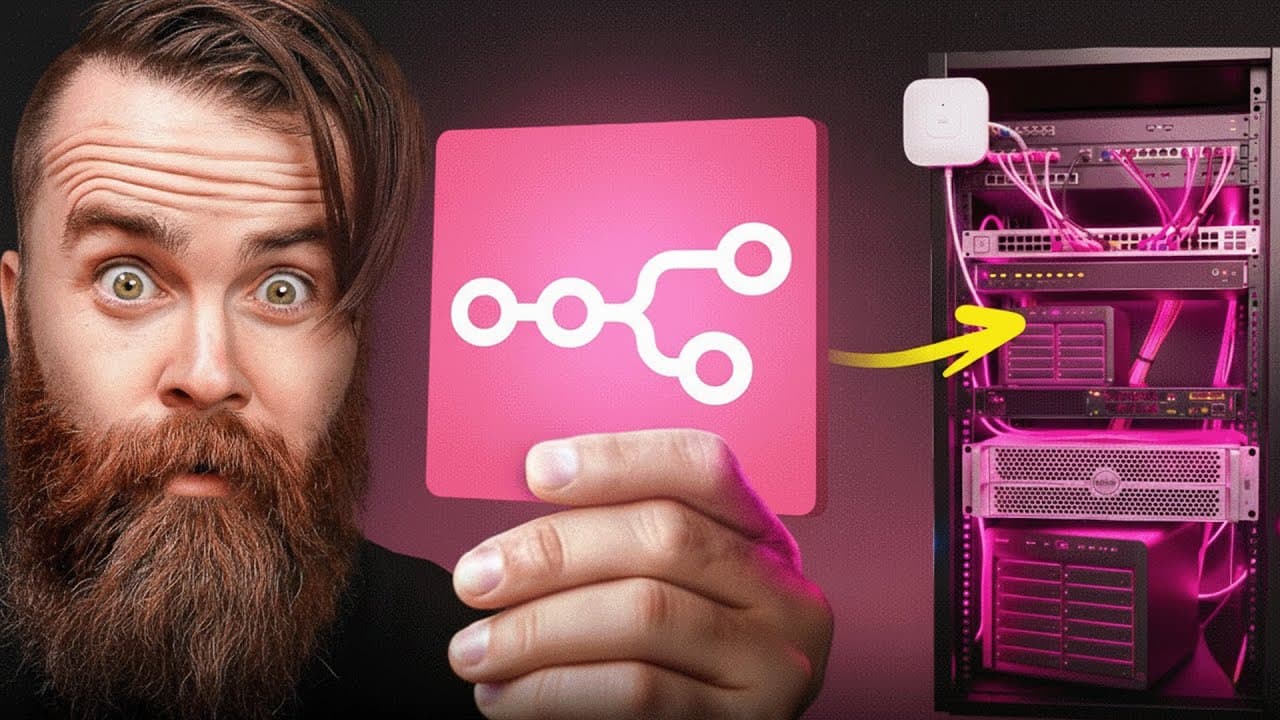
Build an n8n AI agent that checks services with HTTP requests, troubleshoots servers through SSH, and performs fixes only with explicit permission. Hosting n8n in the cloud keeps the agent available when the homelab fails, while Twingate provides a secure connection back to the network. Start with narrow responsibilities and limited tools, then expand access after establishing trust.
Transcript
Babe, Netflix is broken. I'm seriously so mad. Fix my game. Chuck never the toilet again, man. I really need this thing to flush. I would normally stress about this, but N manages my home lab. Yay, it works. Did you just see that? My new AI employee, Terry, fixed everything before I could even start trouble. No, Terry. No, don't optimize. Quit. Can... Read More
Key Insights
- An n8n AI agent is an automated IT administrator that can monitor, troubleshoot, and, with explicit permission, fix services in a network or homelab. Its possible targets include UniFi, Proxmox, Plex, a NAS, and other systems that expose a CLI or API.
- Cloud hosting is useful because the AI agent remains available when the homelab goes down or is disrupted by maintenance. A self-hosted n8n instance on a cloud VPS gives the agent an independent place to run instead of tying its availability to the infrastructure it monitors.
- Twingate provides a secure connection from the cloud-hosted n8n instance back to a home or business network. This arrangement lets the agent reach internal homelab resources around the clock while keeping its own n8n environment available outside the monitored network.
- The initial n8n workflow consists of a trigger, an AI agent, a chat model, and memory. The demonstration uses a manual trigger, ChatGPT with the 4.1 mini model, and simple memory so the agent can process requests and retain the conversational context.
- A system message is the agent’s operating definition. It identifies Terry as an IT administrator, limits the initial job to checking whether a website is available, tells the agent how to use its assigned tool, and defines how the result should be reported.
- An HTTP request tool lets the agent monitor a website by visiting its URL and examining the returned data. This reproduces the basic human process of opening a site and confirming that it responds, giving the agent a simple and testable first responsibility.
- SSH access enables deeper troubleshooting because the agent can connect to a server and run command-line checks. In the demonstration, Docker commands provide the next diagnostic layer after the HTTP request establishes that the test website on port 8090 is unavailable.
- Limited access is a core safety principle for the AI employee. The agent should be treated like a new hire, beginning with narrow tasks and controlled tools instead of receiving root-level freedom immediately, then gaining more capabilities only as trust and safeguards develop.
Install to Summarize YouTube Videos and Get Transcripts
Explore YouTube Video Summarizer or Get YouTube Transcript Extractor
Questions & Answers
Q: How do you build an n8n AI agent for a homelab?
Create a new n8n workflow, add a manual trigger, and connect it to an AI agent node. Attach a chat model and simple memory, then write a system message that defines the agent as an IT administrator with one clear responsibility. Add tools one at a time, beginning with an HTTP request for monitoring and later using an SSH subworkflow for server troubleshooting.
Q: Why should an n8n homelab agent run in the cloud?
A cloud-hosted n8n instance remains available when the homelab itself goes down or is interrupted by tinkering. That independence is important because an agent hosted inside the failed environment could become unavailable at the exact moment it is needed. The demonstrated setup places n8n on a cloud VPS and uses Twingate to connect securely back to the home or business network.
Q: How does an n8n AI agent check whether a website is up?
The agent uses an HTTP request tool configured with the website’s URL. Its description tells the agent to use that tool to determine whether the site is available. The system message defines the expected process and reporting format. During the demonstration, the tool retrieves data from a test website on port 8090, allowing the agent to report that the service is running.
Q: How can an n8n AI agent troubleshoot a stopped Docker container?
First, the agent checks the website through its HTTP request tool and observes that the service is unavailable. It then needs command-line access to the server hosting the container. An SSH workflow provides that access, allowing Docker commands such as docker ps to determine whether the container is running and supporting further inspection of why the website stopped responding.
Q: How is SSH turned into a tool for an n8n AI agent?
Add an SSH node to the workflow and select the execute-a-command operation. Configure credentials for the target server, including its host, port, username, and password, then test the connection with a simple command such as hostname. Because the SSH node is not directly offered as an AI tool, convert it into a subworkflow and connect its start node to the SSH operation.
Q: What should an n8n AI agent system message contain?
The system message should establish the agent’s identity, responsibility, permitted tool, usage instructions, and expected reporting behavior. In the demonstration, Terry is defined as an IT administrator whose initial job is to make sure one website is available. The prompt explains how to use the website tool and how to communicate whether the monitored service is up or down.
Q: Why should an AI homelab agent start with limited access?
An AI agent should be treated like a newly hired administrator who has not yet earned unrestricted access. Beginning with one monitoring task and a small set of controlled tools reduces the chance that the agent will make unwanted changes. The project emphasizes explicit permission before fixes and expands capabilities progressively, rather than granting broad root-level freedom on the agent’s first day.
Q: What services can the n8n AI agent manage?
The intended agent can work with services such as UniFi, Proxmox, Plex, a NAS, Docker containers, and other systems that provide a command-line interface or API. The demonstrated foundation focuses first on a Docker-hosted website, using HTTP for availability checks and SSH for troubleshooting. Later stages identified in the guide include dynamic commands, schedules, Telegram reporting, and structured output.
Summary & Key Takeaways
-
The project begins by creating an n8n workflow with an AI agent, a ChatGPT 4.1 mini chat model, and simple memory. A system message defines the agent as an IT administrator, gives it one monitoring responsibility, explains which tool to use, and specifies how it should report whether a website is available.
-
A test website runs inside a Docker container on port 8090. The agent receives an HTTP request tool that visits the site and returns its data. When the container is stopped, the failed request identifies an outage, but further investigation requires server access and the Docker troubleshooting process an administrator would normally follow.
-
An SSH node connects to the server and executes commands through the command line. Because SSH is not directly available as an AI tool, the node is converted into a subworkflow that the agent can use. The broader design later adds dynamic commands, scheduled checks, Telegram notifications, structured output, and connections to homelab services.
-
Key Insights the Great Gatsby book Key Insights from video Video_Title How to Run a Homelab With an n8n AI Agent TLDR Build an n8n AI agent that checks services with HTTP requests, troubleshoots servers through SSH, and performs fixes only with explicit permission. Hosting n8n in the cloud keeps the agent available when the homelab fails, while Twingate provides a secure connection back to the network. Start with narrow responsibilities and limited tools, then expand access after establishing trust. Tag Homelab Automation Summary The project begins by creating an n8n workflow with an AI agent, a ChatGPT 4.1 mini chat model, and simple memory. A system message defines the agent as an IT administrator, gives it one monitoring responsibility, explains which tool to use, and specifies how it should report whether a website is available. A test website runs inside a Docker container on port 8090. The agent receives an HTTP request tool that visits the site and returns its data. When the container is stopped, the failed request identifies an outage, but further investigation requires server access and the Docker troubleshooting process an administrator would normally follow. An SSH node connects to the server and executes commands through the command line. Because SSH is not directly available as an AI tool, the node is converted into a subworkflow that the agent can use. The broader design later adds dynamic commands, scheduled checks, Telegram notifications, structured output, and connections to homelab services. Key Insights - An n8n AI agent is an automated IT administrator that can monitor, troubleshoot, and, with explicit permission, fix services in a network or homelab. Its possible targets include UniFi, Proxmox, Plex, a NAS, and other systems that expose a CLI or API. - Cloud hosting is useful because the AI agent remains available when the homelab goes down or is disrupted by maintenance. A self-hosted n8n instance on a cloud VPS gives the agent an independent place to run instead of tying its availability to the infrastructure it monitors. - Twingate provides a secure connection from the cloud-hosted n8n instance back to a home or business network. This arrangement lets the agent reach internal homelab resources around the clock while keeping its own n8n environment available outside the monitored network. - The initial n8n workflow consists of a trigger, an AI agent, a chat model, and memory. The demonstration uses a manual trigger, ChatGPT with the 4.1 mini model, and simple memory so the agent can process requests and retain the conversational context. - A system message is the agent’s operating definition. It identifies Terry as an IT administrator, limits the initial job to checking whether a website is available, tells the agent how to use its assigned tool, and defines how the result should be reported. - An HTTP request tool lets the agent monitor a website by visiting its URL and examining the returned data. This reproduces the basic human process of opening a site and confirming that it responds, giving the agent a simple and testable first responsibility. - SSH access enables deeper troubleshooting because the agent can connect to a server and run command-line checks. In the demonstration, Docker commands provide the next diagnostic layer after the HTTP request establishes that the test website on port 8090 is unavailable. - Limited access is a core safety principle for the AI employee. The agent should be treated like a new hire, beginning with narrow tasks and controlled tools instead of receiving root-level freedom immediately, then gaining more capabilities only as trust and safeguards develop. Q_and_A Q How do you build an n8n AI agent for a homelab? A Create a new n8n workflow, add a manual trigger, and connect it to an AI agent node. Attach a chat model and simple memory, then write a system message that defines the agent as an IT administrator with one clear responsibility. Add tools one at a time, beginning with an HTTP request for monitoring and later using an SSH subworkflow for server troubleshooting. Q Why should an n8n homelab agent run in the cloud? A A cloud-hosted n8n instance remains available when the homelab itself goes down or is interrupted by tinkering. That independence is important because an agent hosted inside the failed environment could become unavailable at the exact moment it is needed. The demonstrated setup places n8n on a cloud VPS and uses Twingate to connect securely back to the home or business network. Q How does an n8n AI agent check whether a website is up? A The agent uses an HTTP request tool configured with the website’s URL. Its description tells the agent to use that tool to determine whether the site is available. The system message defines the expected process and reporting format. During the demonstration, the tool retrieves data from a test website on port 8090, allowing the agent to report that the service is running. Q How can an n8n AI agent troubleshoot a stopped Docker container? A First, the agent checks the website through its HTTP request tool and observes that the service is unavailable. It then needs command-line access to the server hosting the container. An SSH workflow provides that access, allowing Docker commands such as docker ps to determine whether the container is running and supporting further inspection of why the website stopped responding. Q How is SSH turned into a tool for an n8n AI agent? A Add an SSH node to the workflow and select the execute-a-command operation. Configure credentials for the target server, including its host, port, username, and password, then test the connection with a simple command such as hostname. Because the SSH node is not directly offered as an AI tool, convert it into a subworkflow and connect its start node to the SSH operation. Q What should an n8n AI agent system message contain? A The system message should establish the agent’s identity, responsibility, permitted tool, usage instructions, and expected reporting behavior. In the demonstration, Terry is defined as an IT administrator whose initial job is to make sure one website is available. The prompt explains how to use the website tool and how to communicate whether the monitored service is up or down. Q Why should an AI homelab agent start with limited access? A An AI agent should be treated like a newly hired administrator who has not yet earned unrestricted access. Beginning with one monitoring task and a small set of controlled tools reduces the chance that the agent will make unwanted changes. The project emphasizes explicit permission before fixes and expands capabilities progressively, rather than granting broad root-level freedom on the agent’s first day. Q What services can the n8n AI agent manage? A The intended agent can work with services such as UniFi, Proxmox, Plex, a NAS, Docker containers, and other systems that provide a command-line interface or API. The demonstrated foundation focuses first on a Docker-hosted website, using HTTP for availability checks and SSH for troubleshooting. Later stages identified in the guide include dynamic commands, schedules, Telegram reporting, and structured output.
-
The Great Gatsby is a literary novel by F. Scott Fitzgerald, first published in 1925, that examines wealth, longing, class, and self-invention in Jazz Age America through narrator Nick Carraway’s account of his mysterious neighbor, Jay Gatsby.
-
Jay Gatsby is a wealthy, enigmatic host whose extravagant Long Island parties are designed partly to attract Daisy Buchanan, the woman he loved before the war. His carefully manufactured identity reflects his belief that wealth and determination can recover an idealized past.
-
Nick Carraway is both the narrator and a participant in the story. His position as Gatsby’s neighbor and Daisy’s cousin gives him access to competing social circles, while his shifting judgments shape how readers understand Gatsby, Daisy, Tom, and the moral failures around them.
-
Daisy Buchanan is Gatsby’s romantic ideal, but she is also a privileged woman constrained by status, marriage, and self-preservation. Gatsby’s dream depends less on Daisy as she truly is than on the flawless future and recovered past that he imagines she represents.
-
Tom Buchanan is Daisy’s wealthy, domineering husband and a symbol of inherited privilege. His aggression, infidelity, racism, and willingness to manipulate others reveal how established wealth protects itself while avoiding responsibility for the harm it causes.
-
The green light across the bay symbolizes Gatsby’s longing for Daisy and, more broadly, the human pursuit of an enticing future that continually recedes. It connects Gatsby’s personal dream to the novel’s larger critique of ambition and the American Dream.
-
The contrast between East Egg, West Egg, and the valley of ashes maps the novel’s class divisions. Old money, new money, and poverty occupy distinct spaces, showing that financial success does not erase social boundaries or distribute dignity and opportunity equally.
-
Gatsby’s tragedy comes from treating the past as something that can be perfectly recreated. His devotion makes him unusually hopeful, but it also prevents him from recognizing that Daisy, society, and his own history cannot conform to the dream he has constructed.
Read in Other Languages (beta)
Share This Summary 📚
Summarize YouTube Videos and Get Video Transcripts with 1-Click
Try YouTube Summary with ChatGPT & Claude or YouTube Transcript Generator
Explore More Summaries from NetworkChuck 📚

Summarize YouTube Videos and Get Video Transcripts with 1-Click
Try YouTube Summary with ChatGPT & Claude or YouTube Transcript Generator