How Will AI Transform the Design Process?
TL;DR
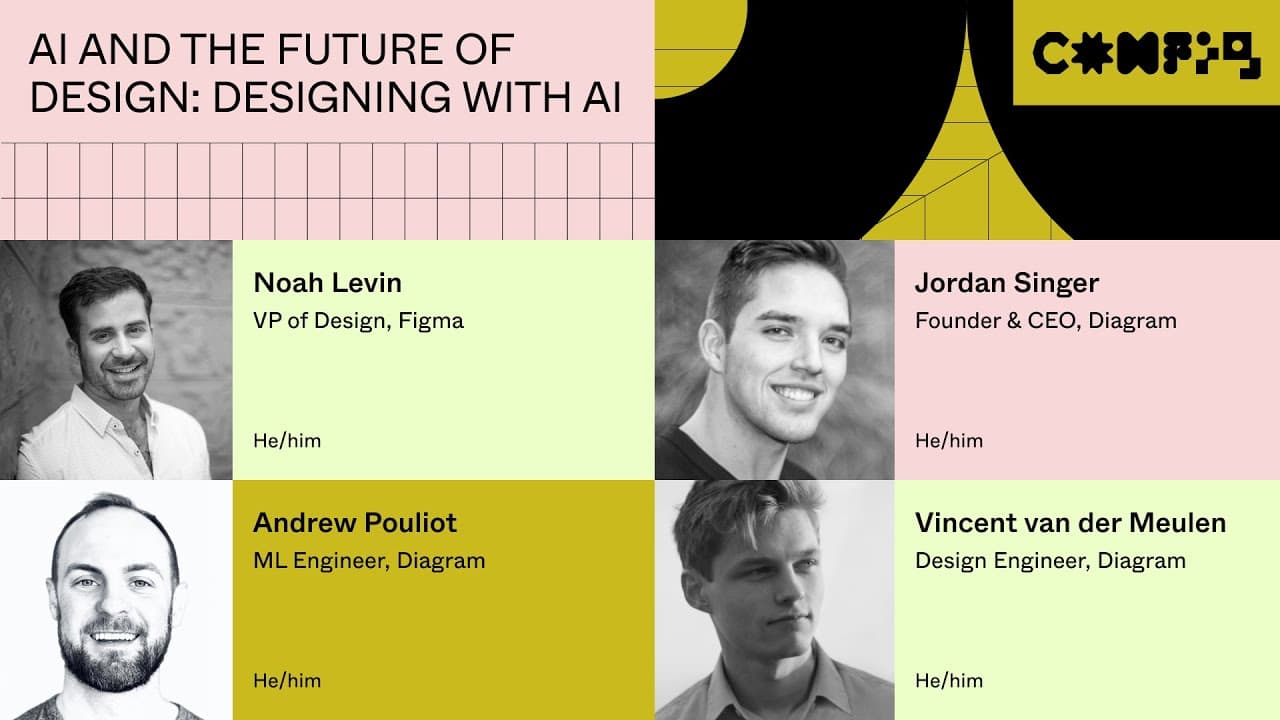
AI is set to revolutionize the design process by assisting with tasks like suggestion generation and automating repetitive work. The Diagram team's design assistant, Genius, will enhance collaboration and streamline workflows, enabling designers to focus on creativity and core design elements while AI handles more tedious tasks.
Transcript
foreign [Applause] and good morning everybody today two of config 2023 my name is Jenny Wen and I'm a design manager on the Fig Jam team at figma we hope you had a really great time connecting and learning and meeting each other yesterday I know I definitely did and we also recognize that some of you weren't able to attend the talks that you're hop... Read More
Key Insights
- 😤 The Diagram team emphasizes the importance of AI as a tool that assists designers, highlighting its potential to streamline workflows, automate tasks, and unleash creativity.
- 🎨 The team sees AI affecting what is designed, how it is designed, and who designs it, envisioning a future where AI simplifies interfaces, allows for more focused design, and enables collaboration between designers and AI.
- 🎨 Developing a reliable and efficient design assistant using language models like GPT has challenges such as evaluation, interaction design, and integrating AI seamlessly into design workflows.
Install to Summarize YouTube Videos and Get Transcripts
Explore YouTube Video Summarizer or Get YouTube Transcript Extractor
Questions & Answers
Q: How does the Diagram team plan to implement AI in the design process?
The team at Diagram has developed a design assistant called Genius. It can provide suggestions and feedback while designers work, automate design tasks, and even edit design files directly in Figma.
Q: What are some challenges the Diagram team faced in developing their design assistant?
Developing a reliable and efficient design assistant using language models like GPT has been a challenge. Evaluation and grading of the assistant's performance, determining effective interactions with the assistant, and integrating it seamlessly into the design process were some of the difficulties encountered.
Q: How does the team see AI changing the way designers work?
The team envisions AI enabling designers to focus on core flows and creative decision-making by automating repetitive tasks, providing design suggestions, and streamlining processes. AI can also make design more accessible and collaborative, allowing non-designers to contribute visually and empowering designers to create more ambitious experiences.
Q: How does the Diagram team plan to involve the design community in the development of their design assistant?
The team is seeking feedback and input from the design community to co-create the future of the design assistant. They encourage designers to share their needs, challenges, and ideas on how AI can assist them through social media and direct engagement with the team.
Key Insights:
- The Diagram team emphasizes the importance of AI as a tool that assists designers, highlighting its potential to streamline workflows, automate tasks, and unleash creativity.
- The team sees AI affecting what is designed, how it is designed, and who designs it, envisioning a future where AI simplifies interfaces, allows for more focused design, and enables collaboration between designers and AI.
- Developing a reliable and efficient design assistant using language models like GPT has challenges such as evaluation, interaction design, and integrating AI seamlessly into design workflows.
- The team believes in involving the design community in co-creating the future of the design assistant and encourages feedback and input from designers on their needs and challenges.
Summary & Key Takeaways
-
The Diagram team introduces changes made for Config 2023 based on user feedback, including moving product deep dives and opening up an overflow room for talks.
-
The team highlights the importance of AI in design, emphasizing that it is a tool that can assist designers in problem-solving, streamlining workflows, and exploring new possibilities.
-
The team explores the impact of AI on what is designed, how it is designed, and who designs it, envisioning a future where AI helps designers focus on core flows, automates tedious tasks, and enables collaboration.
Read in Other Languages (beta)
Share This Summary 📚
Summarize YouTube Videos and Get Video Transcripts with 1-Click
Try YouTube Summary with ChatGPT & Claude or YouTube Transcript Generator
Explore More Summaries from Figma 📚
![How to Create a Responsive Button in Figma, Figma Design for Beginners [6 of 13] thumbnail](/_next/image?url=https%3A%2F%2Fi.ytimg.com%2Fvi%2FPZaBmmI0s4M%2Fhqdefault.jpg&w=750&q=75)



Summarize YouTube Videos and Get Video Transcripts with 1-Click
Try YouTube Summary with ChatGPT & Claude or YouTube Transcript Generator