How to Start Programming in Python for Beginners
TL;DR
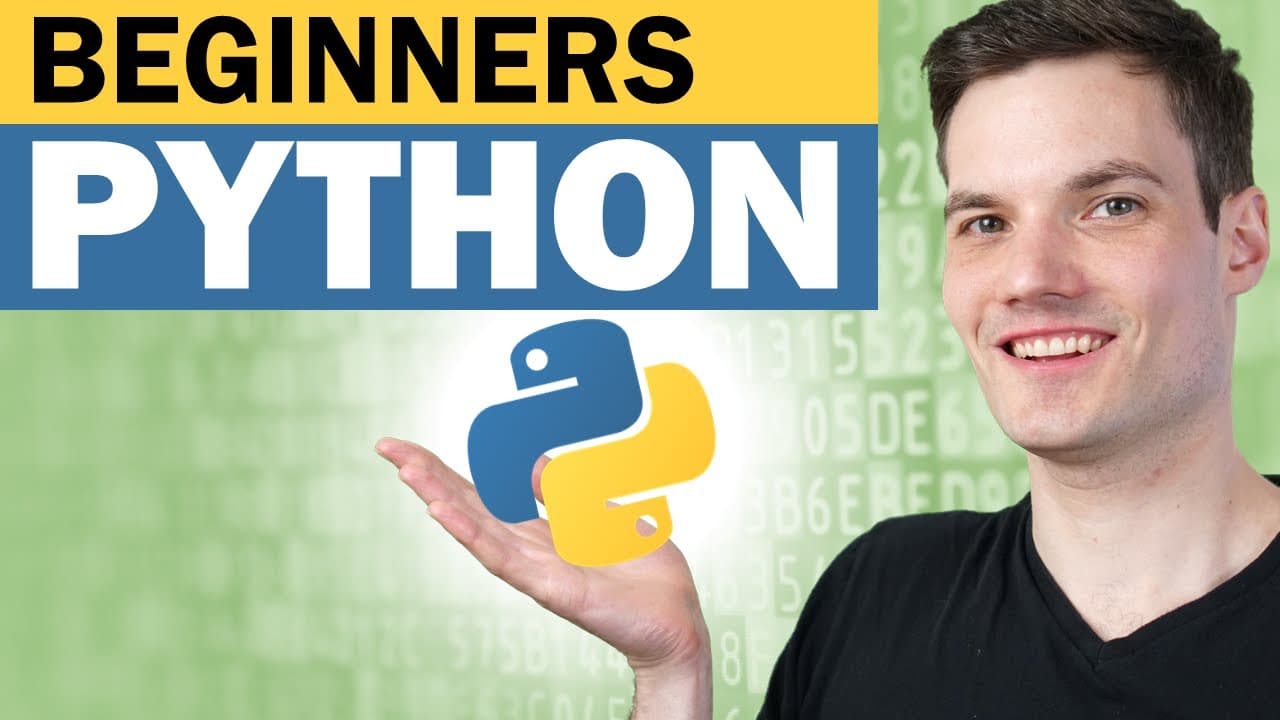
To begin programming in Python, download it from python.org, check the 'Add Python to PATH' box during install, then verify with 'python --version' in the command prompt. You can run code directly in the Python terminal, write it in a text editor like Notepad saved with a .py extension, or use an IDE, and execute files by typing 'python' followed by the filename.
Transcript
Hey everyone, Kevin here. Today I want to show you the fundamentals of programming using Python. In this video, I'm going to assume that you have no programming background at all. We're going to start from the very basics and we're going to work our way up step-by-step, and we'll get a little bit more advanced. By the end of this video, you'l... Read More
Key Insights
- Programming lets you take an idea in your head and turn it into a series of steps a computer can understand and execute, which is what makes it such a powerful skill for building games, work applications, or other tools.
- Python was the clear winner when the channel's audience was polled, with about 65% wanting to learn it, and it consistently ranks near the top of the most popular programming languages.
- Python is valued for being concise, easy to use and understand, and general purpose, meaning you can build web apps, internal company tools, games, or run scientific analysis with it.
- Concepts learned in Python transfer to other languages, because every language just communicates steps to a computer using different syntax and rules, much like hello, hallo, and bonjour express the same idea.
- To check for an existing Python install on Windows 10, open the command prompt from the taskbar and type 'python --version'; if it returns a version number Python is installed, otherwise it says Python was not found.
- When installing Python from python.org, checking the 'Add Python to PATH' box at the bottom of the installer before clicking install is an important setup step.
- Python is an interpreted language, so it reads each line of code, interprets it, and evaluates it as you go, unlike languages that must be compiled first before they can be executed.
- Syntax errors occur when input does not follow the language's rules, such as typing 'what is 1 + 2?' which fails, while the valid expression '1 + 2' correctly returns 3.
Install to Summarize YouTube Videos and Get Transcripts
Explore YouTube Video Summarizer or Get YouTube Transcript Extractor
Questions & Answers
Q: Why should you learn how to program?
Programming lets you take an idea in your head and turn it into a series of steps that a computer can understand and execute. Every time you use your phone or PC, you experience the output of something someone programmed, so you already realize its benefit. With it you can create games, build work applications to simplify daily tasks, and more, making it an incredibly powerful skill to learn.
Q: Why choose Python over other programming languages?
When the channel polled its audience on which language they most wanted to learn, Python was the overwhelming winner at around 65%. Python consistently ranks near the top of the most popular languages, has been around a while, and is easy to use and understand. It is concise and general purpose, letting you write web apps, internal company tools, games, or scientific analysis, and its concepts transfer to other languages.
Q: How do you check if Python is already installed on Windows?
On Windows 10, go to the taskbar, type 'command prompt' in the search field, and click the best match to open it. Then type 'python --version' and hit enter. If Python is installed, it displays the version number, such as Python 3.9.2. If it is not installed, the prompt returns a message saying Python was not found, meaning you need to go install it.
Q: How do you install Python?
Head to python.org, which lands you on the home page, and click the Downloads button near the top. It identifies your operating system and recommends the best option, or you can choose a different OS manually. In the video, the recommended version was Python 3.9.2. Run the downloaded EXE, and before clicking 'Install Now', check the 'Add Python to PATH' box at the bottom of the prompt, then complete the installation.
Q: What is the difference between an interpreted and a compiled language in Python?
Python is an interpreted language, meaning it takes each line of code you enter, interprets it, and then evaluates it as you go. For example, typing '1 + 2' immediately returns 3. Other programming languages must be compiled first before they can be executed, adding an extra step. With Python, code is interpreted line by line as you type it, making it straightforward to test expressions directly in the terminal.
Q: What is a syntax error in Python?
Syntax refers to the rules of a programming language. A syntax error occurs when your input does not align with what Python expects. In the video, typing 'what is 1 + 2?' produced a 'syntax error, invalid syntax' message because it is not a valid expression. Typing the valid expression '1 + 2' instead correctly returned 3. You must type expressions that follow the language's rules for Python to understand them.
Q: How do you use the print function in Python?
To use the built-in print function, type 'print', open a parenthesis, insert double quotes, type your text such as 'Hello World', then close the quotes and the parenthesis. Hitting enter sends back exactly what you passed in, displaying 'Hello World'. This is one of the go-to first examples when starting with any new programming language, and it demonstrates how you can already begin executing simple code in the Python terminal.
Q: How do you write and save Python code in a text editor like Notepad?
On Windows, open Notepad from the taskbar search, then type your source code, such as a print statement with 'Hello World'. To run it, save it as a Python file: go to File, then Save As, name the file, and use the .py extension instead of the default .txt, since Python files use .py just as text files use .txt and JavaScript uses .js. After installing Python, the saved file shows the Python logo.
Summary & Key Takeaways
-
This beginner tutorial by Kevin Stratvert, a former Microsoft employee of 14 years, teaches programming fundamentals in Python assuming no prior background. It covers why to program, why Python specifically, how to install it, and how to write and run your first source code, building up step by step toward a solid foundation.
-
Programming turns an idea into steps a computer can execute, benefiting anyone since phones and PCs run programmed output. Python was chosen because roughly 65% of the channel's polled audience wanted it, and it is popular, concise, easy to understand, and general purpose for web apps, tools, games, and analysis.
-
The video demonstrates checking for Python with 'python --version', installing from python.org with 'Add Python to PATH' checked, running code in the Python terminal, and writing code in Notepad saved as a .py file. It shows the print function outputting 'Hello World' and how to run a saved file via command prompt.
Read in Other Languages (beta)
Share This Summary 📚
Summarize YouTube Videos and Get Video Transcripts with 1-Click
Try YouTube Summary with ChatGPT & Claude or YouTube Transcript Generator
Explore More Summaries from Kevin Stratvert 📚



Summarize YouTube Videos and Get Video Transcripts with 1-Click
Try YouTube Summary with ChatGPT & Claude or YouTube Transcript Generator