How to prompt GPT-5 for fast, spec-driven results
TL;DR
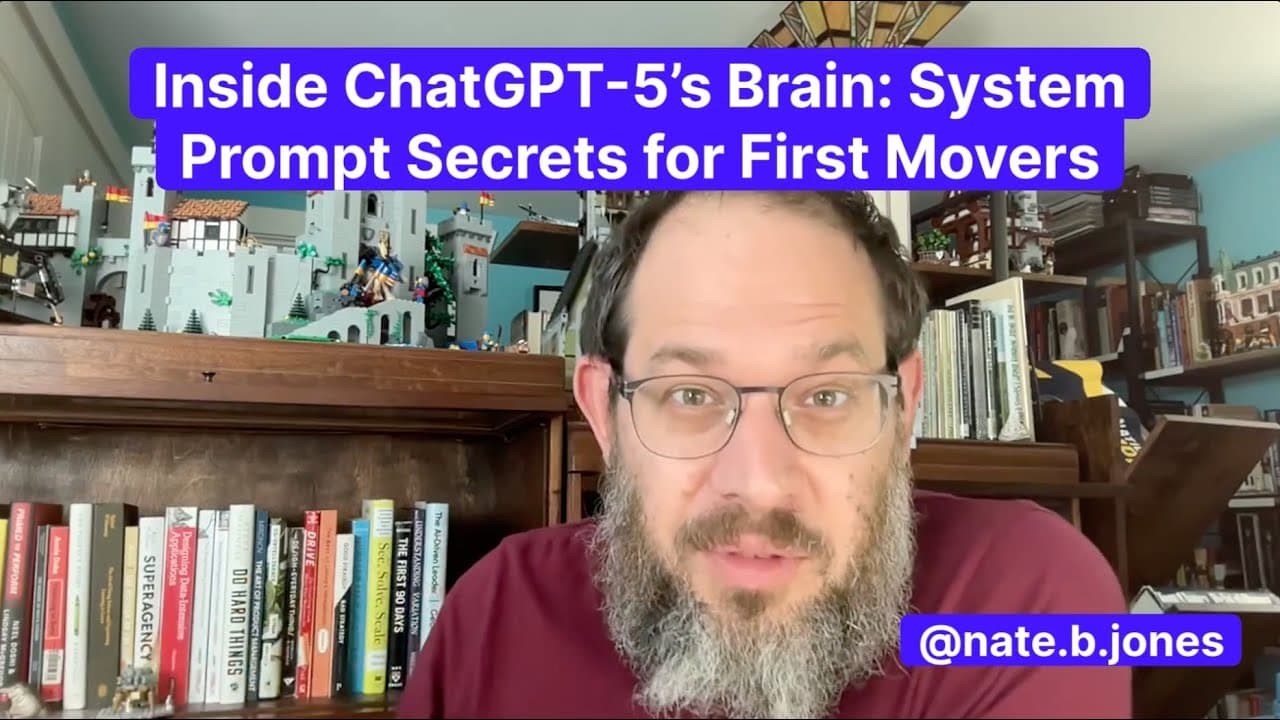
GPT-5 prioritizes shipping quickly with minimal clarifications, shifting from a traditional helpful assistant to an agentic colleague. Success comes from writing clear specifications, including deliverables, constraints, assumptions, non-goals, and tool policies, rather than relying on back-and-forth prompting. Early adopters gain a compound advantage by embracing spec-driven workflows and memory-enabled canvases.
Transcript
I've spent the last few hours just digging super deeply into chat GPT5 system prompt. System prompts are super useful to understand once they leak, which they seem to really reliably just a few days after the product launches, thanks to Elder Plyus, who is an internet personality with a habit of leaking prompts. So, I studied the prompt leak that E... Read More
Key Insights
- GPT-5 emphasizes shipping with minimal clarifications, often requiring at most one question before proceeding.
- Specification over conversation is critical; prompts should define deliverables, format, audience, constraints, and assumptions up front.
- Tool policy control is essential; without explicit permissions, GPT-5 may use tools like code execution or web search.
- Early adopters gain a compound advantage by using speed and agentic behavior to outperform others in productivity and output quality.
- Canvas plus memory integration creates a persistent, collaborative workspace for AI, enabling versioned product specs and memory-aware workflows.
- Common failure modes include speculative over-completion, unexpected tool usage, and loss of commentary after image generation; these require safeguards in prompts.
- The system prompt signals a broader shift toward an AI-powered operating system where GPT-5 acts as a centralized workspace for documents, code, and memory.
- Non-negotiable elements like deliverables, format, scope, and tool usage must be declared upfront to prevent overcomplete responses or unintended actions.
Install to Summarize YouTube Videos and Get Transcripts
Explore YouTube Video Summarizer or Get YouTube Transcript Extractor
Questions & Answers
Q: How should I structure prompts for GPT-5 to get decision-ready outputs?
To get decision-ready outputs from GPT-5 you must specify the deliverable, the format, the length, and the audience up front. Also declare the context, scope, and timeline assumptions, and explicitly state which tools are allowed or forbidden. This approach reduces unnecessary back-and-forth and produces concise, actionable results that are ready for a founding team to act on.
Q: What is the main difference between GPT-5 and earlier models in prompting style?
GPT-5 moves away from iterative conversation toward writing precise specifications. You should provide a clear task description, three options or outcomes with trade-offs, a word limit, and explicit constraints. This spec-driven style accelerates output and aligns with the model’s bias to ship rather than endlessly discuss.
Q: Why is memory and canvas important in GPT-5 workflows?
Memory and canvas support a persistent AI context and versioned collaboration. You can save preferences like executive summary length or memory-based prompts, and link them to product specs that evolve over time. This enables a tailored, continuous workflow where the AI remembers past decisions and revisits earlier iterations.
Q: What are common failure modes to guard against when using GPT-5?
Common failure modes include speculative execution where the model overreaches before confirmation, surprises from tool usage when not permitted, and lost commentary after image generation requiring a split into separate steps. To guard against these, include constraints, a non-goals section, and explicit tool usage policies in your prompt.
Q: How does GPT-5 treat tool usage and permissions?
GPT-5 can autonomously use tools like code execution or web search unless you declare otherwise. Explicitly state what tools are allowed or forbidden. This control helps prevent unwanted actions, keeps outputs aligned with your constraints, and avoids surprises during critical tasks.
Q: What is the recommended way to describe a task to GPT-5 for best results?
Describe the task with a clear deliverable, a specific format, a defined audience, and a word limit. Add explicit assumptions and non-goals, and specify any required constraints. This produces a structured response that is ready for review or decision-making without extensive editing.
Q: What does the transcript imply about GPT-5 being an operating system for work?
The transcript suggests GPT-5 is evolving toward an AI-powered operating system that consolidates documents, code, scheduling, and memory into a single workspace. This implies a future where your day-to-day workflows are centered in GPT-5, with enterprise-grade controls like compliance, audit trails, and governance built into the prompts and interactions.
Q: How can early adopters gain a compound advantage with GPT-5?
Early adopters gain a compound advantage by adopting spec-driven prompts that ship quickly, using memory and canvas to create persistent AI context, and integrating GPT-5 into production pipelines. This accelerates output, aligns with the model’s bias toward speed, and builds a stronger collaborative workflow compared to slower incumbents.
Summary & Key Takeaways
-
GPT-5 signals a bias toward speed and shipping, encouraging one clarifying question at most before executing. This aligns with a shift from assistant-style interactions to an agent-like workflow in which speed is valued above iterative refinement.
-
The recommended workflow for GPT-5 is to write explicit specifications covering deliverables, format, audience, assumptions, and non-goals, rather than relying on casual prompts and back-and-forth dialogue.
-
Canvas and memory features are positioned to enable persistent AI context and versioned collaboration, turning prompts into living product specs that can be updated and revisited over time.
Read in Other Languages (beta)
Share This Summary 📚
Summarize YouTube Videos and Get Video Transcripts with 1-Click
Try YouTube Summary with ChatGPT & Claude or YouTube Transcript Generator
Explore More Summaries from AI News & Strategy Daily | Nate B Jones 📚
Summarize YouTube Videos and Get Video Transcripts with 1-Click
Try YouTube Summary with ChatGPT & Claude or YouTube Transcript Generator