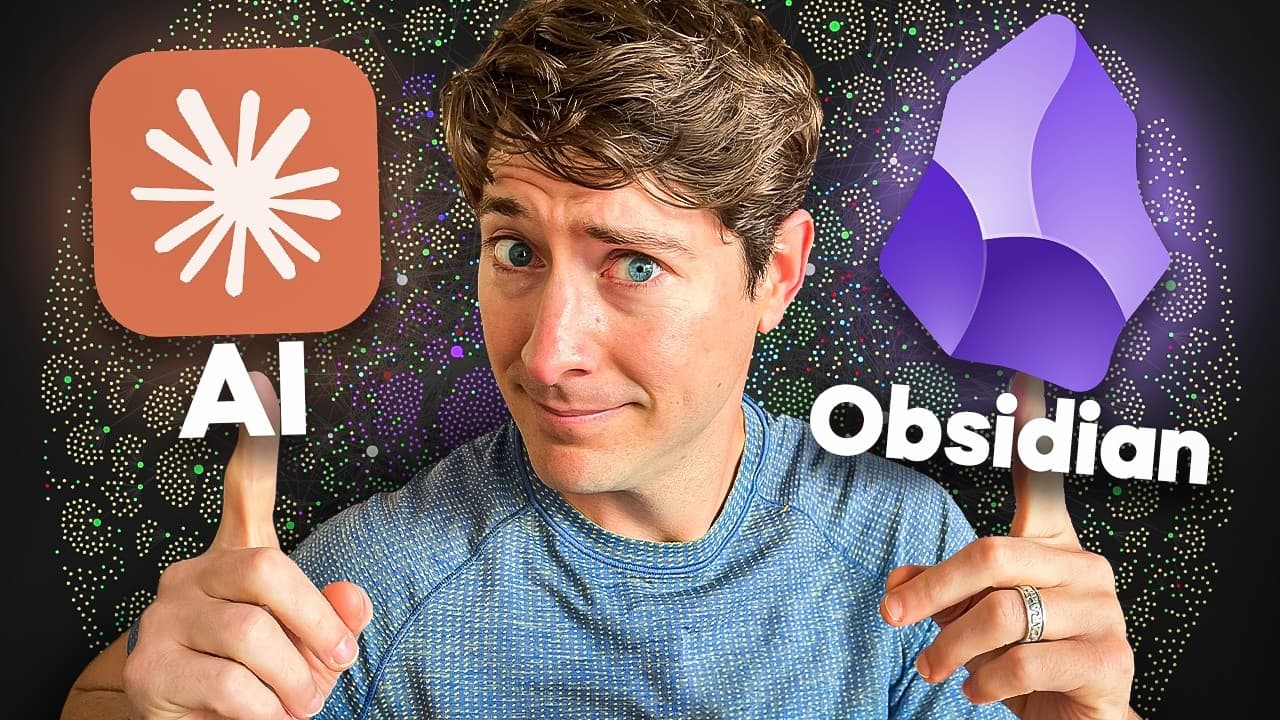
How to Integrate AI with Obsidian Effectively
TL;DR
Integrating AI with Obsidian can enhance your note-taking by leveraging Claude Code for tasks like analyzing notes and adding metadata. The key is to balance privacy and utility, using AI as a tool to complement your personal thinking space without compromising data ownership or integrity.
Transcript
In this video, we're bringing together AI and Obsidian. I'm going to talk about how I'm using AI, how I defend my workflows from the negative effects of AI, but also how I go on the offense to use AI in narrowly scoped ways to superpower key parts of my existing workflows. I'll share the main tool that I've picked to combine Obsidian with to make A... Read More
Key Insights
- AI can enhance note-taking by automating repetitive tasks and providing insights.
- Obsidian is valued for its offline, private nature, making AI integration a delicate balance.
- The IDI framework—Imagine, Discern, Integrate—helps balance AI's benefits with privacy concerns.
- Claude Code can analyze, edit, and restructure notes stored locally, maintaining privacy.
- Creating a dedicated AI zone in Obsidian helps manage AI-generated content effectively.
- AI can assist in deep research by quickly locating information across vast data sets.
- Obsidian's current stance is to keep AI integrations private and user-controlled.
- Understanding your sensemaking archetype can guide effective AI tool integration.
Install to Summarize YouTube Videos and Get Transcripts
Explore YouTube Video Summarizer or Get YouTube Transcript Extractor
Questions & Answers
Q: How can AI enhance note-taking with Obsidian?
AI can enhance note-taking with Obsidian by automating repetitive tasks, providing insights, and assisting in deep research. Tools like Claude Code can analyze, edit, and restructure notes stored locally, maintaining privacy while offering powerful insights. AI can quickly locate information across vast data sets, making it a valuable tool for reflection and research.
Q: What is the IDI framework in AI integration?
The IDI framework stands for Imagine, Discern, Integrate. It is a method to balance AI's benefits with privacy concerns. 'Imagine' involves exploring possibilities with AI, 'Discern' focuses on critically evaluating AI-generated content, and 'Integrate' is about connecting AI insights with personal goals and workflows. This framework ensures AI is used effectively without compromising personal data integrity.
Q: Why is privacy important in AI and Obsidian integration?
Privacy is crucial in AI and Obsidian integration because Obsidian is valued for its offline, private nature, where users own and control their data. AI integration requires careful consideration to avoid compromising data ownership or integrity. Maintaining privacy ensures that personal thoughts and notes remain secure and are not used for training AI models or exposed to external risks.
Q: How does Claude Code work with Obsidian?
Claude Code works with Obsidian by analyzing, editing, and restructuring notes stored locally on a user's computer. It can automate tasks such as adding metadata or conducting deep research across notes. By maintaining data locally, Claude Code ensures that users' information remains private and secure, offering a powerful way to enhance note-taking without relying on cloud-based solutions.
Q: What is the role of an AI zone in Obsidian?
An AI zone in Obsidian serves as a dedicated space for managing AI-generated content. It creates a barrier between AI outputs and personal notes, ensuring that only valuable insights are integrated into the main knowledge base. This organization helps maintain the integrity of personal thought spaces and prevents AI-generated content from overwhelming or diluting personal ideas and reflections.
Q: How does Obsidian's CEO view AI integration?
Obsidian's CEO views AI integration as something that should prioritize user privacy and control. The focus is on ensuring that users' data is not used for training AI models and that any AI integration remains private. The CEO emphasizes that AI should enhance, not replace, the core functionalities that make Obsidian a valuable tool for private, offline thinking and note-taking.
Q: What are the benefits of using AI for deep research?
Using AI for deep research offers benefits such as quickly locating specific information across large data sets, identifying patterns, and providing insights that might be difficult to uncover manually. AI can handle large volumes of data efficiently, making it a valuable tool for researchers looking to gain comprehensive understanding or insights from diverse and extensive sources.
Q: How can understanding your sensemaking archetype aid in AI integration?
Understanding your sensemaking archetype can guide effective AI integration by aligning tools with personal goals and workflows. By identifying whether you are an inner guide, synthesizer, producer, or creative, you can tailor AI tools to complement your strengths and address your needs. This personalized approach ensures that AI enhances productivity and creativity without overwhelming or misaligning with individual preferences.
Summary & Key Takeaways
-
Integrating AI with Obsidian enhances note-taking by automating tasks like analyzing notes and adding metadata. The IDI framework—Imagine, Discern, Integrate—balances AI's benefits with privacy concerns. Claude Code analyzes local files, maintaining privacy while offering powerful insights.
-
Obsidian's offline nature makes it a beloved tool for private thinking. AI integration requires careful consideration to avoid compromising data ownership. Creating a dedicated AI zone in Obsidian helps manage content and maintain the integrity of personal thought spaces.
-
AI can assist in deep research and reflection, quickly locating information across large data sets. Obsidian's approach to AI ensures user control and privacy. Understanding your sensemaking archetype can guide effective tool integration, enhancing productivity and creativity.
Read in Other Languages (beta)
Share This Summary 📚
Summarize YouTube Videos and Get Video Transcripts with 1-Click
Try YouTube Summary with ChatGPT & Claude or YouTube Transcript Generator
Explore More Summaries from Linking Your Thinking with Nick Milo 📚



Summarize YouTube Videos and Get Video Transcripts with 1-Click
Try YouTube Summary with ChatGPT & Claude or YouTube Transcript Generator