How to Create a HeyGen AI Avatar for Social Media
TL;DR
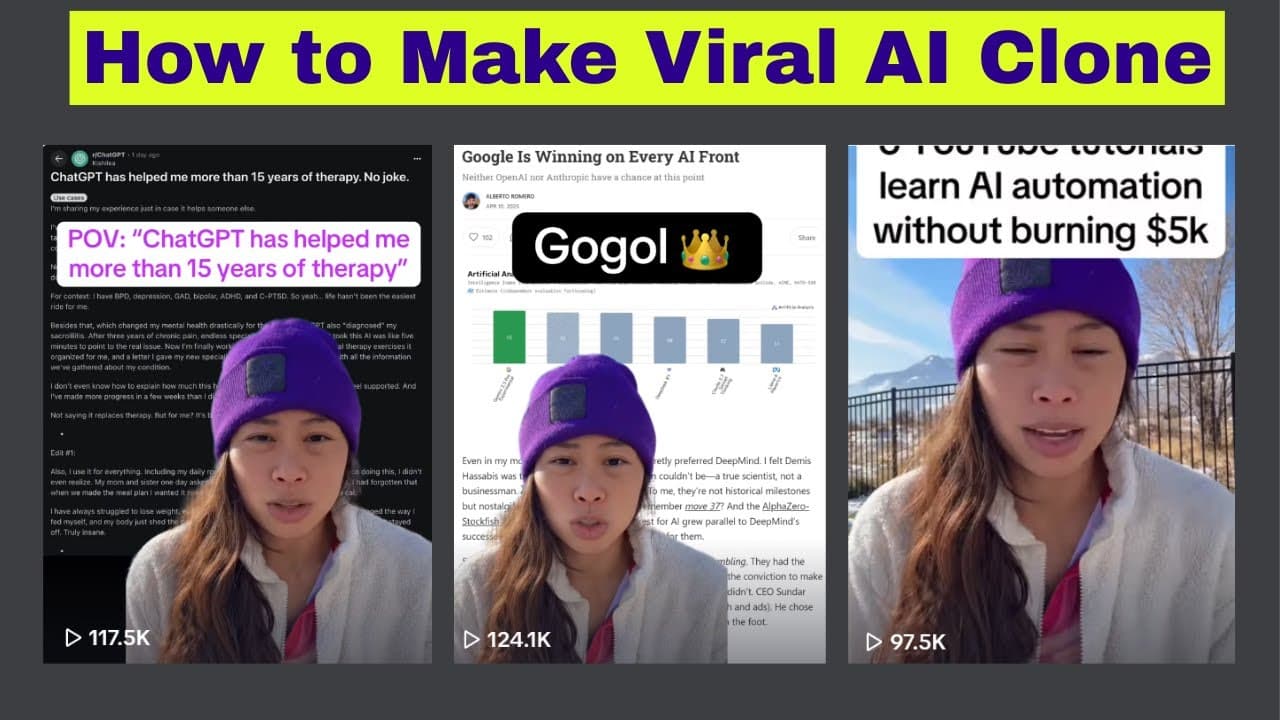
Create a custom HeyGen avatar from five minutes of continuous, well-lit footage, then add a script, tune the generated voice, and arrange supporting images behind the avatar. The creator says this workflow kept content production running after she lost her voice and generated more than 1.2 million views across TikTok, Instagram Reels, and YouTube Shorts in seven days.
Transcript
I'm going to show you how to create an AI avatar that dominates on social media. This is especially useful for you if you hate being on camera, you hate the tedious process of filming and editing, or like me, if you got really sick and lost your voice the past week, that your AI avatar is a lifesaver to continue producing highquality content. And j... Read More
Key Insights
- A custom HeyGen avatar is created from five minutes of continuous footage in which the subject looks directly at the camera, limits gestures and unusual movements, and speaks clearly. Footage assembled from separate clips may be rejected, so the source recording should remain uninterrupted.
- Natural outdoor lighting is presented as the best simple setup for avatar footage because it produced better results than the creator's indoor recording. When direct sunlight creates harsh glare, recording in the shade preserves an evenly lit appearance without requiring dedicated lighting equipment.
- Exaggerated vocal intonation can improve the avatar's training material because the generated voice may reproduce fewer rises and falls than natural speech. The recording should therefore contain slightly stronger vocal expression to reduce the chance that the finished avatar sounds robotic.
- A personal avatar is preferable to HeyGen's pre-built avatars because the supplied characters are used by many companies. A custom model gives the creator a recognizable appearance while still removing the need to film every individual social media post.
- The $29-per-month Creator plan supports unlimited avatar videos, according to the tutorial, but it does not include the background-removal capability needed for replaceable backgrounds. The creator also showed that an avatar filmed against its original backyard background could still approach 100,000 views.
- Background removal creates a separate version of the avatar that can be layered over screenshots, images, or videos. The creator recommends saving both versions with clear names, sending uploaded visuals behind the avatar, and matching the canvas background color to the inserted asset.
- HeyGen's voice controls include stability, clarity, similarity, style exaggeration, and speed. The creator normally sets the first four values to 100 percent and speed to 1.1x, while noting that lower stability can create more interesting but unpredictable inflection that may require regeneration.
- Social media layouts work best when the avatar leaves room for supporting information. The creator often shrinks the avatar into a corner, expands the timeline, and sequences multiple screenshots or videos behind it so viewers can read the visual evidence while hearing the narration.
Install to Summarize YouTube Videos and Get Transcripts
Explore YouTube Video Summarizer or Get YouTube Transcript Extractor
Questions & Answers
Q: How do you create a custom HeyGen AI avatar?
Record five minutes of continuous footage with an iPhone front camera or a similar camera while looking directly into the lens. Stay relatively still, minimize gestures and unusual body movements, use clear lighting, and speak with slightly exaggerated intonation. In HeyGen, choose Create New Avatar, select Hyperrealistic Avatar and Still, upload the uninterrupted recording, and complete the required on-camera consent statement.
Q: What recording setup produces better AI avatar footage?
Use a well-lit environment and face the camera directly throughout the five-minute recording. The creator recommends filming outdoors because natural light produced a better result than her indoor footage. If direct sunlight is too harsh, record in the shade to retain natural illumination without glare. Avoid excessive movement, gestures, and body quirks that could make avatar generation less consistent.
Q: Why should an AI avatar recording use exaggerated intonation?
Slightly exaggerated intonation gives the avatar system stronger vocal variation to work with. According to the creator, the generated avatar voice does not reproduce as many upward and downward inflections as ordinary speech, which can make it sound robotic. Adding more expression during the source recording can help, although the final voice may still need adjustment or regeneration inside the editor.
Q: How can you replace the background behind a HeyGen avatar?
First create the normal custom avatar, open Edit Look, and select Background Removal. Save the result as a new avatar so both the original-background and transparent versions remain available. When building a video, choose the background-free version, upload an image or video as an asset, resize it as needed, and use the layer controls to send that visual behind the avatar.
Q: How do you add multiple images behind an AI avatar?
Upload the images through the Assets section, place the first image on the canvas, resize it so important text remains visible, and send it to the back layer. Open the timeline to control its duration, then add and arrange the next image in the same way. The avatar can be reduced and moved into a corner so the background material has enough readable space.
Q: Which HeyGen voice settings can improve an avatar video?
The available controls discussed in the tutorial are stability, clarity, similarity, style exaggeration, and speed. The creator normally sets stability, clarity, similarity, and style exaggeration to 100 percent and uses 1.1x speed. Lowering stability can introduce more varied inflection, but the results may be unpredictable, so the voice might need to be generated several times before it sounds satisfactory.
Q: Do you need background removal for successful avatar videos?
No. The creator showed an avatar video using its original backyard background that was close to reaching 100,000 views. Background removal is useful when screenshots, posts, or videos need to appear behind the presenter, but it is not required for strong performance. The $29-per-month Creator plan supports unlimited avatar videos but does not include the replaceable-background feature described in the tutorial.
Q: How can HeyGen avatar production be automated?
The described automation workflow uses an N8N AI agent to find trending Hacker News stories, write an avatar script and video caption, add a video background, and publish the finished content to seven social platforms. Automation requires separate HeyGen API pricing in addition to the normal web application plan. The transcript states that API access starts at $100 per month and can also use an integrated ElevenLabs voice through an API key.
Summary & Key Takeaways
-
The creator tested fully disclosed AI avatar content for seven days after becoming sick and losing her voice. Several posts reached or approached 100,000 views, while the combined videos received more than 1.2 million views across TikTok, Instagram Reels, and YouTube Shorts, demonstrating that an avatar can maintain a creator's publishing output.
-
Creating a custom hyperrealistic avatar starts with five minutes of continuous footage recorded while facing the camera, remaining relatively still, and speaking with stronger-than-normal intonation. Natural outdoor light is recommended, preferably in shade when sunlight is harsh. HeyGen also requires a separate recorded consent statement before generating the avatar.
-
HeyGen's editor combines the selected avatar, written script, generated voice, and uploaded visual assets in a portrait video. Creators can adjust voice settings, resize the avatar, place images or videos behind it, and organize multiple visuals on the timeline. Background removal and API-driven automation require additional paid access.
Read in Other Languages (beta)
Share This Summary 📚
Summarize YouTube Videos and Get Video Transcripts with 1-Click
Try YouTube Summary with ChatGPT & Claude or YouTube Transcript Generator
Explore More Summaries from Sabrina Ramonov 🍄 📚




Summarize YouTube Videos and Get Video Transcripts with 1-Click
Try YouTube Summary with ChatGPT & Claude or YouTube Transcript Generator