How to Build an AI Agent for Social Media
TL;DR
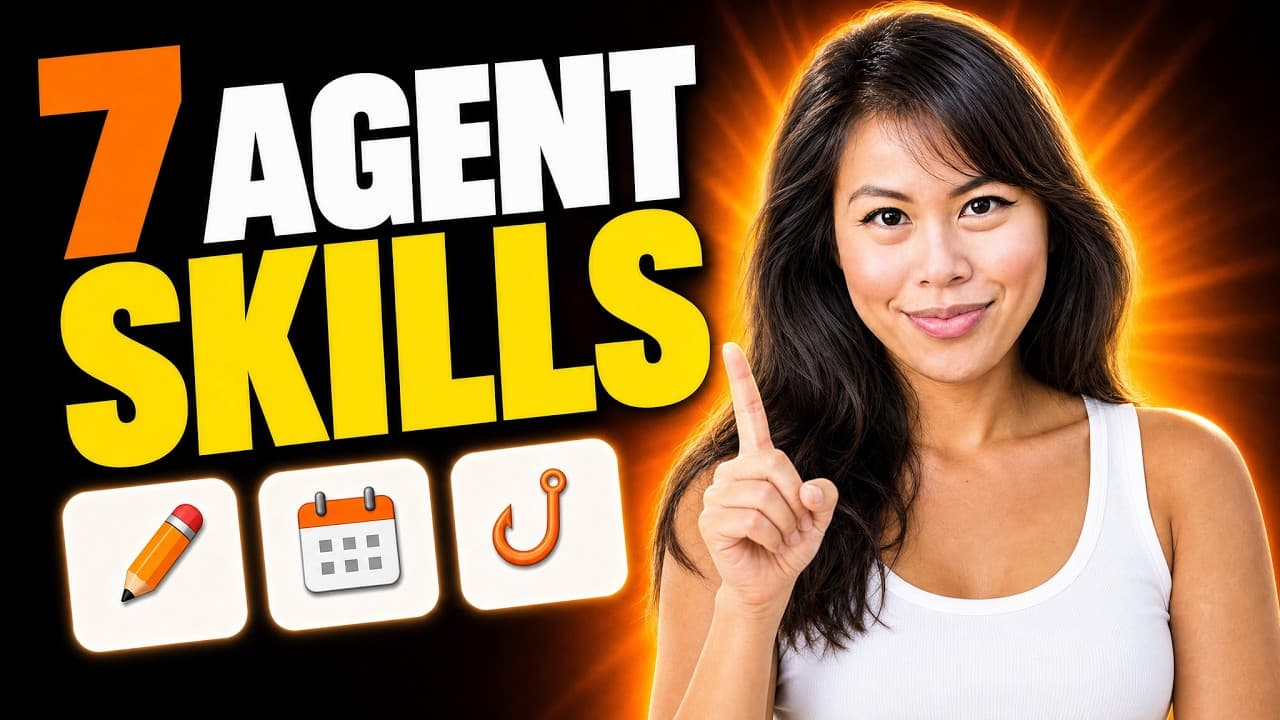
Install a plugin containing seven marketing skills, then use one AI agent to write and grade posts, edit existing media, generate new visuals, and publish or schedule content. Connecting Blotato adds social account access, visual templates, analytics, scheduling, media uploads, and inbox management, allowing the agent to coordinate an end-to-end social media workflow.
Transcript
I get 30 million views every month. I've grown from zero to three million followers solo and I sold my first AI company for millions of dollars at age 30. Now I built a million-doll marketing team with one AI agent and seven skills. And the best part is I'm going to teach you how to build and sell it. Now this works with every AI tool out there. I'... Read More
Key Insights
- A marketing plugin is a collection of prebuilt skills that gives one AI agent several specialized roles. The demonstrated package includes a content coach, brand brief, post writer, post grader, scheduler, repurpose engine, and separate viral hook skill.
- The brand brief skill is designed to interview the user and store the resulting brand voice. This gives the broader marketing workflow a reusable source of guidance rather than requiring the user to restate their preferred voice whenever the agent creates content.
- The post creation workflow uses separate writing and grading skills. The agent analyzes uploaded screenshots, drafts a LinkedIn post, applies the grading rubric, and revises the copy repeatedly until it achieves the requested score, which was 9 out of 10 in the demonstration.
- The hook accounts for 50% of the demonstrated post-grading rubric. The rationale is that the opening text of a post or video script must stop people from scrolling, capture attention, and motivate them to consume or engage with the remaining content.
- Existing media can be edited through a direct natural-language instruction. In the example, the user uploads a selfie and asks the agent to add a two-line TikTok-style caption while respecting safe zones, producing an asset intended for an Instagram story.
- Blotato acts as a connector between the AI agent and external social media capabilities. Once authorized, it can publish posts, manage schedules, upload local photos and videos, create visuals, provide post analytics, and support inbox actions such as direct messages and comment replies.
- A new Instagram carousel can be created from a prebuilt Blotato slideshow template. The agent finds the template, plans the content for every slide, prepares generation prompts, and uses Nano Banana 2 to generate a visually consistent set of seven slides.
- Social publishing and scheduling can be controlled conversationally after accounts are connected. The agent can publish multiple content formats, answer platform-specific clarification questions, move scheduled posts after a delayed launch, or place batched content into the next free slot for each platform.
Install to Summarize YouTube Videos and Get Transcripts
Explore YouTube Video Summarizer or Get YouTube Transcript Extractor
Questions & Answers
Q: How do you build an AI agent for social media marketing?
Start by importing the demonstrated marketing plugin through Claude.ai's customization and plugin interface. The plugin supplies seven skills for coaching, brand briefing, post writing, grading, scheduling, repurposing, and hooks. The agent can then analyze uploaded materials, create and improve copy, and edit existing assets. Connecting Blotato adds visual generation, publishing, scheduling, analytics, media uploads, and social inbox functions.
Q: What are the seven skills in the marketing plugin?
The plugin contains a content coach, a brand brief, a post writer, a post grader, a scheduler, a repurpose engine, and a separate viral hook skill. The brand brief interviews the user and stores a brand voice. The writing and hook skills create content, while the grader evaluates it. The remaining skills support coaching, repurposing, and managing when posts are published.
Q: How does the AI agent write and improve a LinkedIn post?
The user uploads relevant screenshots and asks the agent to analyze them and write a LinkedIn post that earns a specified grade. In the demonstration, the agent reads the post-writing and viral-hook skills, analyzes six screenshots, drafts the post, and runs it through the post-grader. It revises the draft twice and presents both the completed copy and a breakdown of the grading rubric.
Q: Why is the opening hook important in social media content?
The opening hook is important because the first words in a post or video script determine whether people stop scrolling and continue engaging with the content. In the demonstrated grading rubric, the hook contributes 50% of the overall grade. The separate viral-hook skill helps the agent choose an opening, while the post-grader checks whether the draft meets the requested quality threshold.
Q: How can the AI agent edit an existing social media image?
Upload the existing image and describe the required change in natural language. The example prompt asks the agent to edit a selfie by adding a two-line, TikTok-style caption while respecting safe zones. After processing, the updated image appears with the text placed on top. The same approach is presented as useful for promoting business deals, products, or upcoming events with existing photos and videos.
Q: How does the agent create an Instagram carousel from scratch?
After Blotato is connected, the user asks the agent to use an Instagram carousel slideshow template and supplies a topic. The agent locates the correct template, plans the information for each slide, and creates the prompts needed to generate the visuals. Nano Banana 2 then generates each image. The demonstrated result contains seven visually consistent slides, including an introductory screen and informational slides designed for swiping.
Q: What can the Blotato connector do for the AI agent?
The Blotato connector allows the agent to access connected social accounts and perform several marketing operations. According to the demonstration, it can publish posts, manage the content schedule, upload photos and videos from the computer, make visuals, provide analytics, and manage the social inbox. Inbox capabilities include replying to comments and sending direct-message responses, while calendar tools support platform-specific posting slots.
Q: How can the agent publish or reschedule social media posts?
Once Blotato and the social accounts are connected, the user can instruct the agent to publish content conversationally, including a LinkedIn post with a selected screenshot, an edited selfie as an Instagram story, and a generated carousel on Instagram. The agent may ask clarifying questions before publishing. It can also move all scheduled posts by one week or assign batched content to each platform's next available slot.
Summary & Key Takeaways
-
The workflow begins by importing a marketplace plugin into Claude.ai. Its seven skills cover brand voice, coaching, post writing, post grading, scheduling, content repurposing, and viral hooks. The agent can combine these specialized instructions, analyze uploaded screenshots, draft a LinkedIn post, grade it against a rubric, and revise it until reaching the requested score.
-
The same agent can modify existing creative assets and produce new ones. An uploaded selfie receives a TikTok-style caption positioned within safe zones, while a Blotato template generates a seven-slide Instagram carousel. The carousel process includes selecting a template, planning each slide, writing generation prompts, and waiting for Nano Banana 2 to create the images.
-
Connecting Blotato enables the agent to publish LinkedIn posts, Instagram stories, and Instagram carousels from conversational instructions. It can also upload media, manage a content calendar, fill the next available platform slot, reschedule campaigns when launch dates change, provide post analytics, and help manage social inbox activities such as direct messages and comment replies.
Read in Other Languages (beta)
Share This Summary 📚
Summarize YouTube Videos and Get Video Transcripts with 1-Click
Try YouTube Summary with ChatGPT & Claude or YouTube Transcript Generator
Explore More Summaries from Sabrina Ramonov 🍄 📚
Summarize YouTube Videos and Get Video Transcripts with 1-Click
Try YouTube Summary with ChatGPT & Claude or YouTube Transcript Generator