Gnome Extensions that makes things better
TL;DR
A review of the top GNOME extensions currently used by the author.
Transcript
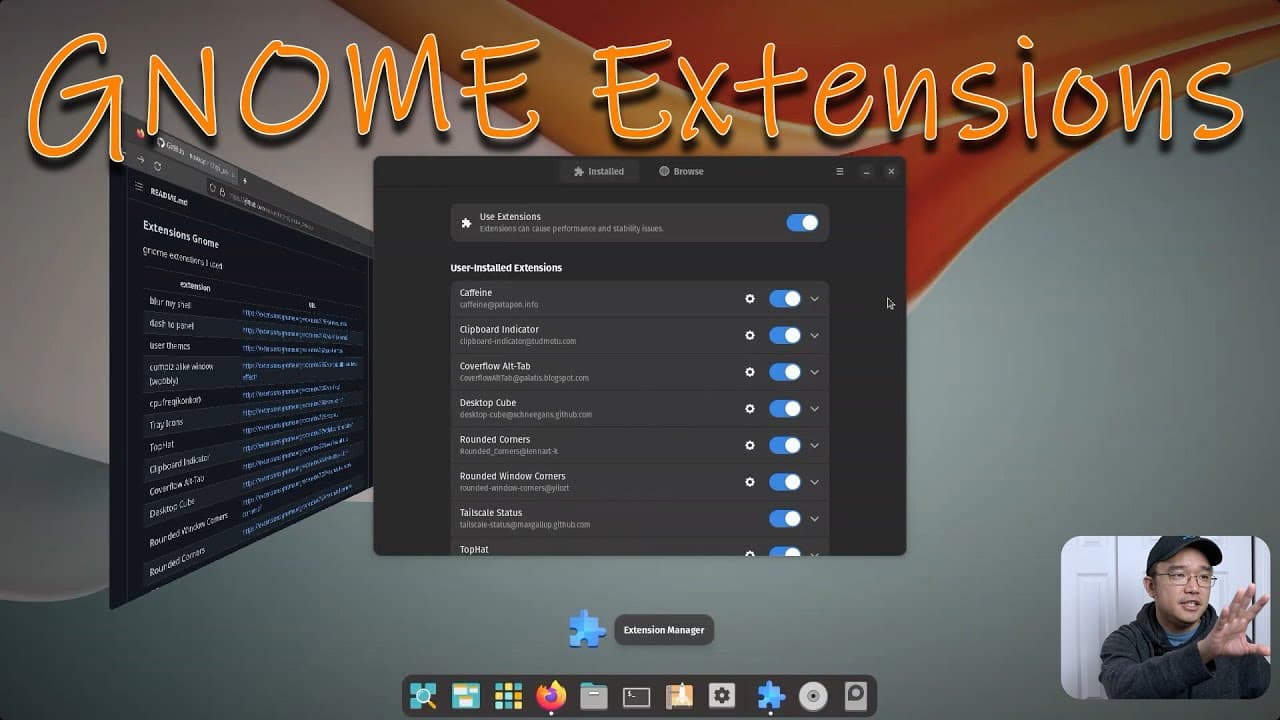
hey guys what's going on it's Don here from Nova Spirit Tech and welcome back to our Channel and today I'm going to be showing you guys my gnome extension plugins for 2023 so let's get started now I've been using gnome for quite some time and I think I've done a couple of these videos before now I could use KDE or xfce but gnome since 2020 had a re... Read More
Key Insights
- 👤 GNOME has made significant improvements in usability and aesthetics, especially with its support for fractional scaling since 2020, making it a preferred choice for laptop users.
- 👻 Extensions like Blur My Shell and User Themes enhance the visual appeal of the desktop, allowing for personality and customization that can suit various tastes.
- 💁 System monitoring tools like Top Hat provide real-time information on CPU and memory usage directly from the desktop environment, enhancing user awareness of system performance.
- 👤 Convenient tools such as GS Connect facilitate seamless file transfer between Android devices and laptops, greatly enhancing workflow and productivity for users who frequently use their phones for media creation.
- 🪜 The Desktop Cube extension adds an impressive visual element reminiscent of previous desktop environments, adding a fun dynamic to workspace navigation.
- 😷 The author values community engagement, encouraging viewers to ask questions or comment about the extensions, showcasing the channel's interactive nature.
- 👻 The ability to streamline repetitive tasks through extensions like Clipboard Indicator ultimately optimizes the user experience, allowing for greater efficiency.
Install to Summarize YouTube Videos and Get Transcripts
Explore YouTube Video Summarizer or Get YouTube Transcript Extractor
Questions & Answers
Q: What are some of the highlighted GNOME extensions in the video?
The video highlights several extensions such as Blur My Shell, which provides a stylish aesthetic to the desktop, and Clipboard Indicator, which retains multiple clipboard items for easy access. Other noteworthy extensions include Top Hat for system monitoring, and Cover Flow Alt Tab for a visually appealing way to switch between applications.
Q: What is the function of the Clipboard Indicator extension?
The Clipboard Indicator extension works similarly to the Ditto application on Windows. It allows users to store and access the last 20 to 30 copied items, making it easier to manage multiple clipboard entries without the need to repeatedly copy and paste items. This feature greatly enhances productivity for tasks that involve frequent text manipulation.
Q: How does the Cover Flow Alt Tab extension improve application switching?
Cover Flow Alt Tab enhances the application switching experience by displaying windows in a visually engaging manner. Instead of just icons, it shows a more informative preview of the application window, which makes it easier for users to identify open applications based on visual content instead of memory recall alone.
Q: Why does the author prefer rounded window corners, and how can they be adjusted?
The author prefers rounded window corners for aesthetic enhancements to the desktop environment, as they provide a modern and polished look. Users can adjust the border radius settings depending on their preference—from subtle rounding to more pronounced curves—allowing for greater customization of their visual experience.
Summary & Key Takeaways
-
The video presents a collection of GNOME extensions used by the author in 2023, highlighting their features and functionalities, emphasizing the ease of customization within the GNOME desktop environment.
-
Key extensions discussed include tools for clipboard management, visual enhancements for windows, and utilities that support system monitoring, all aiming to improve user experience and productivity.
-
The author also mentions plans to occasionally switch to other desktop environments like KDE or XFCE but indicates satisfaction with GNOME's capabilities, particularly its fractional scaling.
Read in Other Languages (beta)
Share This Summary 📚
Summarize YouTube Videos and Get Video Transcripts with 1-Click
Try YouTube Summary with ChatGPT & Claude or YouTube Transcript Generator
Explore More Summaries from Novaspirit Tech 📚






Summarize YouTube Videos and Get Video Transcripts with 1-Click
Try YouTube Summary with ChatGPT & Claude or YouTube Transcript Generator