How to Write Better ChatGPT Prompts and Patterns
TL;DR
Effective ChatGPT prompts clearly define the goal, output format, role, audience, context, examples, style, scope, and restrictions. Select a suitable pattern, such as persona, audience persona, visualization generator, recipe, or template, then test the response, review what ChatGPT understood, and provide feedback instead of accepting the first result blindly.
Transcript
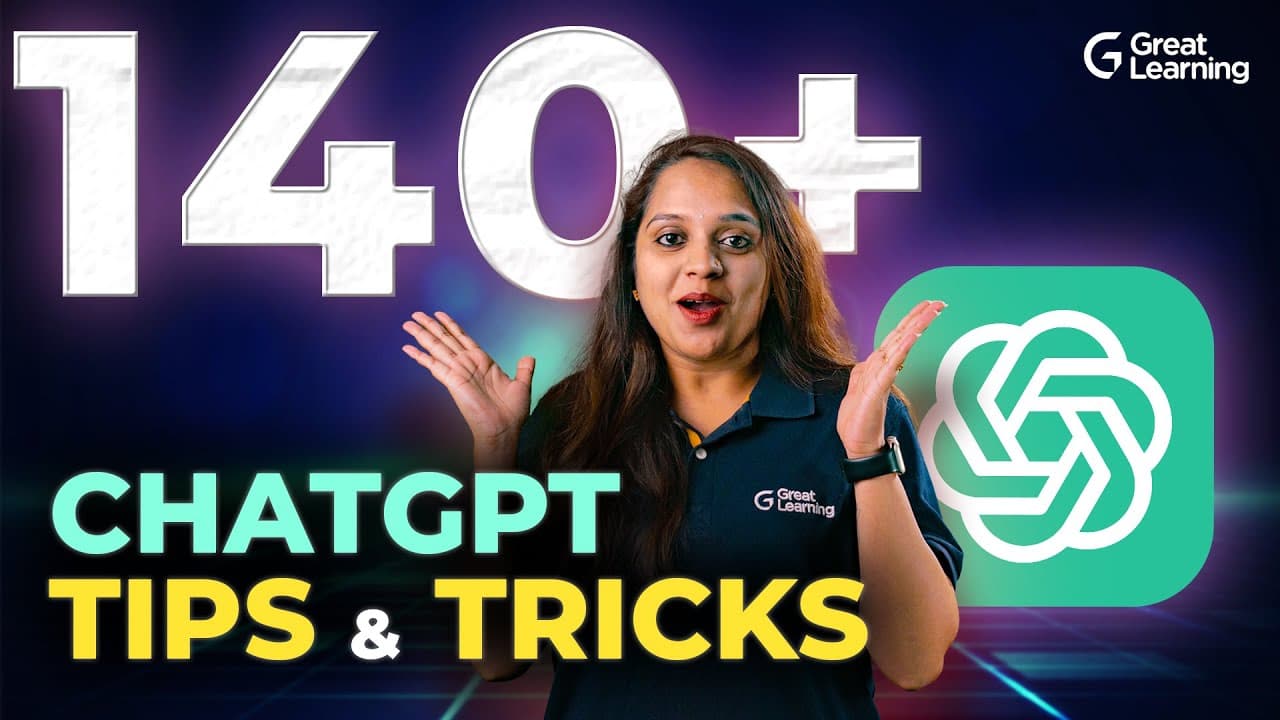
Did You know ChatGPT is the fastest growing app with 100 million active users? But what makes you unique among them is your prompting style. If you want to master the art of prompting, this video is for you. We have gathered an incredible essential tips and tricks to supercharge your ChatGPT experience like never before. In this video, you will dis... Read More
Key Insights
- A good prompt is built around a clearly defined goal. Telling ChatGPT exactly what task to perform reduces ambiguity and gives the rest of the instructions a specific purpose, whether the request concerns content, analysis, teaching, data, or code generation.
- The output format is an explicit part of prompt design. Users can request a table, paragraph, list, or CSV, and they can also ask for information to appear in priority order when the task requires ranked or sequenced content.
- A role gives ChatGPT a perspective for processing the request. Instructions such as acting as an analyst or yoga instructor establish a persona, which helps align the response with the expected expertise, responsibilities, and type of task.
- The intended audience determines how information should be presented. A prompt can target beginners, intermediate users, experts, sixth-class learners, or a ten-year-old child, allowing the wording, depth, examples, and assumed knowledge to be tailored accordingly.
- Context and examples clarify the desired result. Additional background explains the purpose and boundaries of a request, while examples show ChatGPT the pattern to follow and help it produce output that more closely matches the user's expectations.
- Five prompt patterns address distinct workflows. Persona, audience persona, visualization generator, recipe, and template patterns respectively define a role, define a reader, prepare data for tools, organize steps and subtasks, or fit generated material into specified placeholders.
- Restrictions establish practical response boundaries. Specifying output length, token length, scope, style, or other constraints helps ChatGPT remain within the requested parameters and produce material that is more relevant to the user's intended use.
- Prompt testing is necessary even after careful design. Users should read generated content, ask what ChatGPT understood, check whether the response is accurate, and provide feedback rather than following an unreviewed answer that may contain mistakes.
Install to Summarize YouTube Videos and Get Transcripts
Explore YouTube Video Summarizer or Get YouTube Transcript Extractor
Questions & Answers
Q: How do you write an effective ChatGPT prompt?
Write an effective ChatGPT prompt by defining the exact goal, naming the required output format, assigning an appropriate role, and identifying the intended audience. Add relevant context and examples, specify the desired communication style, define the scope, and apply restrictions such as output or token length. After receiving the answer, review it, check what ChatGPT understood, and provide feedback when revision is needed.
Q: What information should a good ChatGPT prompt include?
A good ChatGPT prompt should include the task goal, desired format, relevant role, target audience, supporting context, useful examples, preferred style, defined scope, and practical restrictions. Formats can include a table, paragraph, list, or CSV. Audience details might identify beginners, experts, students, or children, while restrictions can establish the expected response length and other boundaries for the generated output.
Q: What are the five prompt patterns described for ChatGPT?
The five patterns are the persona pattern, audience persona pattern, visualization generator pattern, recipe pattern, and template pattern. They serve different purposes: assigning ChatGPT a role, tailoring material to a particular audience, generating structured data for another tool, completing a task through known steps or subtasks, and inserting information into predefined placeholders that control the final output structure.
Q: How does the persona pattern improve a ChatGPT prompt?
The persona pattern tells ChatGPT to act in a defined role while completing a task. For example, a user can request a beginner-friendly joint mobility routine from the perspective of a yoga instructor or ask ChatGPT to act as an analyst. The selected role gives the model a clearer processing perspective and helps shape the response around the expertise and responsibilities implied by that persona.
Q: What is the difference between persona and audience persona prompts?
A persona prompt defines who ChatGPT should act as, such as an analyst or yoga instructor. An audience persona prompt defines who should receive or understand the response, such as a ten-year-old child, a skeptical child, a beginner, or an expert. The first changes the model's working perspective, while the second adjusts the explanation's language, depth, assumptions, and presentation for the target reader.
Q: When should you use a recipe prompt pattern?
Use a recipe prompt when you know the overall task and also know some required steps or subtasks. The prompt can state the desired result, list the known components, and ask ChatGPT to complete the remaining plan. The travel example uses a journey with transportation choices and asks ChatGPT to turn those known details into a complete itinerary, making the pattern useful for structured, multistep work.
Q: How does a template prompt control ChatGPT output?
A template prompt supplies predefined fields or placeholders and asks ChatGPT to place generated information into them. A travel itinerary might specify the date, location, activity, and best time of day, along with the sentence structure for presenting those details. This pattern controls consistency by showing both what information is required and exactly where each generated element should appear in the finished response.
Q: What common ChatGPT prompting errors should be avoided?
Avoid vague or ambiguous requests, biased instructions or examples, missing contextual information, insufficient examples, and prompts that combine too many confusing details, reference points, or personas. Also avoid accepting an answer without testing it. Read the generated response, determine whether ChatGPT understood the request, verify that the result fits the goal, and provide feedback or revise the prompt if the response is inaccurate.
Summary & Key Takeaways
-
A practical prompt checklist begins with a precise goal and desired output format. It then adds a suitable role, identifies the intended audience, supplies relevant context and examples, specifies the communication style, defines the task scope, and applies restrictions such as output or token length to establish useful response boundaries.
-
Five prompt patterns support different needs. Persona prompts assign ChatGPT a role, while audience persona prompts tailor explanations to particular readers. Visualization generator prompts create data for external tools. Recipe prompts organize known steps toward a task, and template prompts place generated information into predefined fields or placeholders.
-
Common prompting errors include vague instructions, biased examples, missing context, insufficient examples, and overly complex requests containing conflicting information or personas. A well-designed prompt still requires testing. Users should read the response, verify what ChatGPT understood, provide feedback, and revise the prompt when the output is inaccurate or unsuitable.
Read in Other Languages (beta)
Share This Summary 📚
Summarize YouTube Videos and Get Video Transcripts with 1-Click
Try YouTube Summary with ChatGPT & Claude or YouTube Transcript Generator
Explore More Summaries from Great Learning 📚

Summarize YouTube Videos and Get Video Transcripts with 1-Click
Try YouTube Summary with ChatGPT & Claude or YouTube Transcript Generator