How to Create Colorful Graphs for Dark Presentations
TL;DR
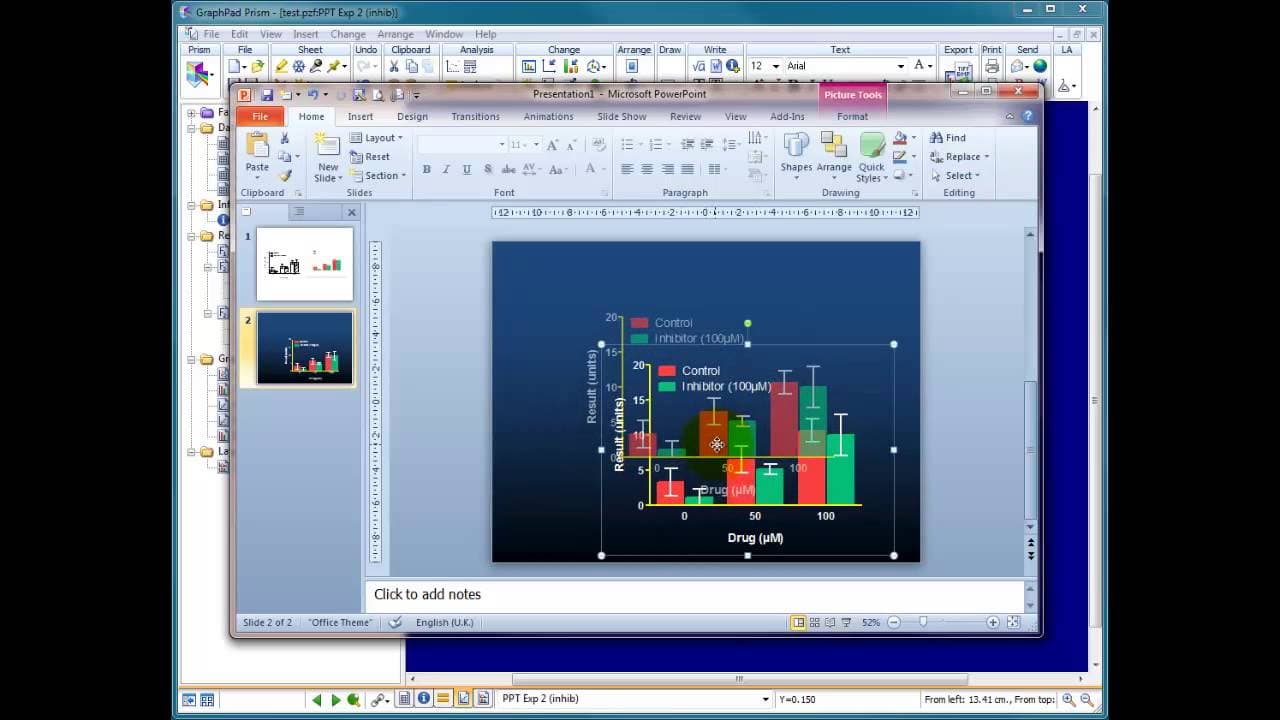
To create colorful graphs suitable for dark presentations, duplicate your graph in Graphpad Prism and adjust the colors of text and bars for visibility. Change the background to a darker shade and ensure that your color choices contrast well, enhancing viewer engagement. Finally, copy and paste the customized graph into PowerPoint for a polished look.
Transcript
okay it's quite often that you need to present data either in a word processed format or an online presentation or a PowerPoint presentation in a meeting um these days it's there's mixed the jwes out I guess the mixed opinion on whether it's good to have a dark background or a light background or color or black and white um to be honest I tend to u... Read More
Key Insights
- ❓ The choice of background color in PowerPoint presentations should consider the lighting conditions of the presentation venue.
- 📈 Modifying graph colors within Prism eliminates the need to manually edit graphs in PowerPoint.
- 📈 By creating duplicate copies of graphs and experimenting with different color combinations, presenters can customize their visuals to match their presentation themes.
- 👻 Prism allows users to link data tables and analysis, making it easy to update graphs with new data or experiment variations.
- 👻 Matching formatting within Prism allows for consistent design across multiple graphs, streamlining the presentation creation process.
- 🕶️ Colorful graphs on a dark background can enhance visual impact and improve audience engagement.
- 🫥 Careful consideration should be given to font colors and line styles to ensure they are visible and cohesive with the graph design.
Install to Summarize YouTube Videos and Get Transcripts
Explore YouTube Video Summarizer or Get YouTube Transcript Extractor
Questions & Answers
Q: Why is it important to consider the background color when designing PowerPoint presentations?
The background color sets the overall tone and visibility of the presentation. In dark rooms, white backgrounds with dark text can blind the audience, so opting for a slightly darker background is preferable.
Q: How can Prism be used to modify graph colors?
Prism allows users to change the background and text colors within the software. By selecting different color options, one can experiment with various combinations to find the most visually appealing design.
Q: What are the benefits of using colorful graphs in PowerPoint presentations?
Colorful graphs enhance visual appeal, making it easier for the audience to understand and engage with the data presented. They also help establish a cohesive design theme throughout the presentation.
Q: How can modified graphs be incorporated into PowerPoint presentations?
After making color modifications in Prism, the graph can be copied and pasted into PowerPoint as a Windows metafile. This ensures that the graph retains its visual appearance and can be easily adjusted within PowerPoint.
Summary & Key Takeaways
-
The speaker discusses the importance of choosing the right background color for PowerPoint presentations, especially when presenting in dark rooms.
-
He demonstrates how to create a duplicate copy of a graph in Prism and modify its colors to be visible on a dark background.
-
By changing the background and text colors in Prism, the graph can be customized to match the presentation's overall design.
-
The modified graph can then be easily copied and pasted into PowerPoint for a visually striking and cohesive presentation.
Read in Other Languages (beta)
Share This Summary 📚
Summarize YouTube Videos and Get Video Transcripts with 1-Click
Try YouTube Summary with ChatGPT & Claude or YouTube Transcript Generator
Explore More Summaries from Dory Video 📚






Summarize YouTube Videos and Get Video Transcripts with 1-Click
Try YouTube Summary with ChatGPT & Claude or YouTube Transcript Generator