Arduino and joysticks - Part 1 - Introduction
TL;DR
This video explains joystick mechanics and Arduino interfacing for basic control applications.
Transcript
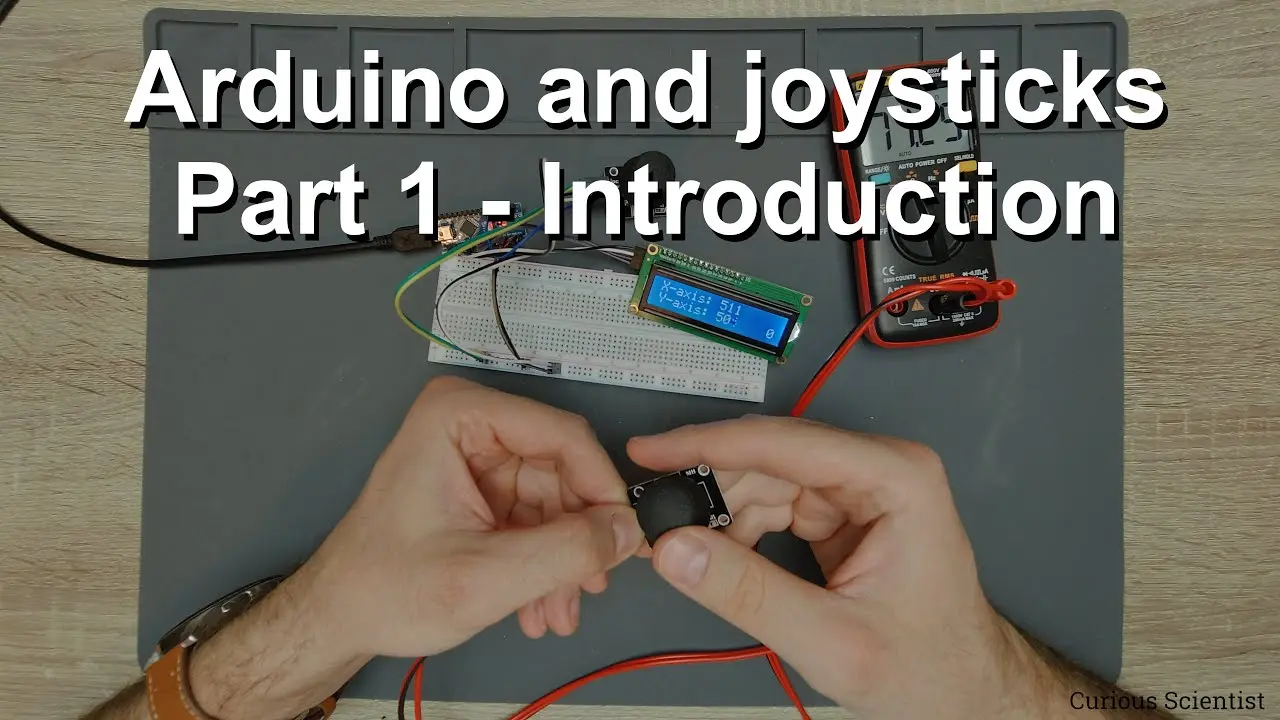
welcome everyone in this video i'm going to show you how to work with joysticks as you can see there is a very simple setup on the table so here we have an lcd there is an arduino nano and here is our joystick and everything is connected on a breadboard i will show you the drawing but it's uh very very simple so what is a joystick so this can be ve... Read More
Key Insights
- 🕹️ Joysticks function primarily through two potentiometers that provide analog signals corresponding to movement in two axes.
- 👻 The internal mechanics of joysticks utilize simple components, allowing for complex movement control but often limiting precision in cheaper models.
- 👻 Arduino integration allows for real-time reading of joystick positions and button states, enhancing interactive control in DIY projects.
- 👨💻 Code structures using interrupts and careful analog readings are essential for implementing responsive joystick functionality.
- 🕹️ Proper hardware setup on breadboards with well-defined connections facilitates effective joystick operation in various applications.
- 🦾 Recognition of joystick mechanics is critical for debugging issues related to control applications and understanding their limitations.
- 🕹️ Future developments in joystick applications can expand into more sophisticated robotics and automation projects, showcasing their versatility.
Install to Summarize YouTube Videos and Get Transcripts
Explore YouTube Video Summarizer or Get YouTube Transcript Extractor
Questions & Answers
Q: What components are essential for setting up a joystick with an Arduino?
A basic setup includes an Arduino Nano, a joystick module, an LCD for output, and a breadboard for connections. The joystick has pivotal components like potentiometers for analog reading and a push button integrated into its design, all powered through a 5V supply.
Q: How does the joystick translate movement into voltage?
Inside the joystick, two potentiometers correspond to the X and Y axes. When the knob is moved, the position changes the voltage output between 0V and 5V, allowing the Arduino to read the position as an analog signal, typically ranging from 0 to 1023.
Q: What are the limitations of using cheap joysticks for projects?
Cheaper joysticks often have reduced precision, limited electrical range, and mechanical shortcomings such as a lack of smooth movement. These issues can hinder performance in applications that require precise control or feedback, prompting the need for higher-quality alternatives.
Q: Can multiple stepper motors be controlled simultaneously using a joystick?
Yes, it's possible to control two or more stepper motors simultaneously using a joystick by interpreting the X and Y axes for movement direction and magnitude, however, proper programming and hardware setup are crucial for synchronization and accurate control.
Q: Why is it important to debounce the joystick button in the code?
Debouncing is necessary to prevent false triggering of the joystick button, as pressing the button can cause multiple signals to be sent rapidly. The use of an interrupt service routine allows for more reliable detection of the button state, ensuring only one action occurs per press.
Q: What kind of applications can be created using a joystick and Arduino?
Applications include robotic arm control, remote vehicle navigation, interactive gaming interfaces, and automated drawing with CNC setups. The versatility of Arduino with joysticks can be leveraged in creative automation and control systems across various domains.
Q: What coding practices help improve the responsiveness of the joystick in Arduino projects?
Using efficient coding practices, such as minimizing delays, reading analog values at optimal intervals, and managing how frequently the LCD is updated, helps ensure the joystick interaction remains smooth and responsive, improving overall user experience.
Q: What future projects with the joystick does the presenter plan to explore?
The presenter intends to purchase a higher-quality joystick to build a more advanced control system for manipulating multiple stepper motors, expanding on the concepts introduced in the video and showcasing how to implement more intricate projects in the future.
Summary & Key Takeaways
-
The video provides a hands-on demonstration of using joysticks with an Arduino Nano, showcasing a simple configuration involving an LCD and breadboard.
-
Viewers learn about the internal mechanics of a joystick, emphasizing the function of potentiometers for measuring movement and the limitations of cheaper joystick models.
-
The presenter shares insights on programming the joystick to interact with the Arduino, including code snippets to read analog values and manage user input for basic control tasks.
Read in Other Languages (beta)
Share This Summary 📚
Summarize YouTube Videos and Get Video Transcripts with 1-Click
Try YouTube Summary with ChatGPT & Claude or YouTube Transcript Generator
Explore More Summaries from Curious Scientist 📚


![Building a coil winder [Part 6] - A few improvements thumbnail](/_next/image?url=https%3A%2F%2Fi.ytimg.com%2Fvi%2F3eyxG_g2iUA%2Fhqdefault.jpg&w=750&q=75)
![Building a Peltier cooler-based cooling box - First iteration, improvements [Part 2/6] thumbnail](/_next/image?url=https%3A%2F%2Fi.ytimg.com%2Fvi%2F0YlNw0EGnzI%2Fhqdefault.jpg&w=750&q=75)


Summarize YouTube Videos and Get Video Transcripts with 1-Click
Try YouTube Summary with ChatGPT & Claude or YouTube Transcript Generator