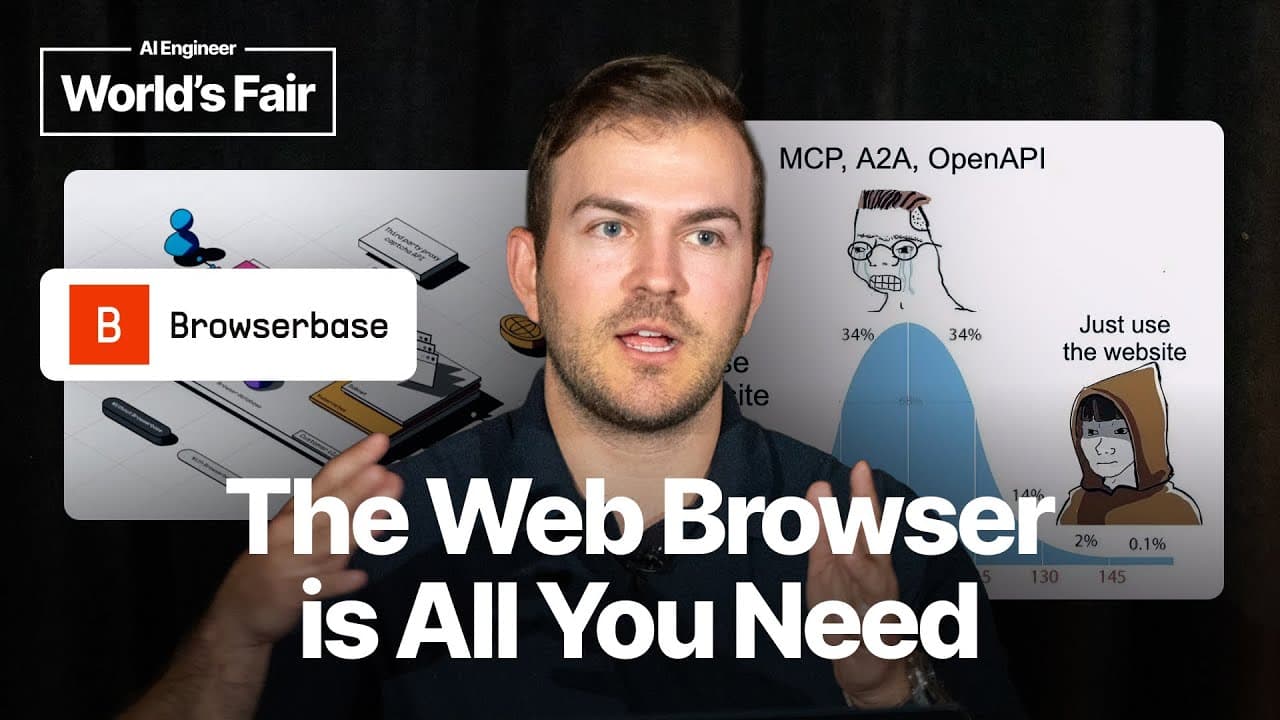
How Can AI Agents Automate the Legacy Web? Paul Klein IV of Browserbase Explains
TL;DR
AI agents can automate the legacy web by using browsers as a bridge to websites that lack MCP servers, OpenAPI interfaces, GraphQL APIs, or first-party integrations. Paul Klein IV of Browserbase distinguishes flexible web agents from narrower browser tools and compares vision-driven screenshots with text-driven HTML and accessibility trees. Read on to understand which approach fits each workflow and how task-specific evaluations and observability support production deployments.
Transcript
hey everybody I'm Paul i'm the founder of Browserbase and I am obsessed with browsers specifically one type of browsers headless browsers and I'm here to talk about how the browser is all you need it's not attention it's not MCP it's the browser or specifically the browser MCP server is all you need and I'm going to try and keep it light on slides ... Read More
Key Insights
- The browser is a bridge between AI agents and the legacy internet because many websites will not offer dedicated MCP servers, GraphQL APIs, or other first-party integrations. It lets agents use existing interfaces when a purpose-built connection is unavailable.
- A browser is an integration of last resort, not a replacement for every direct integration. If a service such as Salesforce has an appropriate MCP server, developers should use it, while browser automation fits custom or older systems without supported programmatic access.
- Vision-driven web agents use screenshots as model context and may add numbered boxes or other marks to identify clickable elements. The model can then select a labeled region, an approach that may improve interaction with visually complex pages.
- Text-driven web agents use page structures such as HTML, XPath, and Playwright code to choose and execute actions. Accessibility trees can condense the page into a cleaner representation that preserves useful structure while removing many extra div elements and classes.
- Web trajectories teach computer-focused models how to reason through sequences of pages. Their purpose extends beyond identifying the correct button on one screen, since they can train a model to determine an appropriate path across a multi-page task.
- A web agent converts one prompt into many actions and controls much of the reasoning process. Repeating the same request can produce different paths, making agents persistent and flexible but also more nondeterministic than narrowly defined browser tools.
- A browser tool maps a specific instruction to a specific action, such as clicking a sign-in button. It is better suited to workflows whose high-level steps are already known, while generic web agents fit tasks whose prompts and required paths are uncertain.
- Production browser automation requires controlled MCP selection, task-specific evaluations, and observability. Developers should record screenshots, action histories, prompts, and visited paths so they can identify why an agent performed an incorrect action, such as purchasing the wrong product.
Install to Summarize YouTube Videos and Get Transcripts
Explore YouTube Video Summarizer or Get YouTube Transcript Extractor
Questions & Answers
Q: How can AI agents automate the legacy web?
AI agents can operate existing website interfaces through a browser when no suitable MCP server, API, or first-party integration is available. Paul Klein IV describes the browser as a bridge to legacy systems such as DMV websites, barbershop booking pages, and franchise-tax filing sites.
Q: When should an AI application use a browser instead of an MCP integration?
A browser should be the integration of last resort when a service lacks an appropriate direct integration. If a suitable MCP server already exists, such as one for Salesforce, the direct integration is preferable; browser automation is best suited to custom, legacy, or otherwise unsupported websites.
Q: What is the difference between a web agent and a browser tool?
A web agent turns a broad prompt into many browser actions and decides how to navigate the task, so repeated requests can follow different paths. A browser tool performs a narrower specified operation, such as clicking a sign-in button, and better fits workflows whose high-level steps are already known.
Q: How do vision-driven web agents interact with websites?
Vision-driven agents mainly use screenshots as model context. A system can mark interactive areas with numbered boxes, enabling the model to request an action such as clicking the box labeled 25; this approach may work well on complex pages.
Q: How do text-driven web agents control browsers?
Text-driven agents primarily use HTML as model context and can select elements through XPath or generate Playwright code. This approach may produce more repeatable actions, though its suitability depends on the website being automated.
Q: Why do web agents use accessibility trees?
An accessibility tree presents the page in a condensed structure while preserving useful layout and interaction information. It removes many extra div tags and classes, giving the agent a cleaner representation than raw HTML.
Q: What are web trajectories used for in browser automation?
Web trajectories train computer-focused models on sequences of browser interactions. They help models learn not only which button to select on one page, but also how to reason about the correct path across multiple pages.
Q: Why is observability important for browser-based AI agents?
Observability helps developers reconstruct an agent's browser behavior and diagnose incorrect actions. Records such as screenshots, prompts, action histories, and visited pages can reveal why an agent followed a particular path, including how a shopping request resulted in the wrong product being purchased.
Summary & Key Takeaways
-
A browser can serve as the integration of last resort when an AI agent must interact with legacy websites that lack MCP servers, OpenAPI interfaces, GraphQL APIs, or first-party integrations. Instead of reverse engineering private APIs, developers can let agents operate the same web interfaces that people already use.
-
Web automation can use screenshots, marked visual elements, HTML, XPath, Playwright code, or condensed accessibility trees. Vision-driven agents may handle complex pages well, while text-driven approaches can offer more repeatable actions. Models trained on web trajectories can also learn to reason across several pages, not merely select one button.
-
Developers should distinguish autonomous web agents from controlled browser tools. Web agents translate one request into many potentially different actions, while browser tools perform narrower, specified operations. Production deployments also need selective MCP onboarding, task-specific evaluations, and detailed observability to reconstruct prompts, visited pages, screenshots, and actions when failures occur.
Read in Other Languages (beta)
Share This Summary 📚
Summarize YouTube Videos and Get Video Transcripts with 1-Click
Try YouTube Summary with ChatGPT & Claude or YouTube Transcript Generator
Explore More Summaries from AI Engineer 📚




Summarize YouTube Videos and Get Video Transcripts with 1-Click
Try YouTube Summary with ChatGPT & Claude or YouTube Transcript Generator