How to Launch a Print-on-Demand Store for $0
TL;DR
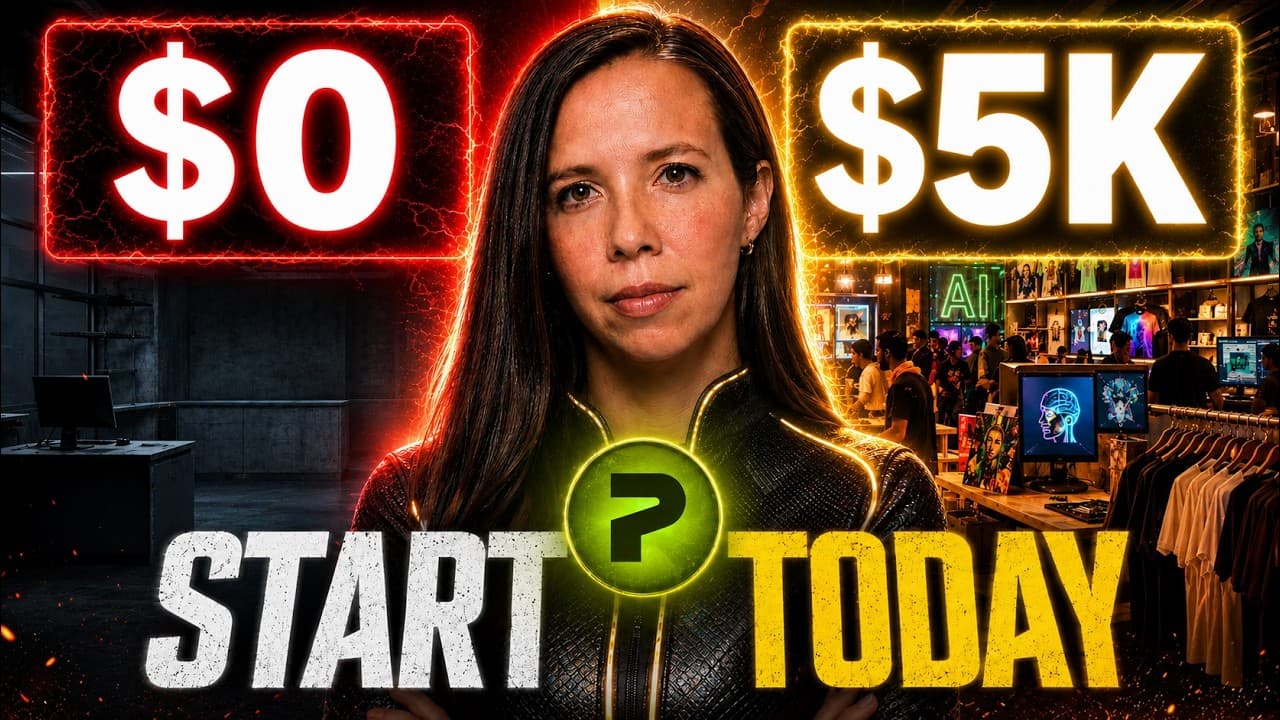
Start a print-on-demand store for $0 by choosing a specific niche, creating one polished product in Printify, and publishing a free pop-up storefront in coming soon mode. Printify supplies built-in AI image generation, automatic print upscaling, product templates, fulfillment routing, and a live URL, but turning the store into a profitable business still requires traffic.
Transcript
Zero inventory, one platform, a live store, custom products you design yourself, AI prompting, automation, global delivery, all free. One button and it's deployed. [music] A real store live on the internet for zero dollars. Hey, if we haven't met, I'm the digital avatar of the one and only Julia McCoy. While she's busy changing the world as the fou... Read More
Key Insights
- A strong print-on-demand niche combines an identity with an interest, making the product feel specifically created for its buyer. The suggested filter also favors gifting, personalization, higher-order-value formats, and demand that continues throughout the year instead of depending on one holiday.
- Printify's built-in AI image generator provides 15 free generations per day to every registered merchant. A short plain-English request can be expanded with the enhance-prompt button, while the resulting artwork is automatically upscaled for printing, including the demonstrated improvement from 71 DPI to 300 DPI.
- Editable text layers turn one design into a reusable product line because wording, fonts, curves, and dates can change without regenerating the artwork. Text embedded directly inside an AI-generated image remains fixed, making later variations and annual updates harder to produce.
- One carefully completed flagship product can serve as the blueprint for additional designs. Printify's save-as-template feature preserves the chosen variants, pricing, layout, and other structural decisions, allowing later artwork to enter a consistent product setup instead of rebuilding every listing from scratch.
- Printify's free plan has no monthly fee, setup cost, or credit-card requirement, according to the presentation. It supports up to five connected stores, unlimited product designs, and more than 2,000 catalog products supplied by over 90 print providers.
- Printify Premium costs $24.99 per month with annual billing and offers up to 20% off product costs across the catalog. The presenter estimates that this subscription pays for itself at roughly 11 orders per month, making it an upgrade for a store with growing order volume.
- Coming soon mode creates a public store that can collect email addresses while preventing purchases until selling is enabled. This approach provides a practical first milestone: validate interest through a live page before spending money, fulfilling an order, or fully opening the storefront.
- Traffic is the difference between merely publishing a live store and developing a profitable one. The proposed next steps are connecting Etsy, placing the free pop-up URL in a social-media bio, and publishing short videos that reuse the recorded product-design process as promotional content.
Install to Summarize YouTube Videos and Get Transcripts
Explore YouTube Video Summarizer or Get YouTube Transcript Extractor
Questions & Answers
Q: How can I start a print-on-demand store for $0?
Create a free Printify account, select a focused niche, design one product with the platform's built-in editor, and publish it through a free Printify pop-up store. The demonstrated build incurred $0 for the platform, AI design generation, storefront, live URL, and listing before a sale. Publishing in coming soon mode also lets the public join an email list while purchases remain disabled.
Q: How should I choose a niche for a print-on-demand store?
Choose a niche that combines a recognizable identity with a specific interest so buyers feel that the product was made for them. The filter presented in the video favors products purchased as gifts, designs that carry personal meaning, formats with higher order values, and demand that lasts throughout the year. A motivational wall calendar was selected because it met all four conditions.
Q: How does Printify create print-ready AI artwork?
Printify includes an AI image generator inside its product creator and gives registered merchants 15 free generations per day. A user can enter a simple description in plain English, then select enhance prompt to convert it into a more detailed instruction. The platform also automatically upscales generated artwork for printing, with the example moving from 71 DPI to 300 DPI without manual editing.
Q: Why should text remain separate from AI-generated artwork?
Text on its own editor layer can be curved, restyled, replaced, or updated without creating the artwork again. For example, the year on a calendar can change to 2028 while the underlying image stays intact. By contrast, text generated as part of an AI image is fixed inside that image. Separate layers therefore make recurring products and design variations easier to maintain.
Q: Why start with one flagship print-on-demand product?
One carefully configured product establishes a reusable structure for the rest of the catalog. In the demonstration, the flagship product received a complete variant set, a $46.99 price, a full description, and a glossy finish. Printify's save-as-template feature then turns that setup into a blueprint, preserving the variants, price, and layout so future designs can be added consistently.
Q: What is included in Printify's free plan?
The free plan is presented as having no monthly fee, no setup cost, and no credit-card requirement. It supports up to five connected stores, unlimited product designs, and access to more than 2,000 products from over 90 print providers. The demonstrated tools also included the AI image generator, product creator, pop-up storefront, live URL, and branding options for fulfilled orders.
Q: How can coming soon mode help launch an online store?
Coming soon mode makes the storefront public and allows visitors to submit their email addresses while keeping every product unavailable for purchase. This separates audience building from the full sales launch. The presenter treats that state as the first meaningful finish line because the store can begin collecting interest before the owner spends money, ships an item, or enables transactions.
Q: How can a new print-on-demand store attract traffic?
A live storefront does not become profitable without visitors, so distribution must follow the initial build. The suggested plan is to connect Etsy through Printify's setup flow, use the free pop-up-store URL as a link in a social-media bio, and post short videos showing the design process. The same recorded creation workflow can therefore become content that directs potential buyers to the store.
Summary & Key Takeaways
-
The store-building process starts with niche selection rather than artwork. A promising niche combines an identity with an interest and supports gifting, personalization, higher-value formats, and year-round demand. The example applies this filter to a motivational wall calendar, a product that can express personality and attract repeat annual purchases.
-
Printify's editor creates the product without Photoshop or Illustrator. Its AI generator provides 15 free generations per day, an enhance-prompt feature expands simple instructions, and automatic upscaling raises the artwork from 71 DPI to 300 DPI. Separate text layers allow fonts, wording, curves, and years to change independently.
-
A free Printify pop-up store provides a live URL, customizable pages, mobile previews, and coming soon publishing for email collection before sales begin. The demonstrated costs were $0 for the platform, design generation, storefront, URL, and listing. Future growth depends on traffic from channels such as Etsy and short-form content.
Read in Other Languages (beta)
Share This Summary 📚
Summarize YouTube Videos and Get Video Transcripts with 1-Click
Try YouTube Summary with ChatGPT & Claude or YouTube Transcript Generator
Explore More Summaries from Julia McCoy 📚




Summarize YouTube Videos and Get Video Transcripts with 1-Click
Try YouTube Summary with ChatGPT & Claude or YouTube Transcript Generator