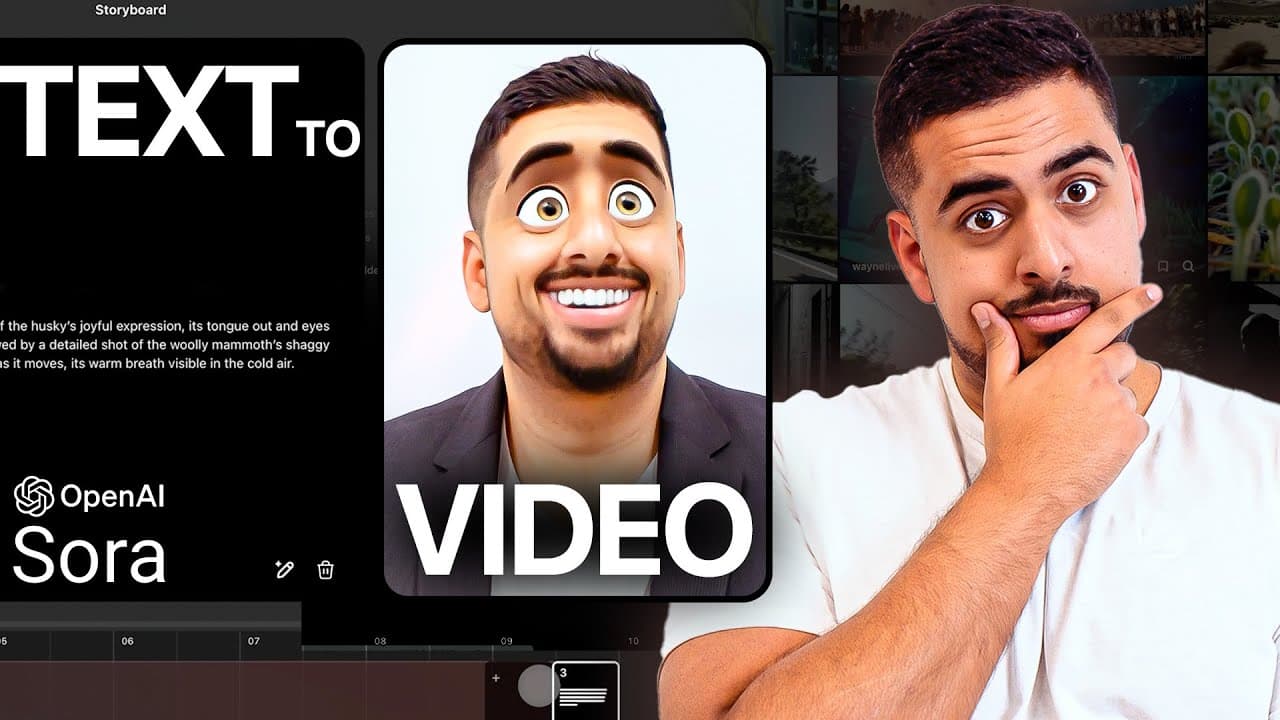
How to Write Better Sora Text-to-Video Prompts
TL;DR
Effective Sora prompts specify the subject, setting, camera shot, movement, lighting, atmosphere, visual quality, aspect ratio, and resolution. Start from a proven prompt or minimal scene idea, generate both single-prompt and storyboard versions, then verify every added detail against your intended vision before testing and refining the result.
Transcript
if you want to step up your text to video prompt engineering game this video is for you I'm going to show you some tips and tricks to make it as easy as possible for you to be able to create your vision without being an expert at writing cinematic prompts I'm going to first go through my Sora promp and guide that I put together to give you some Clu... Read More
Key Insights
- Cinematic vocabulary is a practical control system for Sora prompts. Naming the shot type, camera movement, lighting, atmosphere, technical appearance, and desired quality gives the model more precise guidance than describing only the subject or general scene.
- Existing Sora prompts are reusable learning resources. Prompts can be viewed by hovering over videos on the recent or featured pages, then copied into a ChatGPT session and adapted to a different subject, location, shot, or creative goal.
- Shot selection is an important part of prompt design. Close-up, medium, wide-angle, drone, and point-of-view shots communicate how the audience should see a scene, including the distance, scale, perspective, and relationship between the camera and subject.
- Camera movement changes how a generated scene unfolds. Terms such as pan, tilt, dolly, and smooth crane shot can specify motion, while a prompt describing an upward crane movement can emphasize the height of a futuristic skyscraper.
- Lighting and atmosphere strongly influence the visual result. Natural, studio, soft, hard, twilight, and golden-hour lighting provide distinct instructions, while descriptions such as a soft golden and blue glow help establish the scene’s mood and appearance.
- Quality terms communicate the intended level of realism and detail. Cinematic, ultra-detailed, and hyper-realistic are common descriptors, with hyper-realistic being especially useful for close views where features such as animal whiskers or pupils should appear lifelike.
- Negative prompting appeared more effective in the demonstrated Sora test than in the image-generation examples. Repeated instructions to exclude elephants still produced elephants in generated images, while a Sora video using a similar exclusion did not visibly show one.
- Storyboard prompting can divide one concept into multiple subscenes. It can produce useful structure, but it may also become overly verbose or invent details, so creators should compare the storyboard with a single prompt and verify that every addition supports their vision.
Install to Summarize YouTube Videos and Get Transcripts
Explore YouTube Video Summarizer or Get YouTube Transcript Extractor
Questions & Answers
Q: How do you write an effective prompt for Sora?
An effective Sora prompt clearly describes the main subject, environment, visual style, camera framing, camera movement, lighting, atmosphere, and desired quality. Useful terms include close-up, wide-angle, drone shot, pan, tilt, dolly, cinematic, ultra-detailed, hyper-realistic, studio lighting, and golden hour. The final prompt should also match the chosen aspect ratio, resolution, and available video duration.
Q: How can beginners find good Sora prompt examples?
Beginners can browse the recent or featured sections of the Sora website and hover over an interesting video to view the prompt behind it. That prompt can be copied into a new ChatGPT session with instructions to adapt it to another vision, such as a close-up cliff scene. This approach provides a tested structure without requiring extensive cinematic vocabulary at the start.
Q: What camera terms should be included in Sora prompts?
Sora prompts can identify both shot type and camera movement. Shot options discussed include close-up, medium, wide-angle, drone, and point-of-view shots. Movement terms include pan, tilt, dolly, and crane shot. These words tell the model where the camera should be positioned and how it should move, helping shape perspective, scale, pacing, and the presentation of the subject.
Q: Why should lighting be specified in a Sora prompt?
Lighting changes the appearance and atmosphere of the generated scene, so naming it gives Sora a clearer visual target. The examples include natural lighting, studio lighting, soft lighting, hard lighting, golden hour, and twilight. A more specific description, such as a skyline illuminated by a soft golden and blue glow, can further define color, mood, and the surrounding environment.
Q: When should you use a storyboard prompt in Sora?
A storyboard is useful when a concept benefits from being divided into multiple scenes or sequential moments. Sora can create storyboard prompts from a broader description, and the custom GPT demonstrated in the transcript can also provide separate scene instructions. However, storyboards may become too verbose or invent unsupported details, so they should be compared with a single-prompt version and checked carefully before generation.
Q: What resolution and duration limits affect Sora prompting?
The demonstrated Sora interface offers 480p, 720p, and 1080p output choices. A 480p video generates faster and can extend up to 20 seconds, while 720p is slower. At 1080p, the video can only be generated for up to 10 seconds, and the custom GPT is configured around a 5-to-10-second range. Prompts should be scoped to fit these constraints.
Q: Does negative prompting work in Sora?
Negative prompting appeared to work better in the demonstrated Sora example than in the image-generation tests. Image prompts that repeatedly requested no elephants still produced one or more elephants, even when the instruction became stronger. A Sora prompt requesting a zoo video without any elephant did not visibly include one, although the generated video itself was described as bizarre and low quality.
Q: How can a custom GPT improve Sora prompts?
A custom GPT can act as a copilot that converts minimal input into more detailed cinematic language. In the demonstration, it asks for the desired scene or vibe, aspect ratio, and resolution, then returns a single-prompt version and a storyboard version. It can also recommend a storyboard when appropriate, incorporate vocabulary from the prompting guide, and account for resolution-related duration limits.
Summary & Key Takeaways
-
Strong Sora prompts combine a clear subject and setting with cinematic vocabulary for shot type, camera movement, technical appearance, lighting, atmosphere, and video quality. Terms such as close-up, drone shot, pan, tilt, dolly, cinematic, ultra-detailed, hyper-realistic, studio lighting, and golden hour can substantially influence the generated result.
-
Beginners can study prompts attached to videos on Sora’s recent or featured pages, copy an effective example, and ask ChatGPT to adapt it to a new vision. A custom GPT can further act as a copilot by converting minimal inputs into both a single prompt and a structured storyboard for comparison.
-
Output settings shape the prompting workflow. The demonstrated interface offers 480p, 720p, and 1080p, with 1080p limited to videos of up to 10 seconds and 480p supporting up to 20 seconds. Storyboards can organize multiple scenes, but generated details must be checked because automated expansion may stray from the original vision.
Read in Other Languages (beta)
Share This Summary 📚
Summarize YouTube Videos and Get Video Transcripts with 1-Click
Try YouTube Summary with ChatGPT & Claude or YouTube Transcript Generator
Explore More Summaries from Mark Kashef 📚



Summarize YouTube Videos and Get Video Transcripts with 1-Click
Try YouTube Summary with ChatGPT & Claude or YouTube Transcript Generator