How to Perform a Two-Tail T-Test in Excel
TL;DR
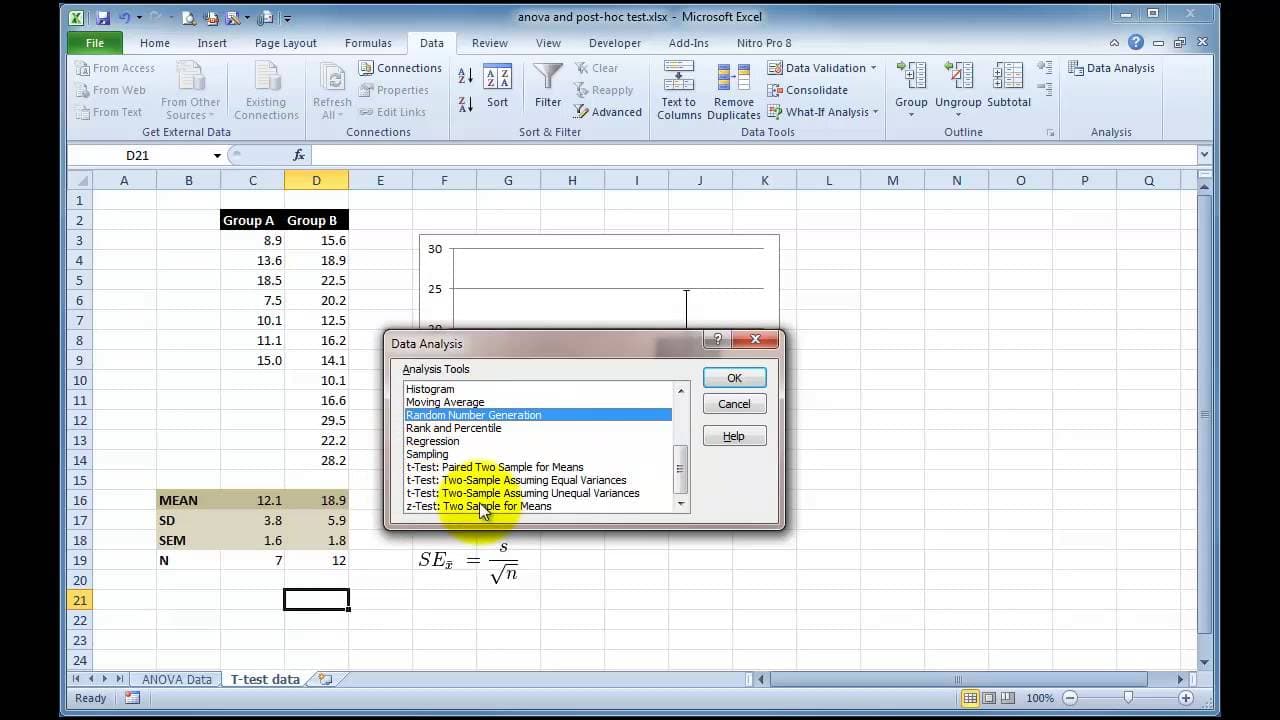
To perform a two-tail t-test in Excel, enable the Data Analysis Toolpak from the add-ins menu. Select your data ranges, specify if your data has labels, and check the p-value in the results. A p-value less than 0.05 indicates a significant difference between the groups being compared.
Transcript
hi it's James Clark here we don't all have access to complicated statistical analysis packages graphpad prism is the kind of standard for my lab but we don't all have access to that it's quite expensive so some of us are left just using Excel to do all of our data analysis and Excel is a quite a capable application but as it comes default as instal... Read More
Key Insights
- 📦 GraphPad Prism is a standard statistical analysis package, but it can be costly and inaccessible for many researchers.
- 😀 Excel, although limited in default data analysis tools, can be enhanced by enabling add-ins such as the Analysis Toolpak.
- 👥 By enabling the Analysis Toolpak in Excel, users gain access to various statistical tests, including t-tests for comparing two groups of data.
- 🏆 Users can perform a two-tail t-test in Excel by selecting the data, accessing the Data Analysis option, specifying the variable ranges and labels, and examining the t-test results for statistical significance.
- 👥 Excel's default t-test tool provides insights into the means, sample sizes, and p-values of the compared groups.
- 👥 Users can assume equal variances between the groups or conduct a variance test before performing the t-test.
- 👥 The t-test results indicate the statistical relevance and significance of the difference between the two groups.
Install to Summarize YouTube Videos and Get Transcripts
Explore YouTube Video Summarizer or Get YouTube Transcript Extractor
Questions & Answers
Q: What is the alternative for researchers who do not have access to GraphPad Prism or similar statistical analysis packages?
Researchers who do not have access to expensive statistical analysis packages can use Excel for data analysis, as it provides a range of built-in tools.
Q: How can users enable data analysis add-ins in Excel?
Users need to go to the File menu, choose Options, go to Add-ins, click on Manage Excel add-ins, and select the desired add-ins, such as the Analysis Toolpak.
Q: What are the advantages of using Excel for data analysis?
Excel is a capable application that is widely accessible. Enabling data analysis add-ins in Excel allows users to perform various statistical tests, including t-tests, without the need for expensive software.
Q: How can users perform a two-tail t-test on two sets of data using Excel?
Users need to select the two groups of data, go to the Data tab, click on Data Analysis, choose t-test, enter the variable ranges, select the labels option, and specify the output range for the t-test results.
Summary & Key Takeaways
-
Many researchers do not have access to expensive statistical analysis packages like GraphPad Prism, so they rely on Excel for data analysis.
-
By enabling the data analysis add-ins in Excel, users can access various statistical tests, including t-tests.
-
This tutorial demonstrates how to perform a two-tail t-test on two sets of data using Excel.
Read in Other Languages (beta)
Share This Summary 📚
Summarize YouTube Videos and Get Video Transcripts with 1-Click
Try YouTube Summary with ChatGPT & Claude or YouTube Transcript Generator
Explore More Summaries from Dory Video 📚






Summarize YouTube Videos and Get Video Transcripts with 1-Click
Try YouTube Summary with ChatGPT & Claude or YouTube Transcript Generator