How to Create Graphs in LT: A Step-by-Step Guide
TL;DR
To create graphs in LT, enter your data into the spreadsheet, specify headers, and use the graph editing options to select the desired graph type. You can transfer data from other programs like Excel and format your graph with titles and curve fits easily. LT supports multiple data sets and offers various graphing features for effective analysis.
Transcript
hello in this quick tutorial I'm going to show you how to create graphs using LT LT offers a functional yet rudimentary way of creating graphs much like Excel or other graph creation programs it uses a combination of a spreadsheet which you can see on the left-hand side of the screen and a graph plotting area which you can see here on the right han... Read More
Key Insights
- 📈 LT offers a functional, although basic, way to create graphs by entering data into a spreadsheet and selecting graph options.
- 📈 You can transfer data from programs like Excel or Prism to LT for graphing purposes.
- 😫 Headers and data can be entered in the LT spreadsheet to set up the graph.
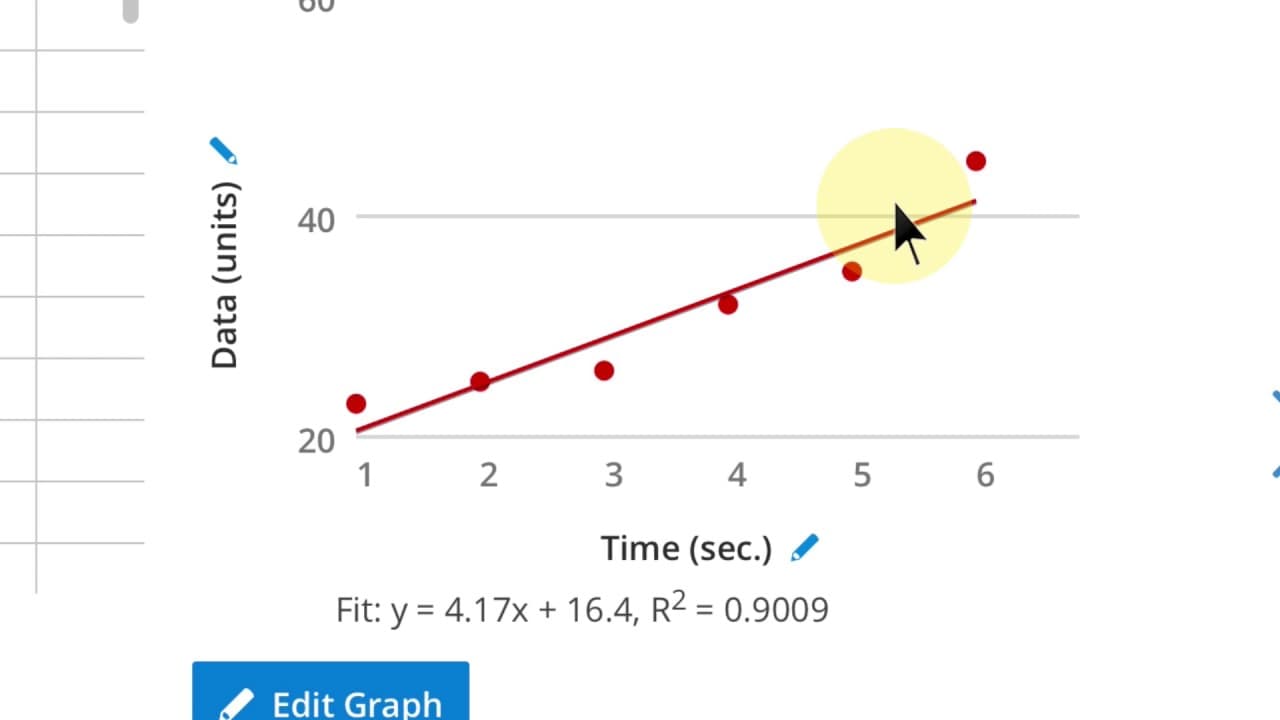
- 📈 Graph options include selecting graph types, curve fits, and editing text annotations.
- 😫 Multiple data sets can be added and edited in the graph.
- 😫 Pre-formatting the graph can save time in setting up the desired layout.
- ❎ Fit data, such as equations and r-squared values, can be displayed for linear regression lines.
Install to Summarize YouTube Videos and Get Transcripts
Explore YouTube Video Summarizer or Get YouTube Transcript Extractor
Questions & Answers
Q: How can I transfer data from Excel or other programs to LT for graphing?
You can transfer data by using the copy and paste command or by entering it manually into the LT spreadsheet.
Q: Can I create headers and enter data in LT?
Yes, you can create headers and enter data into the LT spreadsheet, similar to how you would in Excel.
Q: Can I edit the text annotations and titles in the graph?
Yes, you can edit the text annotations and titles in the graph by clicking on the pen icons next to them.
Q: Can I add multiple data sets to the graph?
Yes, you can add multiple data sets to the graph by selecting the additional data and choosing the graph options again.
Summary & Key Takeaways
-
LT offers a basic way to create graphs by entering data into a spreadsheet and selecting options in a graph plotting area.
-
You can transfer data from programs like Excel or Prism to LT manually or by using copy and paste.
-
Headers and data can be entered into the spreadsheet, and then graph options can be selected to create the desired graph.
Read in Other Languages (beta)
Share This Summary 📚
Summarize YouTube Videos and Get Video Transcripts with 1-Click
Try YouTube Summary with ChatGPT & Claude or YouTube Transcript Generator
Explore More Summaries from Dory Video 📚






Summarize YouTube Videos and Get Video Transcripts with 1-Click
Try YouTube Summary with ChatGPT & Claude or YouTube Transcript Generator