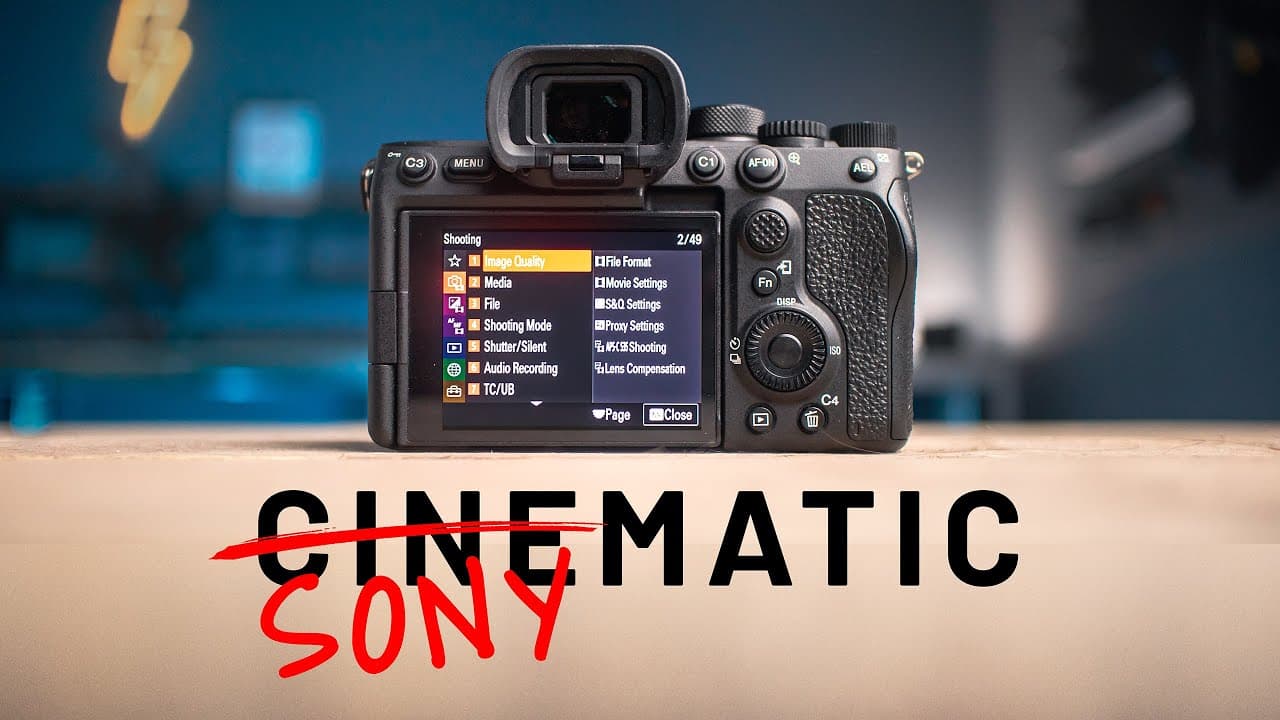
How to shoot cinematic Sony footage with A7S III
TL;DR
Control is key: shoot in manual, use S-Log 3 or a Cine tone depending on lighting, and keep 4K if possible to preserve detail. Use 180 degree shutter rule, prime lenses, and color grade with a mist filter to achieve a cinematic look. Lighting, gimbal use, and lens choice greatly affect the final result.
Transcript
Okay look, instead of me giving you a list of camera settings and telling you that those settings will make your videos look beautiful amazing and cinematic which let's be honest wouldn't make a lot of sense anyway because it just doesn't work like that so instead I'm gonna show you some clips of videos that I shot with my Sony A7S III and I'll... Read More
Key Insights
- Shooting in manual mode gives full control over ISO, aperture and shutter speed.
- S-Log 3 is powerful but not always the best choice, especially in low light.
- The 180 degree shutter rule applies across frame rates to preserve natural motion.
- 4K offers advantages but 1080p can be perfectly adequate if hardware limits exist.
- Anamorphic lenses or different focal lengths can dramatically change the film look.
- Mist filters and lighting design contribute significantly to the cinematic glow.
- Color grading is a major component of achieving a cinema look, not just camera settings.
- Gimbals provide a steady baseline look that handheld shooting cannot always achieve.
Install to Summarize YouTube Videos and Get Transcripts
Explore YouTube Video Summarizer or Get YouTube Transcript Extractor
Questions & Answers
Q: A real search query question about the video (e.g. 'How to...', 'What is...', 'Why does...', 'When should...'). Question 1
How do you decide between using S-Log 3 and S-Log 2 or Cine tone in different lighting situations? The speaker explains that S-Log 3 works well but in low light it can become noisy and harder to expose correctly. He suggests that S-Log 2 or Cine tone might be easier to expose in low light and can yield better results, depending on the camera model and lighting conditions. This choice is influenced by whether your footage will be graded and the capabilities of your camera, with contrast and noise being key considerations.
Q: Question 2
What is the role of shutter speed in relation to frame rate, according to the video? The presenter emphasizes the 180 degree shutter rule: at 24 or 25 fps, use a 1/50th second shutter, and at 50 fps, use 1/100th second. This relationship helps maintain natural motion in the footage and prevents overly smooth or choppy results. Adhering to this rule across different frame rates is shown as a foundational practice for cinematic look.
Q: Question 3
Why is 4K often preferred, and when is 1080p acceptable? The video states that all footage is shot in 4K, acknowledging that 1080 can be acceptable if your computer or storage can’t handle 4K. The message is that 4K provides flexibility later in post and preserves detail, but 1080 remains a valid option for simplicity and bandwidth considerations.
Q: Question 4
How does lighting influence the final look beyond camera settings? Lighting is described as a major driver of cinematic look, with the lights themselves creating color and glow. The color grade and the use of a Mist filter also contribute to the dreamy, cinematic quality. Time of day, such as Blue hour, and the quality of light are highlighted as critical to achieving the desired look.
Q: Question 5
What practical gear recommendations are given for achieving cinematic results? The video highlights the value of a gimbal for steady shots, anamorphic lenses for a unique look, ND filters for maintaining aperture in bright light, and Mist filters for glow. It also notes that stabilization should be off with anamorphic lenses to avoid seasickness in the footage.
Q: Question 6
How should you treat lens choice and focal length to alter the look of footage? The presenter demonstrates that switching from a 24 or 35 mm to an 85 mm or using an anamorphic lens can dramatically change the look. The wider or longer focal lengths, as well as the squeeze and de-squeeze process of anamorphic footage, contribute to distinct cinematic aesthetics beyond mere camera settings.
Q: Question 7
What are the consistent settings he uses across clips and what are the exceptions? The speaker notes that many settings stay the same across videos, such as manual exposure, S-Log 3 with 4K, and often 10-bit color. Exceptions exist for heavy noise scenarios or lower light where ISO and bit depth may be adjusted. In some talking head moments, 8-bit color may be used for simplicity.
Q: Question 8
What is the practical takeaway for beginners wanting cinematic results with Sony cameras? The central message is that camera settings form a foundation, but the final cinema look comes from a combination of lighting, color grading, time of day, and lens choice, including the use of gimbals and mist filters. Start with solid fundamentals, then experiment with lenses and accessories to achieve your desired style.
Summary & Key Takeaways
-
A foundational approach to creating cinematic footage on Sony cameras centers on manual exposure and color management, with S-Log 3 being a common but not universal choice. The author emphasizes that lighting, post color grade, and accessories like mist filters and gimbals play a critical role beyond camera settings.
-
The video demonstrates practical settings across different clips, including 4K capture, slow motion at 60fps, and the use of ND filters for daylight. It also discusses the impact of lenses, anamorphic options, and time of day on the unique look of each shot.
-
A caveat is that optimal settings vary by camera model and lighting; experimentation and adaptation to your own gear and environment are recommended for best results.
Read in Other Languages (beta)
Share This Summary 📚
Summarize YouTube Videos and Get Video Transcripts with 1-Click
Try YouTube Summary with ChatGPT & Claude or YouTube Transcript Generator
Explore More Summaries from Joris Hermans 📚
Summarize YouTube Videos and Get Video Transcripts with 1-Click
Try YouTube Summary with ChatGPT & Claude or YouTube Transcript Generator