How Good Is InVideo AI for Professional Editors?
TL;DR
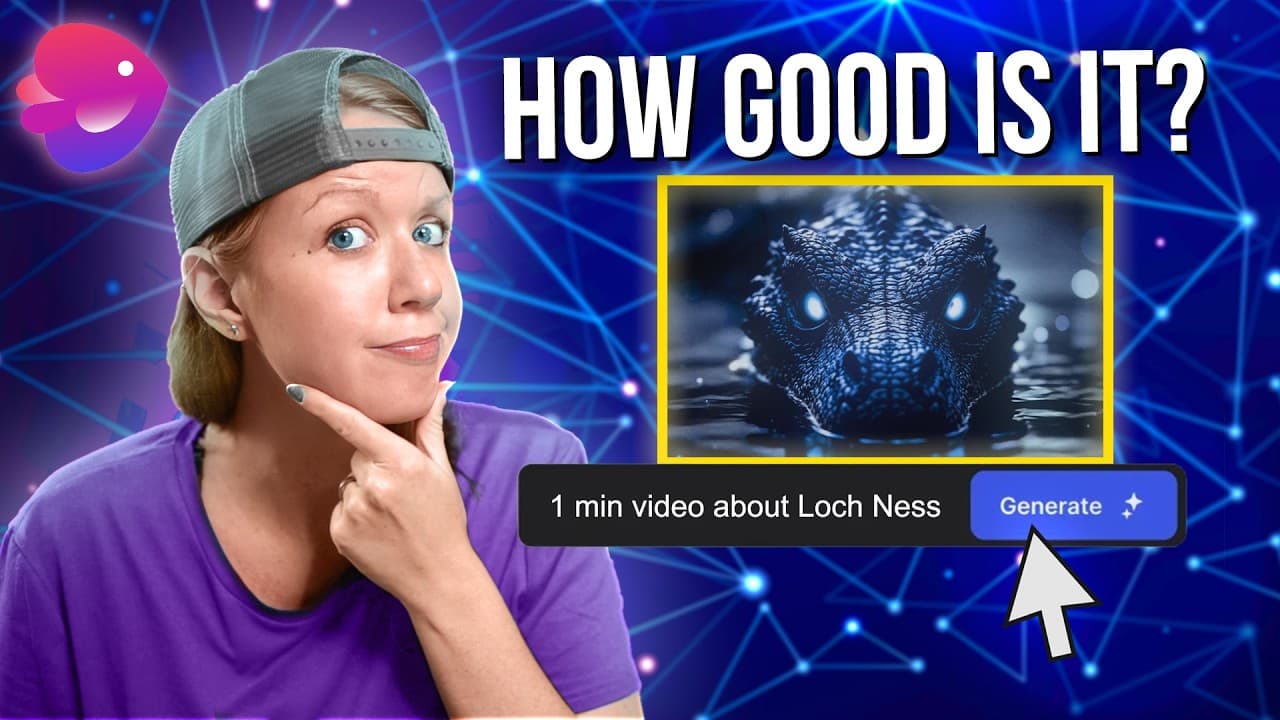
InVideo AI V3 can turn a detailed text prompt into an edited sequence containing generated visuals, music, sound effects, and optional narration. Its strongest use for professional editors is generating imaginative shots that can be selected and refined in another editor, but inconsistent animation, unsuitable music, limited voice choices, generation time, and pricing reduce its value as a finished-video solution.
Transcript
okay so here's a scenario for you let's say that you're a filmmaker and you're working on a documentary and inside your timeline you have your interview footage you have your b-roll shots and you have some graphics but you're like hm something is missing here wouldn't it be cool to have a historical flashback moment of somebody recalling an inciden... Read More
Key Insights
- InVideo AI V3 is a text-to-video system that can generate an entire edited sequence with generative clips, music, voiceover, and sound effects. It can develop a story without receiving a complete script, while also allowing creators to provide their own scripts and more detailed creative instructions.
- The tool is most useful to a professional editor as a source of selected shots rather than a complete final product. Generated sequences can provide imaginative material that an editor chooses, downloads, and combines with interview footage, graphics, or other documentary elements in an existing timeline.
- A detailed prompt works like a descriptive shot list. The reviewer specifies the monster's long neck and hump, the dark glowing lake, and the desired historical events, demonstrating that individual shot descriptions give the generator clearer guidance about the intended characters, setting, mood, and action.
- InVideo AI can create visual interpretations of events that lack archival footage. The test reconstructs a legendary encounter involving St. Columba and the Loch Ness Monster in 565 AD, allowing a documentary flashback to be visualized without filming a reenactment or producing a conventional animated sequence.
- The generated output contains both impressive and flawed material. Several monster humps, lake images, and monk shots appear usable, but other results contain awkward mouth movements, strange background creatures, static photos instead of animated clips, misplaced images, and inconsistent coloring between consecutive shots.
- Music generation does not reliably follow specialized directions. The request for scary Celtic music produces an unsuitable result, while another generation adds pop music beneath historical narration. A simpler command requesting a scary cinematic soundtrack produces a more appropriate replacement and takes less time than regenerating the film.
- Voiceover options and post-generation control remain limited in the demonstrated workflow. Adding a custom Scottish male narration after generation causes an error, and no Scottish voice is available. A British narrator works in a new generation, but the reviewer wants voiceover and individual audio stems downloadable separately.
- The generative plan costs $120 per month on a monthly plan or $96 per month with an annual plan, according to the test. It includes 15 minutes of generation, which the reviewer considers restrictive because repeated one-minute attempts consume credits and not every generated result is usable.
Install to Summarize YouTube Videos and Get Transcripts
Explore YouTube Video Summarizer or Get YouTube Transcript Extractor
Questions & Answers
Q: How does InVideo AI V3 generate a complete video?
InVideo AI V3 accepts a text prompt and turns it into an edited sequence containing generated visual media, music, sound effects, and optional voiceover. It can create a script automatically or use a script supplied by the creator. The interface also offers templates, platform choices, pacing controls, audience settings, voice options, and animation-style presets to shape the output.
Q: How should prompts be written for InVideo AI video generation?
Prompts should be as specific as possible about each desired shot. The reviewer treats the prompt as a descriptive shot list, identifying the subject, appearance, setting, mood, and action for individual moments. For the Loch Ness sequence, the instructions describe a long-necked monster with a hump swimming through a dark, eerie, glowing lake and specify the historical story elements.
Q: What can professional editors use InVideo AI for?
Professional editors can use InVideo AI to generate shots for events, settings, and imagined worlds that cannot be filmed or found in archival collections. Rather than accepting the generated sequence as finished, an editor can select the strongest clips from several attempts and combine them with existing interviews, graphics, footage, narration, and sound inside an editing application such as Premiere Pro.
Q: How well did InVideo AI recreate the Loch Ness story?
The generator included the main requested elements, such as the lake, the monster's moving humps, and the monk associated with the historical flashback. Several shots appeared suitable for further editing, especially the darker monster and monk images. However, the results also included awkward mouth movement, strange creatures, tire-like humps, static photos, misplaced imagery, and inconsistent color treatments.
Q: How long does InVideo AI take to generate a video?
The tested one-minute video took approximately 15 minutes to generate, even though the interface indicated that generation might take a few minutes. The reviewer did not establish how long a five-minute generation would require. Follow-up changes that did not recreate the entire film, such as replacing the music, completed more quickly than the initial full-video generation.
Q: How much does the InVideo AI generative plan cost?
The generative plan described in the test costs $120 per month when purchased month to month, or $96 per month through an annual plan. The plan provides 15 minutes of generation. The reviewer argues that more minutes should be included because fifteen one-minute attempts can exhaust the allowance, and some generated attempts or individual shots will not be usable.
Q: Can InVideo AI add custom narration and voiceovers?
InVideo AI can generate narration from a supplied script, and the tested British male voice produces a reasonably effective reading. However, an attempt to add a custom male Scottish voiceover after the original video had already been generated results in an error. The demonstrated voice library includes British and several American styles but does not provide the requested Scottish voice.
Q: What are the main limitations of InVideo AI V3?
The demonstrated limitations include inconsistent animation, occasional static images where moving clips were expected, mismatched music, uneven coloring, strange visual details, limited voice choices, and an error when adding narration after generation. Professional editors also lack the desired ability to download voiceover and each sound element as separate stems, while the limited generation allowance makes experimentation expensive.
Summary & Key Takeaways
-
InVideo AI V3 generates complete videos from text prompts, including scripts, clips, music, sound effects, captions, and voiceovers. The reviewer tests whether this capability could supply a documentary with a historical flashback that was never filmed, using the first written Loch Ness Monster sighting involving St. Columba in 565 AD.
-
The test uses a detailed prompt structured like a descriptive shot list, a 16:9 YouTube format, generated clips, scary Celtic music, no initial voiceover, and a psychological thriller animation preset. A one-minute generation takes approximately 15 minutes and produces several compelling monster and monk images alongside awkward movements and inconsistent media.
-
Multiple generations provide different usable shots, suggesting that editors could combine their preferred results in Premiere Pro. Music can be changed through a follow-up command more quickly than regenerating the entire sequence. However, some outputs are static generated images, the requested musical style is missed, and visual coloring varies between shots.
Read in Other Languages (beta)
Share This Summary 📚
Summarize YouTube Videos and Get Video Transcripts with 1-Click
Try YouTube Summary with ChatGPT & Claude or YouTube Transcript Generator
Explore More Summaries from Premiere Gal 📚

Summarize YouTube Videos and Get Video Transcripts with 1-Click
Try YouTube Summary with ChatGPT & Claude or YouTube Transcript Generator