How to Build Distinctive Websites With Claude
TL;DR
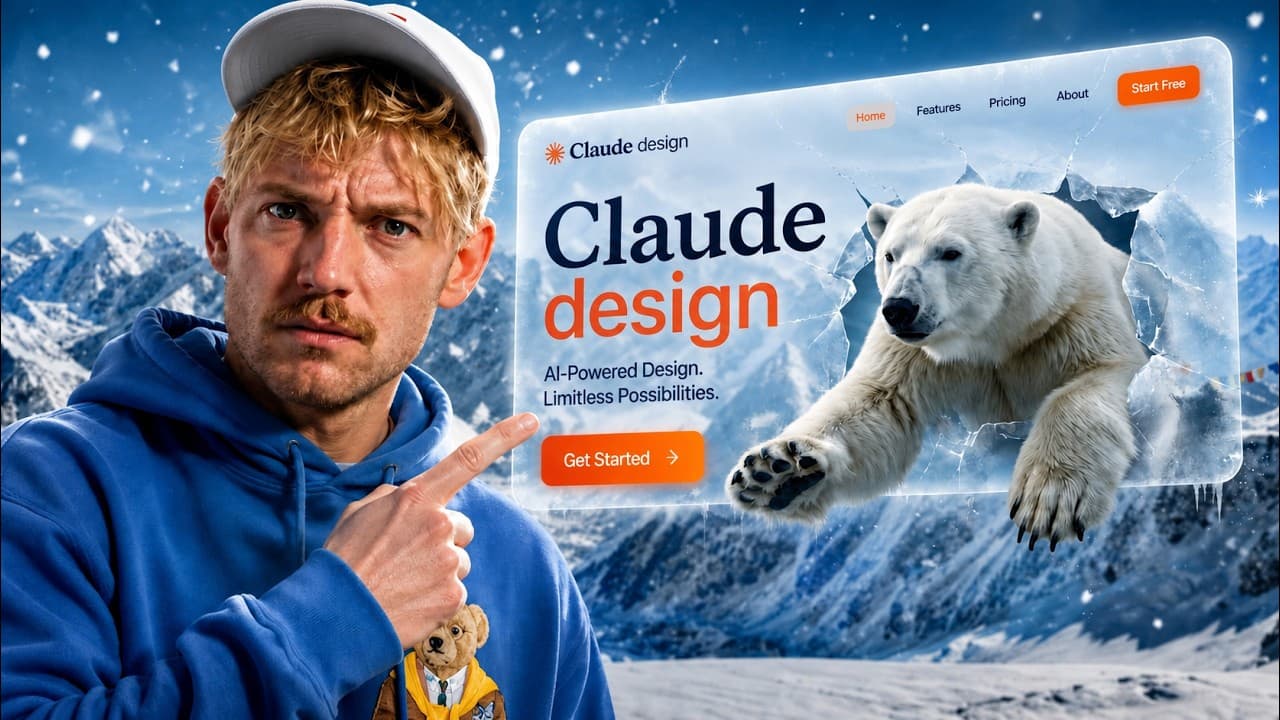
Give Claude a design system based on relevant, high-quality reference sites instead of relying on a generic prompt. Then improve the result with custom graphics and video from Higgsfield, a design loop that compares drafts against a chosen standard, deliberate typography, and a copy-editing system that removes repetitive AI patterns.
Transcript
More design can now build beautiful websites that don't look like AI slop, but only if you use the right systems that are now available. And in this video, I'll show you this simple and new system [music] to build gorgeous websites in any design replicably so you can destroy the AI slop monster. And if you haven't already, grab that beautiful coffe... Read More
Key Insights
- A design system is more useful than a generic prompt because it gives Claude concrete visual rules to follow. Without that structure, generated sites tend to repeat the same gradients, card arrangements, rounded components, frosted-glass effects, typefaces, and formulaic headlines.
- Reference selection is the first practical step in the workflow. Claude can inspect a large library of polished websites, identify three examples related to the intended business, and help the user choose a primary reference whose design language fits the planned product.
- Duolingo serves as the primary reference for the demonstrated AI education app because its interface includes distinctive graphics, clear buttons, playful typography, and recognizable game mechanics. The exercise uses that visual system as inspiration while adapting it to a product that teaches AI.
- A codified design system creates consistency beyond the landing page. The generated Neuro concept applies its chosen visual language to calls to action, supporting sections, login fields, typography, and game-related interface elements, giving later application screens a shared architectural and visual foundation.
- Custom graphics and videos help move a generated site beyond its initial skeleton. The workflow connects Higgsfield to Claude through a CLI so Claude can use available models to create images, characters, animations, and video assets that support the selected visual direction.
- The design loop is a reusable skill that evaluates generated work against a chosen standard. In the demonstration, Claude is instructed to compare the new website ruthlessly with Duolingo, particularly its animated graphics and distinctive illustration style, then use those observations to improve the draft.
- Typography is treated as a central design decision rather than a finishing detail. The creator identifies repeated typeface choices as one of the clearest signs of generic AI output and recommends intentionally selecting fonts, with Fonts In Use listed as a supporting resource.
- Copy editing is necessary because visual refinement alone does not remove every AI signal. The described finishing system reviews text line by line to eliminate formulaic language, while the broader workflow combines reference research, visual generation, typography, and repeated comparison into one process.
Install to Summarize YouTube Videos and Get Transcripts
Explore YouTube Video Summarizer or Get YouTube Transcript Extractor
Questions & Answers
Q: How do you make Claude-generated websites look less generic?
Start by giving Claude a structured design system based on a relevant, polished reference website instead of using a broad request for a beautiful site. Then add distinctive graphics, animations, or videos, compare each draft against the chosen reference through a design loop, select typography deliberately, and review the copy line by line for repetitive AI patterns.
Q: Why do AI-generated websites often look the same?
AI-generated websites often look similar because users give models similar prompts, which produce recurring design choices. The examples identified include an indigo-to-violet gradient, three feature cards, heavily rounded components, frosted-glass styling, repeated typefaces, familiar hero sections, and headlines that retain formulaic AI wording instead of being rewritten for the specific product.
Q: How can reference websites improve a Claude web design?
Reference websites provide Claude with concrete evidence of the visual direction you want. The workflow asks Claude to search a curated collection, choose three examples related to the intended business, and use one as the primary design reference. That reference supplies guidance for typography, colors, buttons, illustrations, layouts, animations, and interface behavior throughout the generated product.
Q: How was Duolingo used to design the AI education app?
Duolingo was selected as the primary reference because its site has distinctive graphics, strong typography, recognizable buttons, and game-oriented interface elements. Claude was asked to use that design system as inspiration for an app that teaches AI. The resulting Neuro draft included a landing page, calls to action, supporting sections, login fields, and game mechanics with a consistent visual language.
Q: What is the purpose of the design loop skill?
The design loop skill creates a repeatable process for judging and improving generated designs. After installing the supplied process as a Claude skill, the user can invoke it and ask Claude to compare the draft ruthlessly with a selected reference. The demonstrated prompt focuses on Duolingo's animated graphics and distinctive graphic style as standards for further refinement.
Q: How does Higgsfield fit into the Claude website workflow?
Higgsfield supplies models for generating images and videos that can make the website more distinctive. The workflow connects it to Claude through the Higgsfield CLI, which opens a sign-in window during setup. Once connected, Claude can use the available generation tools to produce characters, graphics, animations, and videos that complement the site's established design system.
Q: Why is typography important in AI website design?
Typography strongly affects whether a website feels distinctive or resembles common AI output. The creator identifies repeated typefaces as one of the easiest signs of generic generation and argues that font choice receives too little attention. The workflow therefore treats typography as part of the design system and lists Fonts In Use as a resource for finding visual references.
Q: What are the main stages of the Claude web design system?
The process begins by finding polished websites related to the product and selecting a primary reference. Claude then derives and applies a design system to the first draft. Next, Higgsfield adds custom graphics, animations, and videos. A design loop compares the result with the reference, while deliberate font selection and line-by-line copy editing remove additional signs of generic AI output.
Summary & Key Takeaways
-
Generic AI-generated websites often repeat recognizable patterns, including indigo-to-violet gradients, three feature cards, rounded elements, frosted glass, familiar typefaces, and formulaic headlines. The proposed remedy is to provide Claude with a structured design system derived from strong, relevant reference websites instead of asking for a beautiful site through a generic prompt.
-
The demonstrated workflow begins with a curated website library. Claude identifies three references related to the intended business, an AI education app, and Duolingo becomes the primary model. Claude then asks clarifying questions and generates a first draft with a codified design system covering the landing page, login interface, buttons, typography, and game mechanics.
-
The second stage adds distinctive visual assets through Higgsfield, which connects to Claude through its CLI and provides image and video generation models. A reusable design loop skill compares the draft with the selected reference, identifies visual weaknesses, and guides further iterations. Typography resources and a copy system then help remove remaining AI-like patterns.
Read in Other Languages (beta)
Share This Summary 📚
Summarize YouTube Videos and Get Video Transcripts with 1-Click
Try YouTube Summary with ChatGPT & Claude or YouTube Transcript Generator
Explore More Summaries from Jack Roberts 📚



Summarize YouTube Videos and Get Video Transcripts with 1-Click
Try YouTube Summary with ChatGPT & Claude or YouTube Transcript Generator