What Is the Raspberry Pi Pico W and Its Features?
TL;DR
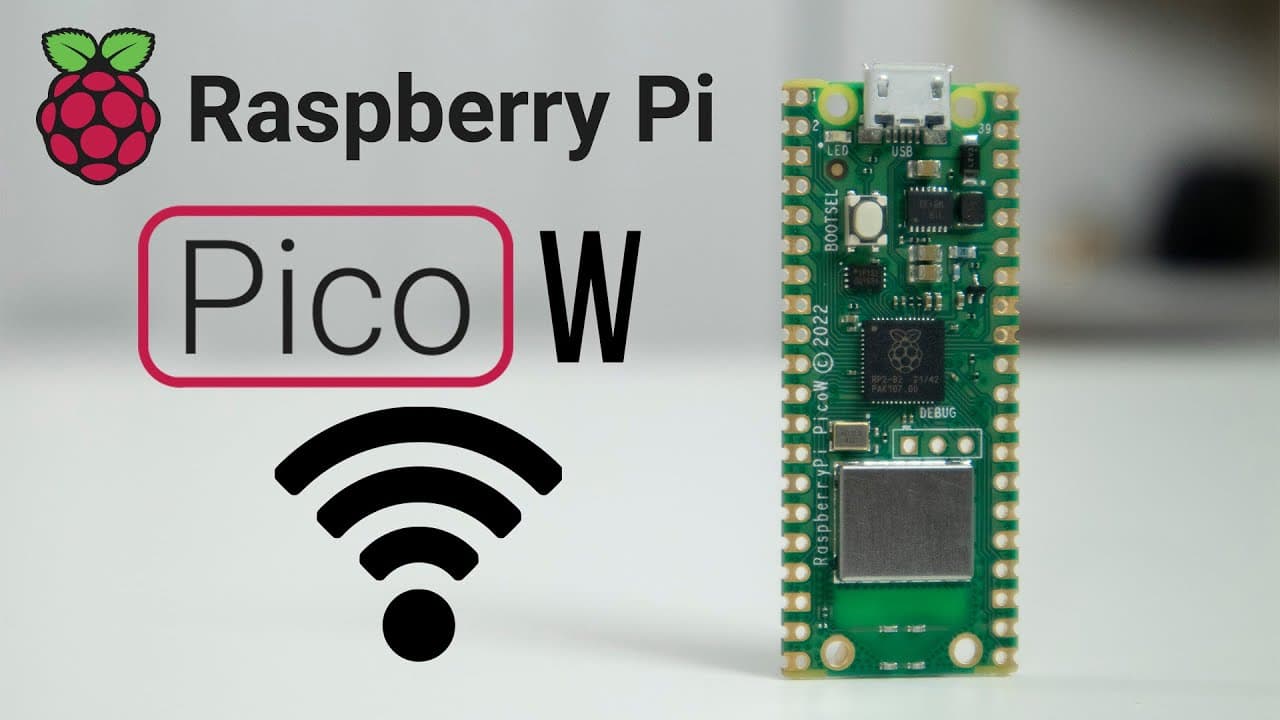
The Raspberry Pi Pico W adds wireless connectivity to the original Pico, enabling enhanced home automation and remote sensor applications. Priced at $6, it offers 256 KB of storage and is compatible with MicroPython for easy setup, making it a powerful tool for IoT projects.
Transcript
hey guys what's going on it's don here from nova spare tech and welcome back to the channel and today i'm gonna be showing you guys a brand new product from raspberry pi which is the raspberry pi pico w so let's check it out now this product is one of their latest lineups on the raspberry pi family which is the raspberry pi pico w now obviously you... Read More
Key Insights
- 👪 The Raspberry Pi Pico W represents a notable shift in the Pico family's capabilities, introducing essential wireless communication expected in modern IoT devices.
- 🆕 With 256 KB of storage, the Pico W provides significantly more memory compared to typical ESP devices, enhancing its performance for data-intensive applications.
- 👻 The built-in wireless module enhances flexibility, allowing developers to create projects that require remote data transmission without physical connectivity limitations.
- 😥 Cost-effective at $6, the Pico W offers a compelling price point for hobbyists and professionals seeking to integrate wireless capabilities into their projects seamlessly.
- 🛜 The transition from wired to wireless opens up numerous innovations in remote sensing and automation, encouraging new ideas and applications for users.
- 📚 The setup process, facilitated by MicroPython and specific import libraries, is streamlined to provide immediate functionality upon configuration, supporting rapid prototyping.
- 🚙 Future projects and applications leveraging the Pico W promise to expand the scope of its utility, indicating significant growth opportunities in the maker community.
Install to Summarize YouTube Videos and Get Transcripts
Explore YouTube Video Summarizer or Get YouTube Transcript Extractor
Questions & Answers
Q: What distinguishes the Raspberry Pi Pico W from the original Pico model?
The main distinction of the Raspberry Pi Pico W is its built-in wireless functionality, which allows for remote connectivity. While the original Pico operated primarily as a microcontroller with wired connections, the W version enables users to create wireless sensor networks and automate home tasks, leveraging its expanded capabilities effectively.
Q: How do you set up the Raspberry Pi Pico W for wireless connectivity?
To connect the Raspberry Pi Pico W wirelessly, you need to import the network module in MicroPython, activate the WLAN, and input your SSID and password using the WLAN.connect() function. Once connected, you can verify your network connection and proceed to utilize additional libraries to enhance functionality, enabling various network-based projects.
Q: Can you use the Raspberry Pi Pico W for home automation?
Yes, the Raspberry Pi Pico W is ideal for home automation projects thanks to its wireless capabilities. Users can control devices like LEDs, sensors, and similar components through HTTP requests, allowing for remote operation and monitoring. Its compatibility with MQTT allows further integration with popular home automation systems, enhancing its usability.
Q: What programming tools are required to use the Raspberry Pi Pico W?
To use the Raspberry Pi Pico W, you should download the latest MicroPython library and program the device using a code editor that supports Python. Additionally, users may require specific libraries and tools such as uPyCraft or Thonny IDE to streamline development and interaction with the Pico, facilitating efficient programming experiences.
Summary & Key Takeaways
-
The Raspberry Pi Pico W features built-in wireless connectivity, marking a significant upgrade from the original Pico model. This upgrade opens new possibilities for remote applications in home automation and sensors.
-
Priced at $6, the Pico W costs only $2 more than the regular Pico, providing users with increased storage and wireless capabilities to better support complex projects.
-
The device is compatible with MicroPython, enabling developers to easily install libraries and deploy networking applications. Real-time examples demonstrate its impressive performance over Wi-Fi, making it comparable to existing ESP devices.
Read in Other Languages (beta)
Share This Summary 📚
Summarize YouTube Videos and Get Video Transcripts with 1-Click
Try YouTube Summary with ChatGPT & Claude or YouTube Transcript Generator
Explore More Summaries from Novaspirit Tech 📚






Summarize YouTube Videos and Get Video Transcripts with 1-Click
Try YouTube Summary with ChatGPT & Claude or YouTube Transcript Generator