How to Export Data and Graphs in GraphPad Prism?
TL;DR
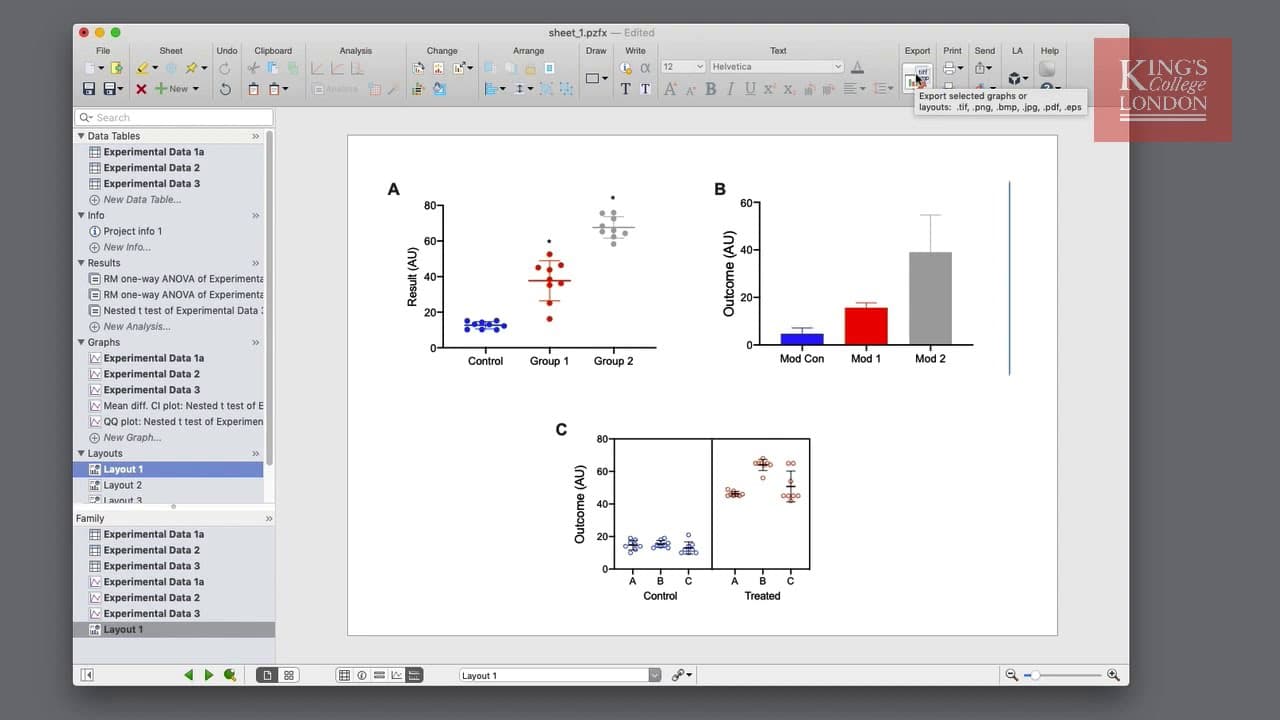
You can export data and graphs in GraphPad Prism by selecting the export option in the menu bar. Data tables can be saved as text files (tab or comma delimited) or XML, while graphs and layouts can be exported in formats like PDF, TIFF, or JPEG. Customize options like file format and resolution for best results.
Transcript
hello I'm James Clark from King's College London and in this short video I'm going to show you how to export your data and graphs in graphpad prism whilst graphpad prism is very effective at storing your data tables results tables graphs and layouts there may be a time where you need to export your data for either use in third-party applications fo... Read More
Key Insights
- 👻 GraphPad Prism allows for easy export of data tables, results, graphs, and layouts.
- 💁 Text data can be exported as tab or comma delimited text files, while results can also be exported in XML format.
- 💁 Graphical objects can be exported in various formats, such as PDF, EPS, TIFF, JPEG, PNG, or BMP.
- 👤 Users can customize options like resolution, color mode, and background color to fit their needs.
Install to Summarize YouTube Videos and Get Transcripts
Explore YouTube Video Summarizer or Get YouTube Transcript Extractor
Questions & Answers
Q: How can I export my data tables or results from GraphPad Prism?
To export data tables or results, click on the export button, choose the desired file format (tab or comma delimited text, XML), and specify options such as column titles and decimal separators. Then, click export to save the file on your hard disk.
Q: Can I export graphical objects like graphs or layouts?
Yes, you can export graphical objects by selecting the graph or layout, clicking on the export button, and choosing the desired file format (PDF, EPS, TIFF, JPEG, PNG, BMP). You can also adjust options like resolution, color mode, and background color.
Q: What are the best file formats for high-quality images in publications?
For high-quality images in publications, PDF and EPS formats are recommended. These formats allow for both vector and bitmap images. TIFF, JPEG, PNG, and BMP files are bitmap files suitable for different purposes and resolutions.
Q: Are there any additional features for exporting in the Windows version of GraphPad Prism?
Yes, the Windows version offers additional features like sending sheets, families, or projects directly via email, creating PowerPoint or Word documents with inserted figures, providing quick ways to get your information into these applications.
Summary & Key Takeaways
-
GraphPad Prism is a powerful tool for storing data, tables, graphs, and layouts.
-
You can export data tables and results as text files in various formats.
-
Graphs and layouts can be exported as graphical formats such as PDF, EPS, TIFF, JPEG, PNG, or BMP.
Read in Other Languages (beta)
Share This Summary 📚
Summarize YouTube Videos and Get Video Transcripts with 1-Click
Try YouTube Summary with ChatGPT & Claude or YouTube Transcript Generator
Explore More Summaries from Dory Video 📚






Summarize YouTube Videos and Get Video Transcripts with 1-Click
Try YouTube Summary with ChatGPT & Claude or YouTube Transcript Generator