How to Create a Bar Graph Using GraphPad Prism
TL;DR
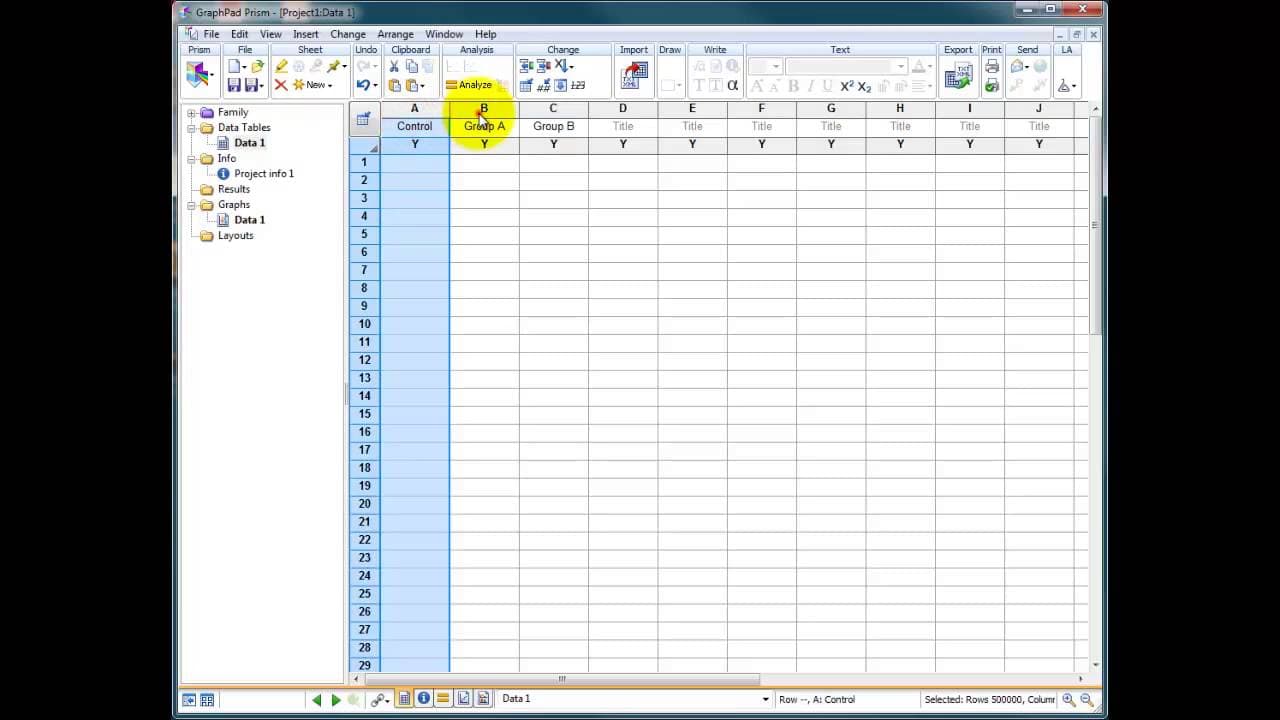
To create a bar graph in GraphPad Prism, select 'Column Graph' from the graph options and input your data in the spreadsheet. Customize the appearance by adjusting fill styles, error bars, and axis labels to enhance clarity and presentation. A free demo version allows for a trial period to explore its features.
Transcript
hello I'm just going to give you a quick introduction now to graph pad prism this is version 5.0 for of prism which is the latest version 5 release there's now a version 6 about this is a commercial piece of software designed to do publication quality graphs so graphs for papers reports PhD theses etc it is quite expensive I think it's about three ... Read More
Key Insights
- 🎨 GraphPad Prism 5.0 is a popular commercial software specifically designed for creating publication-quality graphs for scientific papers, reports, and theses.
- 🥶 The software offers a free demo version that can be downloaded and used for a limited period of time.
- 🉐 Users can choose from various graph options, such as bar graphs, scatter plots, and box and whiskers plots, to represent their data.
- 🉐 GraphPad Prism 5.0 provides customization features for filling styles, error bars, and axis labels, allowing users to personalize the appearance of their graphs.
- 📈 The software is regarded as an excellent tool for creating visually appealing and accurate graphs for academic purposes.
- 😒 While the software comes at a relatively high cost, its capabilities and features make it a worthwhile investment for long-term use.
- 👤 GraphPad Prism 5.0 offers a user-friendly interface, allowing users to easily input their data and create graphs quickly.
Install to Summarize YouTube Videos and Get Transcripts
Explore YouTube Video Summarizer or Get YouTube Transcript Extractor
Questions & Answers
Q: What is GraphPad Prism 5.0?
GraphPad Prism 5.0 is a commercial software that enables users to create publication-quality graphs for academic purposes.
Q: How much does GraphPad Prism 5.0 cost?
The software is priced at approximately $300-400, making it a relatively expensive tool for graphing purposes.
Q: Can I try GraphPad Prism 5.0 before purchasing it?
Yes, a free demo version of GraphPad Prism 5.0 is available for download, allowing users to explore its features for a limited period of time.
Q: What types of graphs can be created using GraphPad Prism 5.0?
GraphPad Prism 5.0 offers various graph options, including bar graphs, scatter plots, and box and whiskers plots, allowing users to choose the most suitable representation for their data.
Q: Can I customize the appearance of the graphs created using GraphPad Prism 5.0?
Yes, the software provides customization options for fill styles, error bars, axis labels, and other visual elements of the graphs.
Summary & Key Takeaways
-
GraphPad Prism 5.0 is a commercial software designed for creating publication-quality graphs for scientific papers, reports, and theses.
-
The software offers a free demo version that can be used for 29-30 days, allowing users to explore and utilize its features.
-
The software provides a range of graph options, including bar graphs, scatter plots, and box and whiskers plots, with options to customize fill styles, error bars, and axis labels.
Read in Other Languages (beta)
Share This Summary 📚
Summarize YouTube Videos and Get Video Transcripts with 1-Click
Try YouTube Summary with ChatGPT & Claude or YouTube Transcript Generator
Explore More Summaries from Dory Video 📚






Summarize YouTube Videos and Get Video Transcripts with 1-Click
Try YouTube Summary with ChatGPT & Claude or YouTube Transcript Generator