How to Perform Data Analysis in GraphPad Prism
TL;DR
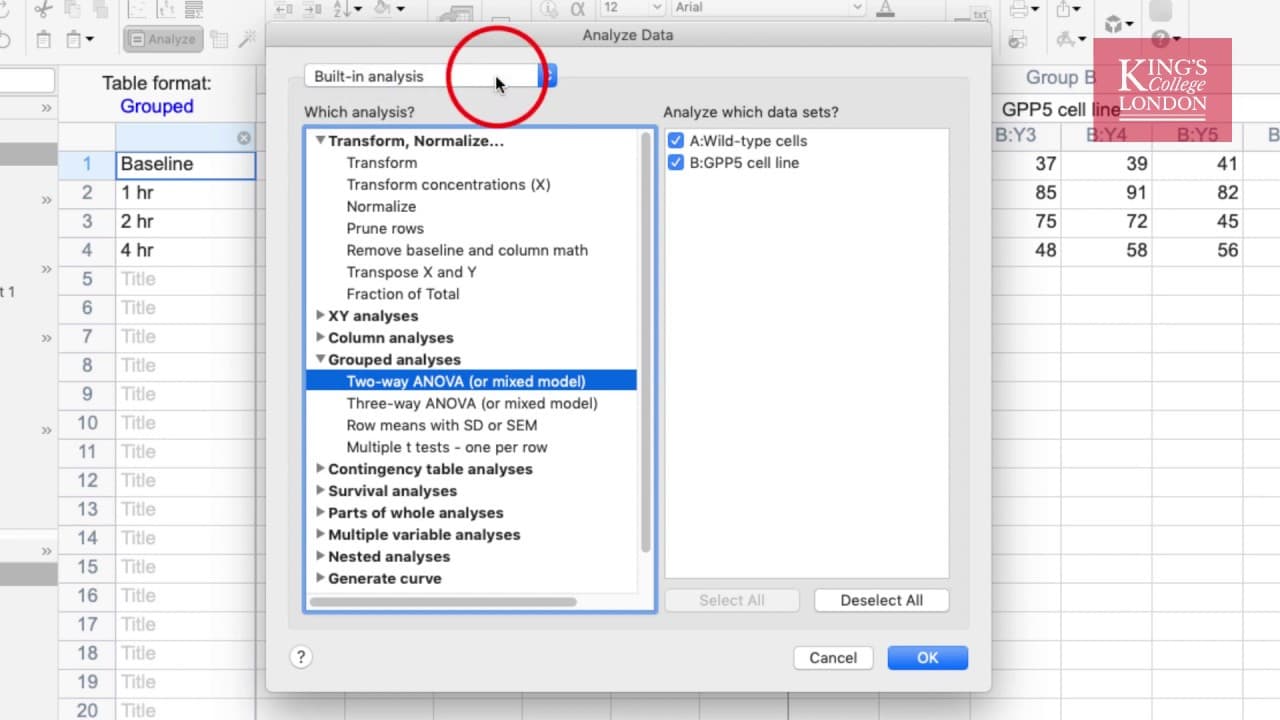
To perform data analysis in GraphPad Prism, follow these four steps: first, choose the analyze function, then select your analysis type, next, choose your data sets, and finally, interpret the results. The analysis toolbox includes various statistical tests, transformations, and options for handling different data formats.
Transcript
hello I'm James Clark from King's College London and in this quick video I'm going to show you the steps to perform an analysis in graphpad prism the objective of this short video is to show you the basic steps of a workflow to perform any analysis in prism what's important to notice is it in graphpad prism the one button labeled analyse can perfor... Read More
Key Insights
- 🧡 GraphPad Prism offers a comprehensive analysis toolbox with a wide range of statistical and mathematical analyses.
- 😫 The four-step workflow in Prism includes choosing the analyze function, selecting the analysis type, choosing the data sets, and interpreting the results.
- 💁 The analysis toolbox can handle different data formats and provides options for transformations, normalizations, and fractions of total.
- 😫 Users need to select the correct analysis based on their data and set the parameters accordingly.
- 💾 Results generated in Prism can be copied, pasted, or saved for further interpretation.
- 👤 Prism is not limited to statistical tests and offers various other functions that users can explore.
- 🎭 The interpretation of results may vary depending on the complexity of the analysis performed.
Install to Summarize YouTube Videos and Get Transcripts
Explore YouTube Video Summarizer or Get YouTube Transcript Extractor
Questions & Answers
Q: What is the first step to perform analysis in GraphPad Prism?
The first step is to choose the analyze function, which can be accessed from the menu bar or the insert menu. This will open the analysis toolbox.
Q: Can the analysis toolbox in Prism handle different data formats?
Yes, the analysis window in Prism can handle various data formats. It is up to the user to select the correct analysis for their data.
Q: What can be done within the column analyses list in Prism?
In the column analyses list, you can not only perform standard tests like T-tests and ANOVA but also conduct frequency distribution, normality tests, and create descriptive statistics of your data.
Q: How can you interpret the results of your analysis in Prism?
The interpretation of the results will depend on the specific analysis performed. Descriptive statistics may require minimal interpretation, while more complex analyses like repeated measures ANOVA with post hoc tests may take longer to understand.
Summary & Key Takeaways
-
The video explains that GraphPad Prism offers a wide range of functions for analysis and data manipulation.
-
There are four simple steps to perform any analysis in Prism: choose the analyze function, select the analysis type, choose the data sets, and interpret the results.
-
The analysis toolbox in Prism includes statistical tests, transformations, normalizations, and more.
Read in Other Languages (beta)
Share This Summary 📚
Summarize YouTube Videos and Get Video Transcripts with 1-Click
Try YouTube Summary with ChatGPT & Claude or YouTube Transcript Generator
Explore More Summaries from Dory Video 📚






Summarize YouTube Videos and Get Video Transcripts with 1-Click
Try YouTube Summary with ChatGPT & Claude or YouTube Transcript Generator