What Are the Features of the Wemaxit 7 Inch Touchscreen for Raspberry Pi?
TL;DR
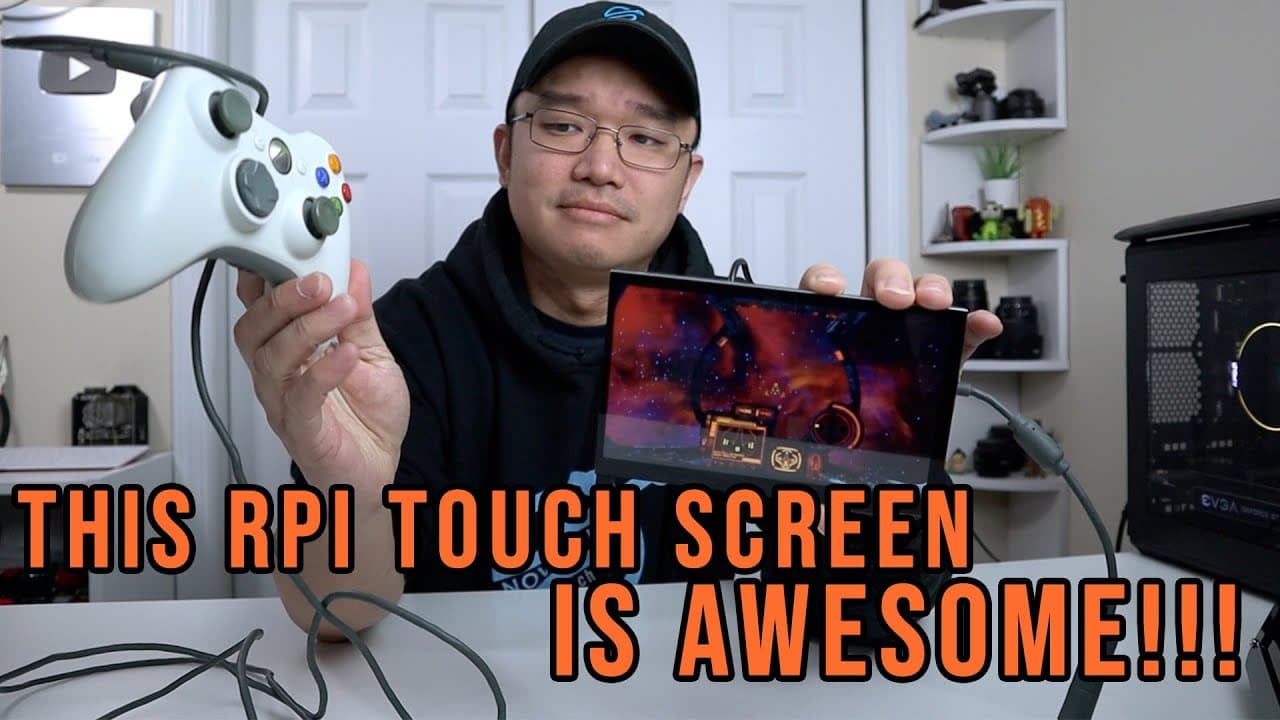
The Wemaxit 7-inch touchscreen for Raspberry Pi features built-in speakers and a responsive touch interface, making it ideal for gaming and media applications. Installation is straightforward, requiring only minimal tools, and it supports both Raspberry Pi 3 and 4 models. With native resolution of 1024 by 600, it offers great audio quality and versatility for various setups.
Transcript
so i finally got the server to the rightful place but yeah it's much quieter down here anyway welcome back to the channel it's don here from nova spare tech and today we are going to be checking out the seven inch touchscreen for the raspberry pi from wii max itself let's get started now i do want to thank them for sending this over to me for revie... Read More
Key Insights
- 🔊 The new seven-inch touchscreen for Raspberry Pi offers significant improvements, including built-in speakers that deliver loud audio for gaming and videos.
- 👤 Users praised the simple installation process, which comes with all necessary components including screws and tools, making it user-friendly.
- 😀 The responsive touch interface enhances usability for various tasks, whether for gaming, media consumption, or app interactions, thanks to its USB connectivity.
- 💻 The screen's compatibility with both Raspberry Pi models maximizes versatility, allowing it to also connect to laptops or desktops if needed.
- ✋ Reviewers noted the SCREEN's hunger for clear visuals, though higher resolutions are downscaled to fit, which may alter the viewing experience compared to standard screens.
- 👻 The audio quality is especially commendable, with the built-in speakers surpassing typical expectations for integrated devices, allowing them to effectively fill a room.
- 👾 The touchscreen serves not only as a display for games but also as an efficient media center, capable of running applications like Plex and Moonlight seamlessly.
Install to Summarize YouTube Videos and Get Transcripts
Explore YouTube Video Summarizer or Get YouTube Transcript Extractor
Questions & Answers
Q: What are the main features of the Raspberry Pi touchscreen reviewed in the video?
The Raspberry Pi touchscreen comes with built-in speakers, a responsive touch interface, and a native resolution of 1024 X 600. It is designed for both Raspberry Pi models and can connect to other devices, providing flexibility for various applications like gaming and media streaming.
Q: How easy is it to install the touchscreen for the Raspberry Pi?
Installation is user-friendly, requiring only a few screws and tools provided in the package. The screen attaches to the Raspberry Pi through a straightforward bolt pattern, and it includes necessary cables for connections, making it accessible even for beginners.
Q: How does the audio quality of the touchscreen compare to standard speakers?
The built-in speakers are impressively loud; even set to 50%, they fill the whole room effectively. The reviewer noted that at higher volumes, the audio quality remains clear, making it suitable for gaming and video watching without the need for external speakers.
Q: Is the touchscreen suitable for non-gaming applications?
Yes, the touchscreen is versatile and can be used for various purposes beyond gaming. It is ideal for media centers or as a display for Android applications due to its USB connection, allowing for easier interactions without needing GPIO configurations.
Q: What challenges did the reviewer face while setting up the Raspberry Pi touchscreen?
The reviewer experienced some issues with the resolution settings, particularly with the Raspberry Pi 4's operating system. They had to manually add a resolution mode to ensure the screen displayed correctly, which, while simple, may require additional guidance for less experienced users.
Q: How does the touchscreen perform under high-resolution settings?
While the touchscreen supports 1080p resolution, it scales the output down to fit its native resolution of 1024 X 600. The reviewer noted that, despite this scaling, the screen still provides a clear picture for gaming and media playback.
Q: Can this touchscreen be powered by a single cable?
Yes, the screen operates on a single 2.5 amp USB-C cable that powers both the screen and connected devices like the Raspberry Pi and an Xbox controller. This feature simplifies the setup by reducing cable clutter.
Q: What does the reviewer think about the touchscreen's overall value?
The reviewer believes the touchscreen offers excellent value at its price point of $79, especially considering its features and versatility for applications like game streaming, media playback, and Android usage, making it a worthwhile investment for Raspberry Pi users.
Summary & Key Takeaways
-
The video features a review of a seven-inch touchscreen designed for the Raspberry Pi, highlighting its built-in speakers and responsive touch functionality.
-
Installation is straightforward, requiring minimal tools, and the screen accommodates both Raspberry Pi models, allowing connections to a laptop or desktop.
-
The reviewer appreciates the screen's sound quality, resolution capabilities, and its potential for gaming and media applications using platforms like Moonlight.
Read in Other Languages (beta)
Share This Summary 📚
Summarize YouTube Videos and Get Video Transcripts with 1-Click
Try YouTube Summary with ChatGPT & Claude or YouTube Transcript Generator
Explore More Summaries from Novaspirit Tech 📚






Summarize YouTube Videos and Get Video Transcripts with 1-Click
Try YouTube Summary with ChatGPT & Claude or YouTube Transcript Generator